When a sales opportunity turns into a project, ideally you should not have to enter the data again. In this article we show you how to create a construction project directly from the CRM module in Odoo ERP with the BIM 2.0 solution.
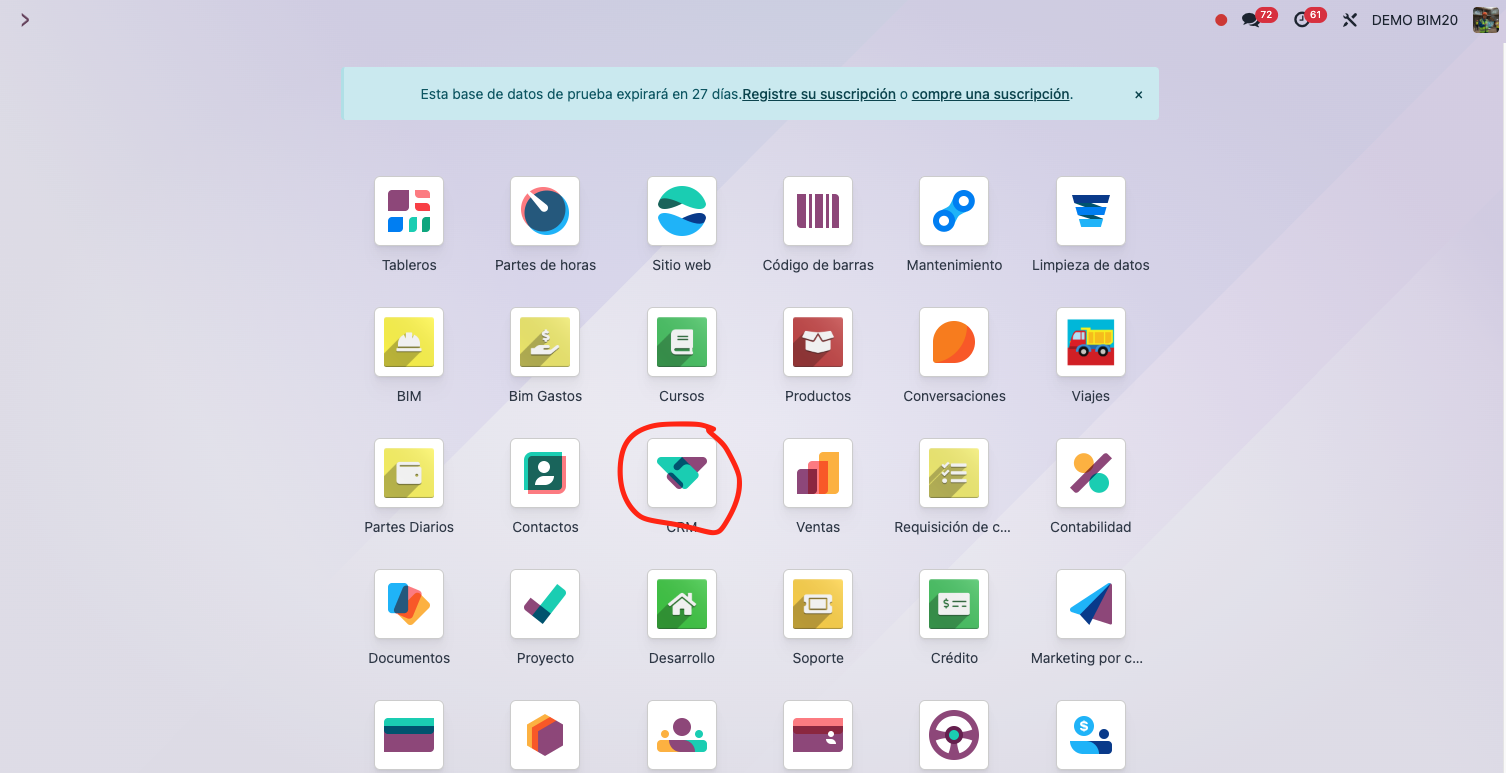
Step 1: open the CRM module
Open the CRM module in your Odoo instance. From here you manage the opportunities and potential clients for your construction projects.
Step 2: create a new opportunity
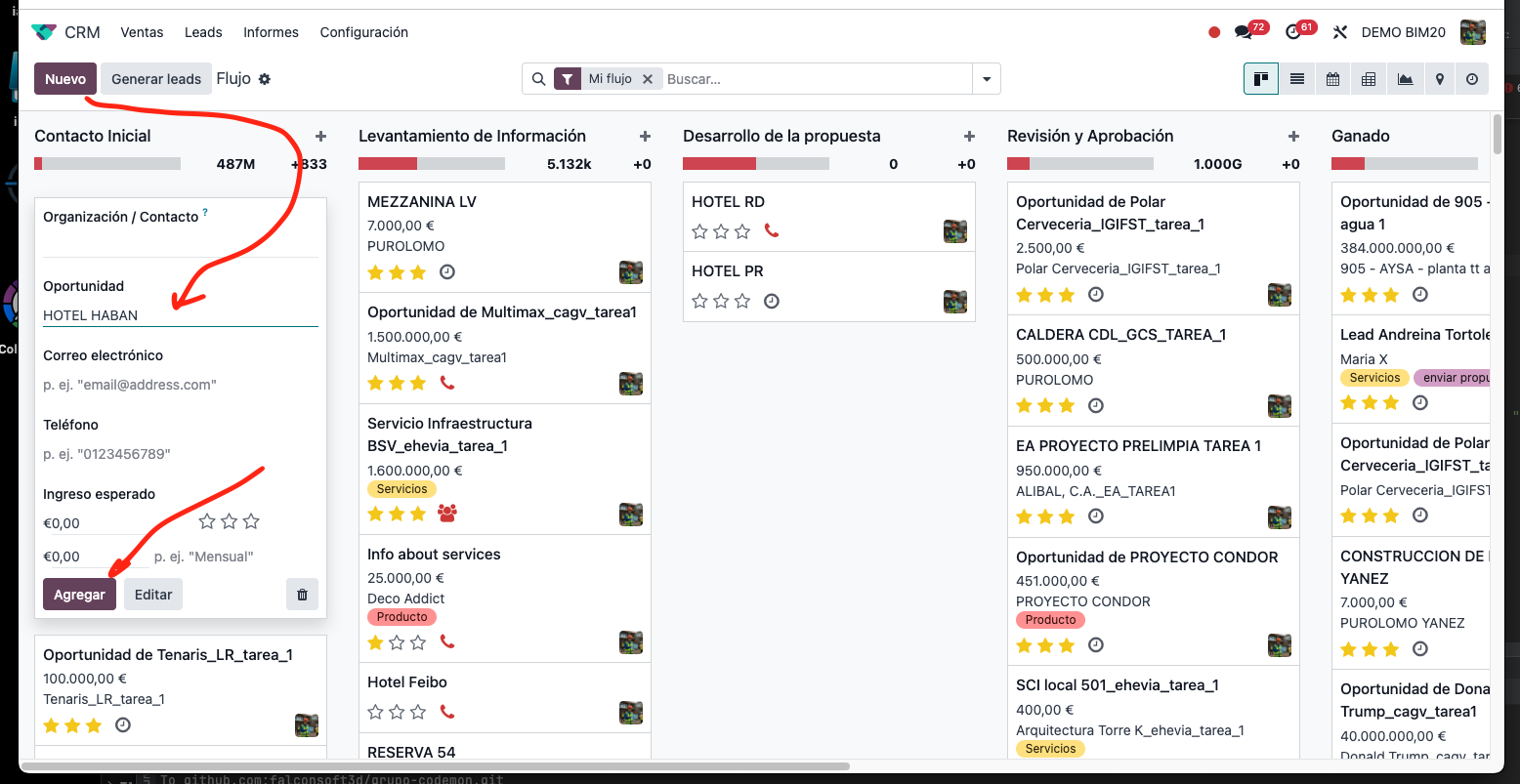
Click Create to start a new opportunity and fill in the relevant details: project name, client, sales stage, and so on.
Step 3: create the project from the opportunity
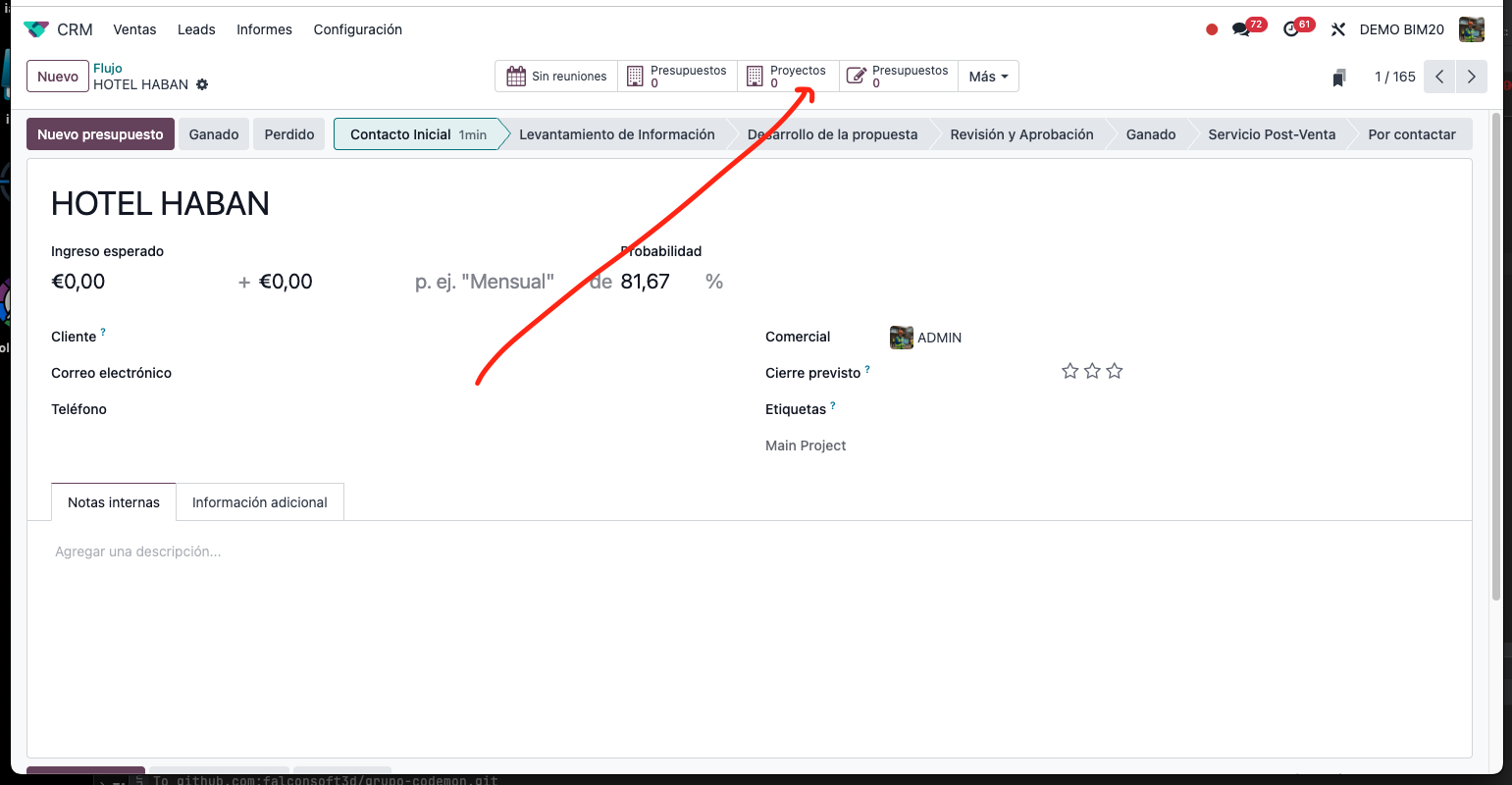
Once the opportunity is set up, look for the Create Project option in its view. When you click it, a new project is generated automatically from the opportunity.
Step 4: configure the project
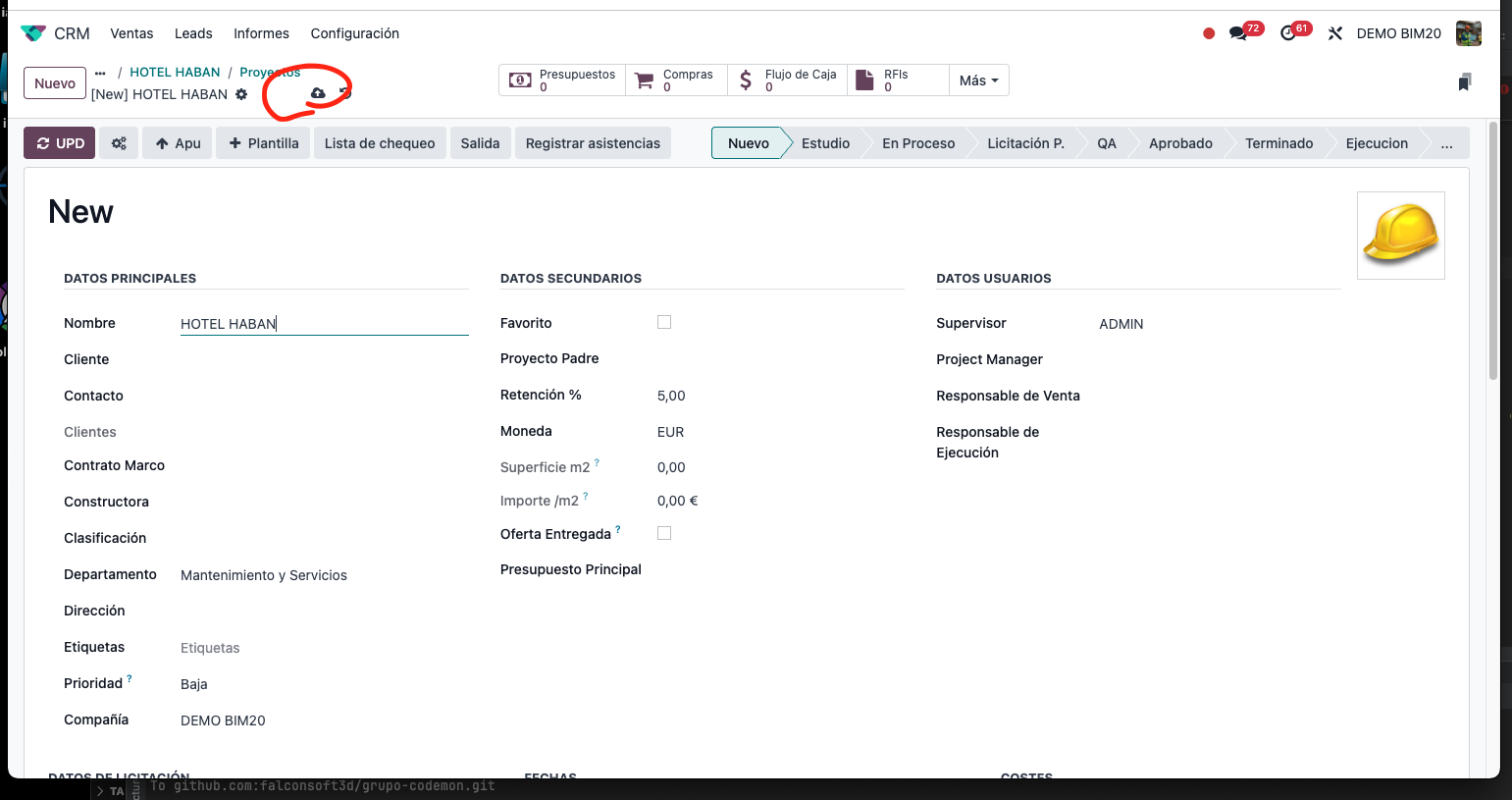
After creating it, you will land in the Project module, where you can configure all the specific details of the construction project.
👉 Want to see it with your own data? Request a demo.