Where BIM › INT › BIM importer › Import Bim File
Before you start
BIM Integrations profile.
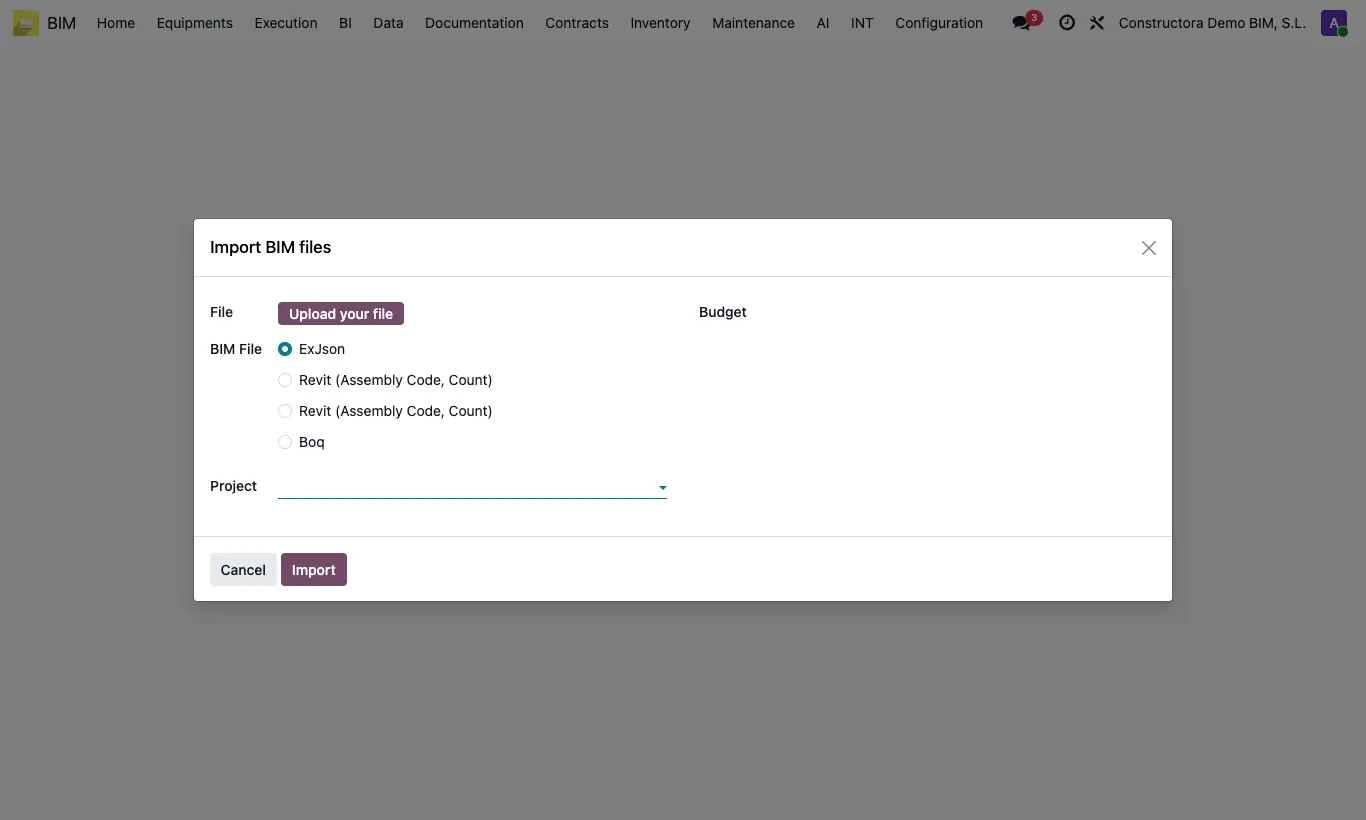
Steps
- In each unit price you are going to use, fill in BIM ID with the model code and assign it a Bim Group.
- For your own format, first create a template in BIM importer › Boq templates: Reference, Code Name and Quantity Name (the headers of those columns) and Type (Csv or Excel).
- Go to BIM importer › Import Bim File (or, from the budget, Actions › Import Bim File).
- Upload the File and choose the Type: Revit (Assembly Code, Count) (it appears with two names depending on your Revit language), BOQ (it asks for the Boq Template) or ExJson.
- Choose Update budget (and the budget) or Create budget (with the Project and the Budget Name).
- Click Import and click UPD on the budget.
Warning
Revit and BOQ CSV files must be comma-separated and have a .csv or .txt extension.
If the unit price has no group, “The unit price … has no group” appears.
If the code or quantity column is missing, the program tells you which one it cannot find.
Site note
When updating, the items that already come from the file change their quantity; new codes create items from the unit price, inside the chapter of their group.
Rows with the same code are added together.
Each import is kept in BIM importer › Budget import log with the file and the list of Concepts not found.
ExJson loads the file generated by Bim Budget Export into the chosen budget.