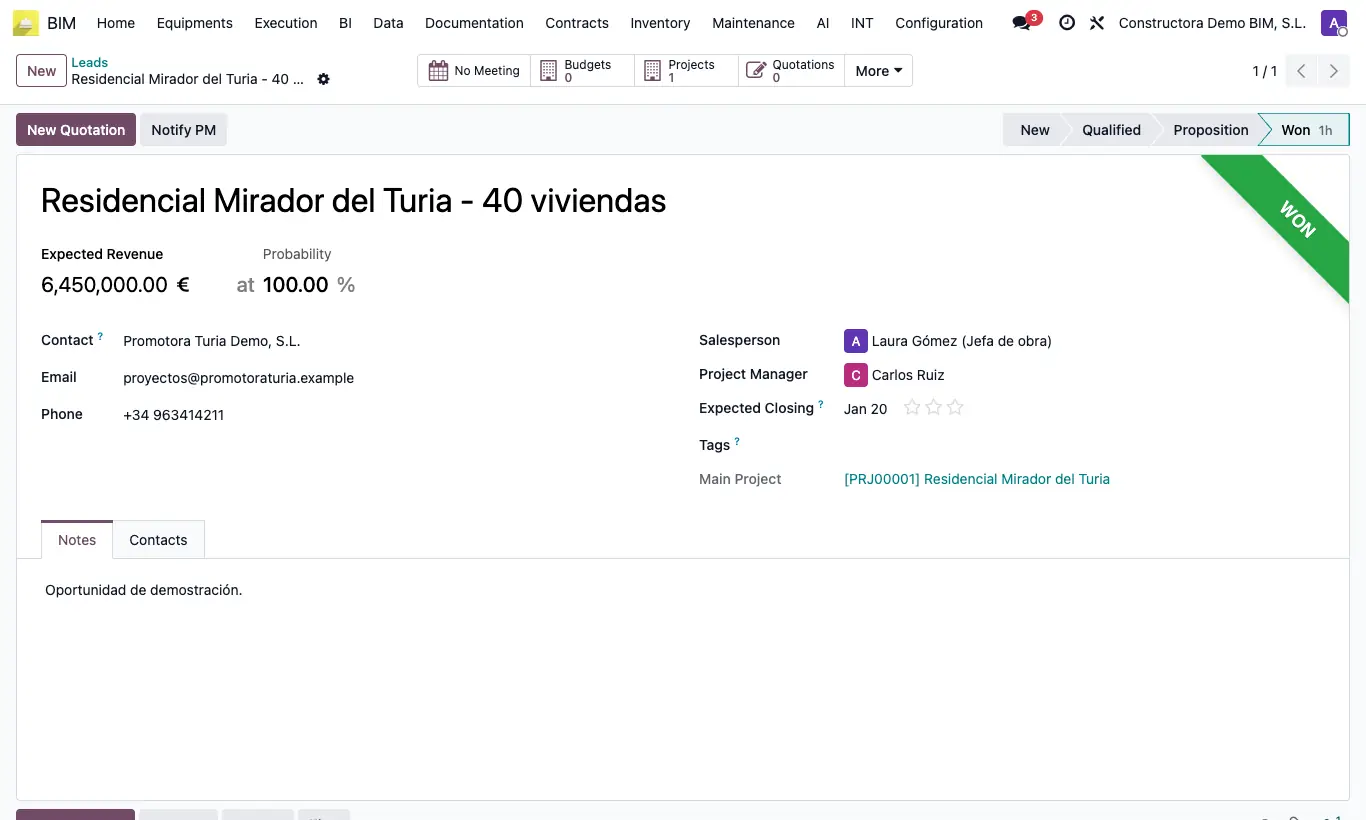
Where CRM › Opportunity › Projects button
Before you start
BIM 2.0 CRM module (bim_crm) installed and the BIM User or BIM Administrator profile.
Steps
- Open the opportunity in CRM. If it is still a lead, convert it into an opportunity first: the BIM buttons do not appear on leads.
- Check that it has a Customer and, if applicable, the Project Manager assigned.
- Click the Projects smart button in the header.
- Click New. The project opens already filled in with the customer, the opportunity name, the salesperson, the Project Manager as project manager and the link to the opportunity.
- Fill in the start date and the rest of the project data, then save.
Site note
The first project created becomes the opportunity's Main Project, shown on its form and as an optional column in the list.
If the opportunity already has a single project, the Projects button opens it directly.
On the project form, the Opportunity field lets you go back to the CRM.