Where BIM › Documentation › Forms › Campaign
Before you start
BIM Marketing profile.
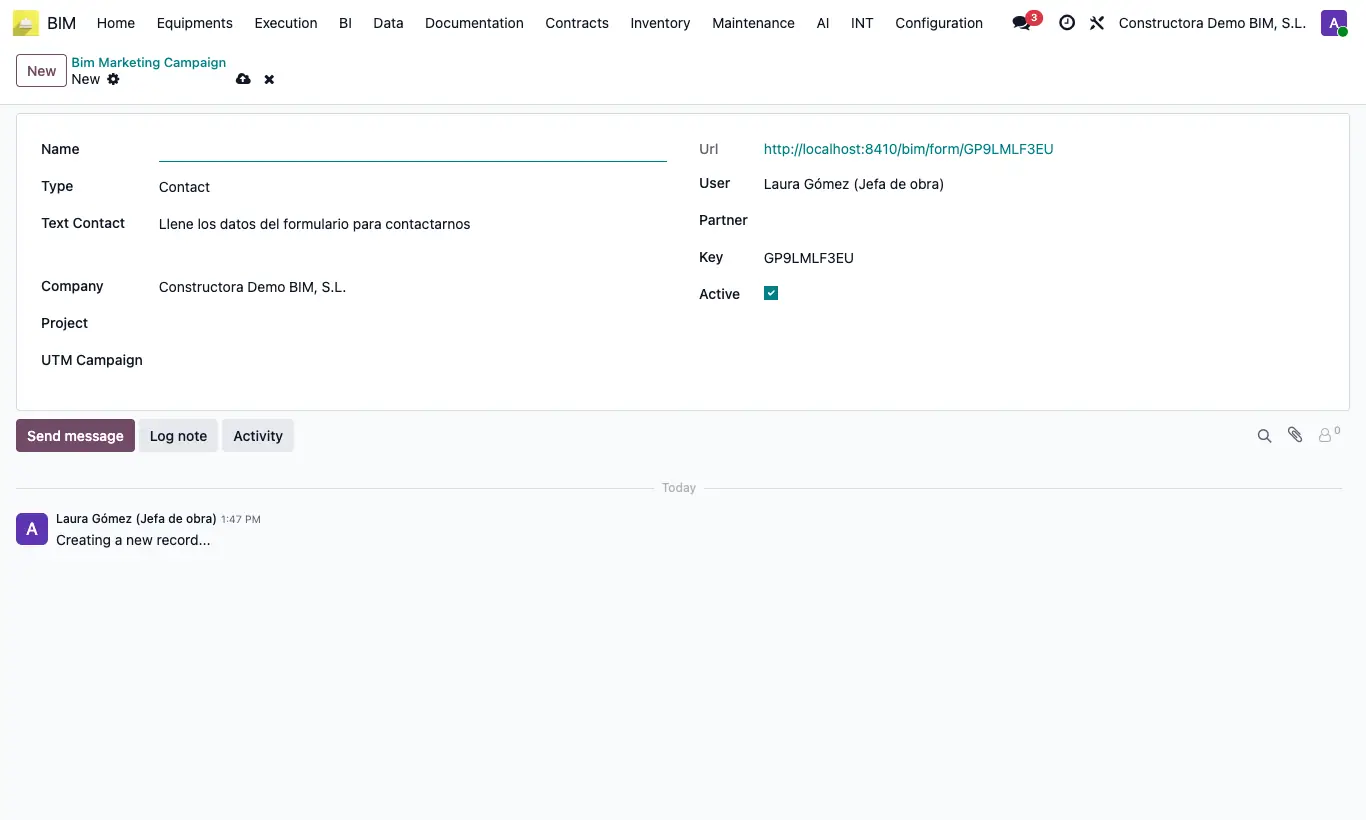
Steps
- Go to BIM › Documentation › Forms › Campaign and click New.
- Type the Name and choose the Type: Contact (CRM opportunity), Ticket or Maintenance WO (WO request).
- Review the Text Contact the visitor will see and choose the User who will receive what comes in.
- For Ticket, choose the Project in which the tickets will be created; for Contact, if you wish, the UTM Campaign.
- Save and copy the Url: publish it on your website, in a QR code on site or in an email.
- The visitor fills in Name, Email, Phone and Message and submits it.
Warning
The Contact type creates a CRM opportunity: without the CRM app installed, the submission is not saved and the visitor gets an error.
Untick Active to close the form: the link stops responding.
Site note
A ticket is titled with the campaign name and the sender's name.
A maintenance WO arrives with Requested By, Requested Email, Requested Phone and, in Reference, the campaign key.
For opportunities and maintenance WOs, if the email matches an existing contact, it is linked to it.