Where Settings › Users & Companies › Users
Administrator role.
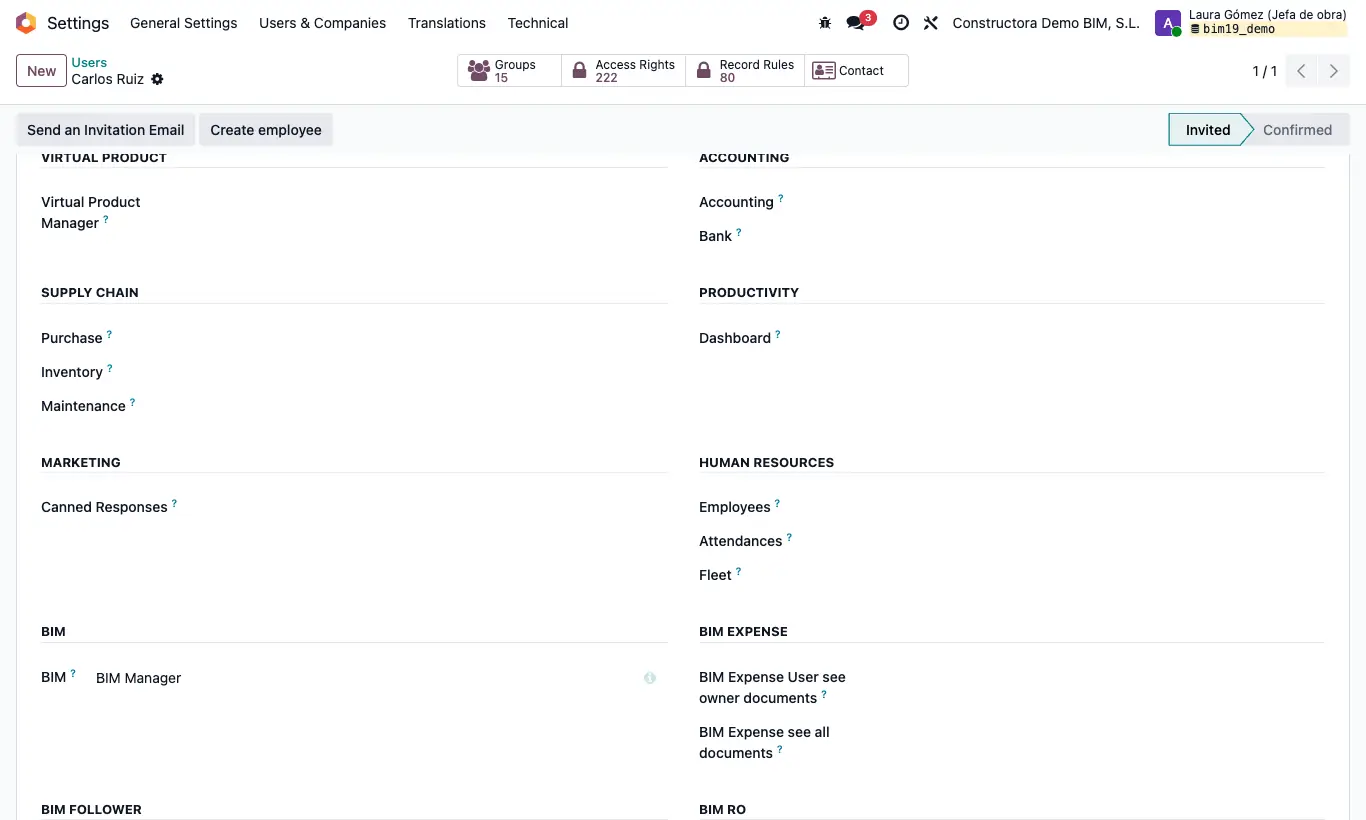
Steps
- Go to Settings › Users & Companies › Users and open the user.
- In the Access Rights tab, leave Role on User (or Admin if they must also enter Settings).
- In the BIM section, choose the base profile in the BIM dropdown: BIM User see owner documents, BIM User see all documents or BIM Manager. Without one of them they do not see the BIM app.
- In the BIM EXTRA section each profile has its own dropdown: choose its value to grant it (Bim Costs, BIM Certification, BIM Paidstate, Diary Part, BIM Integrations, IA, BIM Maintenance…) or leave it empty to remove it.
- The rest of the BIM 2.0 profiles have their own section: Bim Expense, Bim RO (BI User and BI Admin), Virtual Product, Development and, if the followers module is installed, Bim Follower.
- Check the Odoo permissions that BIM 2.0 uses: Inventory for BIM › Inventory, Purchase for orders and Invoicing from Accounting for Generate Invoice.
- Save and ask the user to reload the page.
BIM Manager does not give access to everything: BI, AI, Integrations, Maintenance, Development, Daily Reports, certification, payment statuses and project deletion are assigned separately.
For the Bim 2.0 settings you need both BIM Manager and Role Admin at the same time.
Developer mode is not needed: the BIM 2.0 profiles are shown directly on the user form.
To give a profile to several people at once, enable developer mode, go to Settings › Users & Companies › Groups, search for the profile by its name and add them in the Users tab.
Choosing BIM Manager automatically includes BIM User see owner documents, BIM User see all documents, BIM SAT and BIM USD Currency User.
The Picking Cost Value permission has no section of its own: it only appears with developer mode, in Extra Rights.