Where BIM › Config › States › Budget states
Before you start
BIM Manager profile.
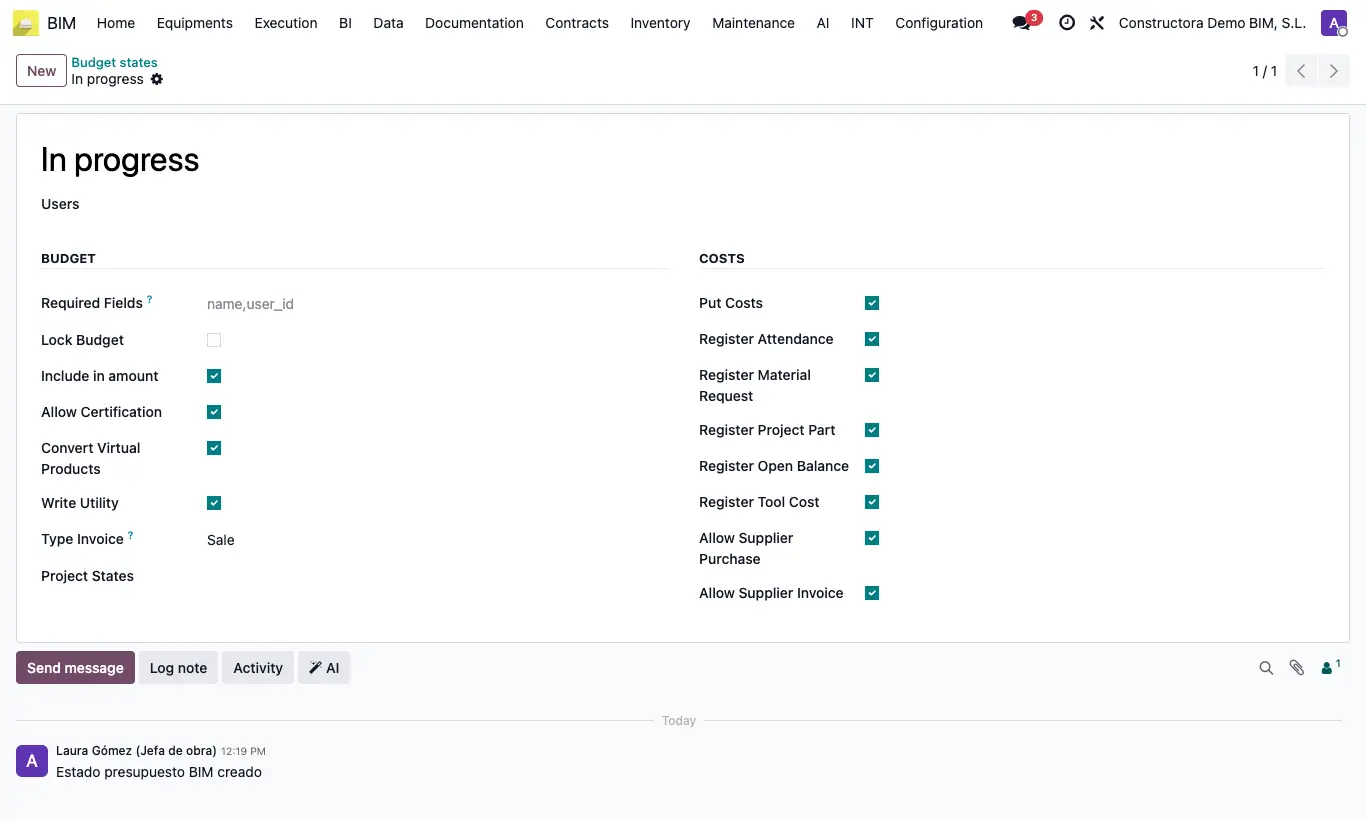
Steps
- Go to Config › States › Budget states. Drag the rows to order them: the first one is the one new budgets receive.
- Open a state or click New. In Users set who can put a budget in that state (empty: anyone).
- Budget block: Lock Budget (items cannot be created, modified or deleted), Include in amount (adds to the project amount), Allow Certification, Convert Virtual Products (shows the Convert Products button) and Write Utility (lets you change the Margin).
- Type Invoice: Sale or Purchase, the invoice type of the payment statuses created from its certifications.
- Costs block: what the budget accepts in that state: Register Attendance, Register Material Request, Register Project Part, Register Open Balance, Register Tool Cost, Allow Supplier Purchase and Allow Supplier Invoice.
- Project States: if you choose any, the budget can only move to this state when its project is in one of those project states. Leave it empty for no restriction.
- Required Fields: technical names of the fields, separated by commas, that must be filled in to move to that state (for example name,user_id).
- Save and change the budget's state in its status bar.
Warning
Without Allow Supplier Purchase, confirming an order of that budget gives “You cannot confirm a purchase order on a budget that is not in the state …”.
Without Register Material Request, a delivery note of that budget cannot be included in BIM.
Put Costs has no effect.
If the project is not in one of the Project States, changing the budget to that state gives “The state … is not allowed for this budget”.
Site note
If a state does not accept a cost, that budget is not offered when registering attendance, reports, balances or tool uses, nor when charging vendor bills.