Where BIM › Config › States › Project states
Before you start
BIM Administrator profile to create statuses.
Steps
- To change the status, open the project and click the desired status in the status bar (top right).
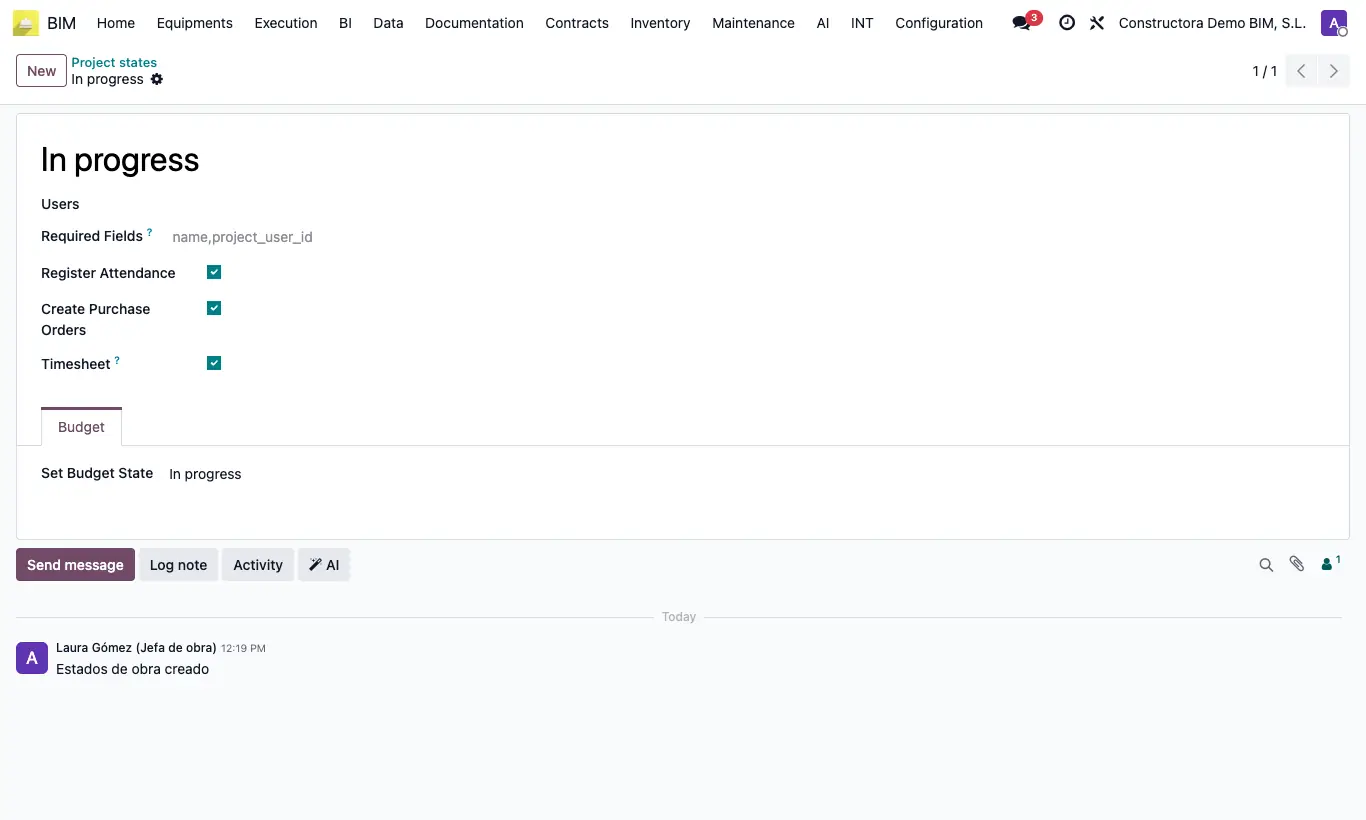
- To create statuses, go to Config › States › Project states and click New. Drag the rows to order them: the first one is for new projects.
- In Users, enter who can put a project in that status and in Required Fields the fields that are mandatory to reach it (for example name,project_user_id).
- Register Attendance: unchecked, the project does not accept attendance. Create Purchase Orders: unchecked, the project's orders cannot be confirmed.
- Timesheet: projects in this status appear in the Timesheet portal.
- In the Budget tab, Set Budget State moves all the project's budgets to the chosen status when the project enters this status.
Warning
A custom status that you name "Finished" does not count as finished in the dashboards: only the factory status has that flag. Rename it instead of creating another one.
Confirming an order of a project whose status does not have Create Purchase Orders gives "You cannot confirm a purchase order in a project that is not in the status ...".
Site note
New and Done come by default. Projects in Done do not count as active in the management dashboards.