Where BIM › Home › Management › Received Documents
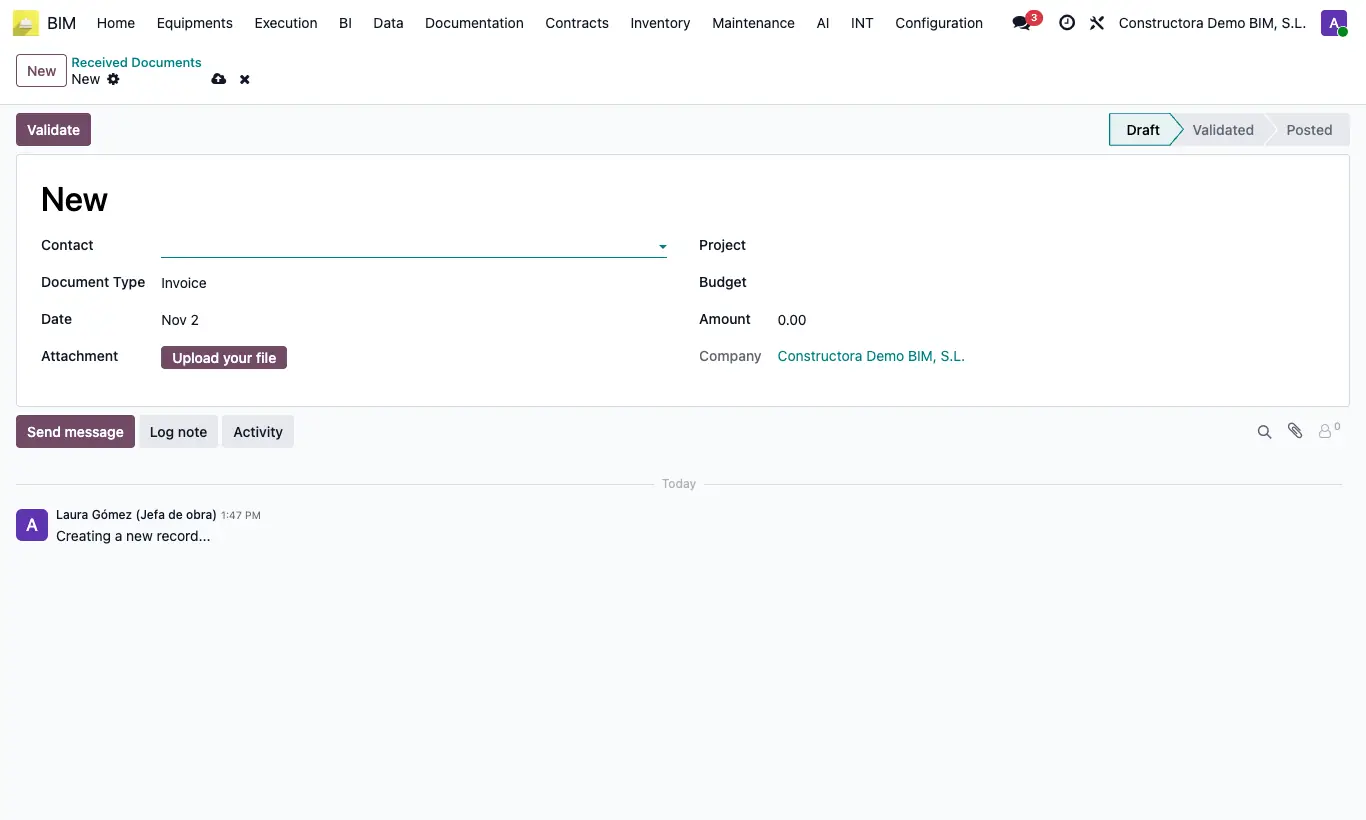
Steps
- Go to BIM › Home › Management › Received Documents and click New.
- Choose the Contact who sends it and the Document Type: Invoice, Delivery Note, Purchase Order or Other.
- Enter the Date, upload the Attachment and enter the Amount.
- Choose the Project and, if you wish, the Budget and the Budget Item.
- Click Validate when you have reviewed it and Post once it is already recorded in accounting.
Warning
Post only changes the status: it does not create the invoice or the journal entry. Record them separately in Purchase or Accounting.
Outside Draft the record is locked; use Set to Draft to correct it.
Only draft documents can be deleted.
Site note
Filter by Draft, Validated or Posted, and group by project, contact or type to see what is still pending.