Where BIM › Inventory › Service Request › Service Request
Before you start
For the Purchase Requisition app's own menu, the Request Services Menu profile.
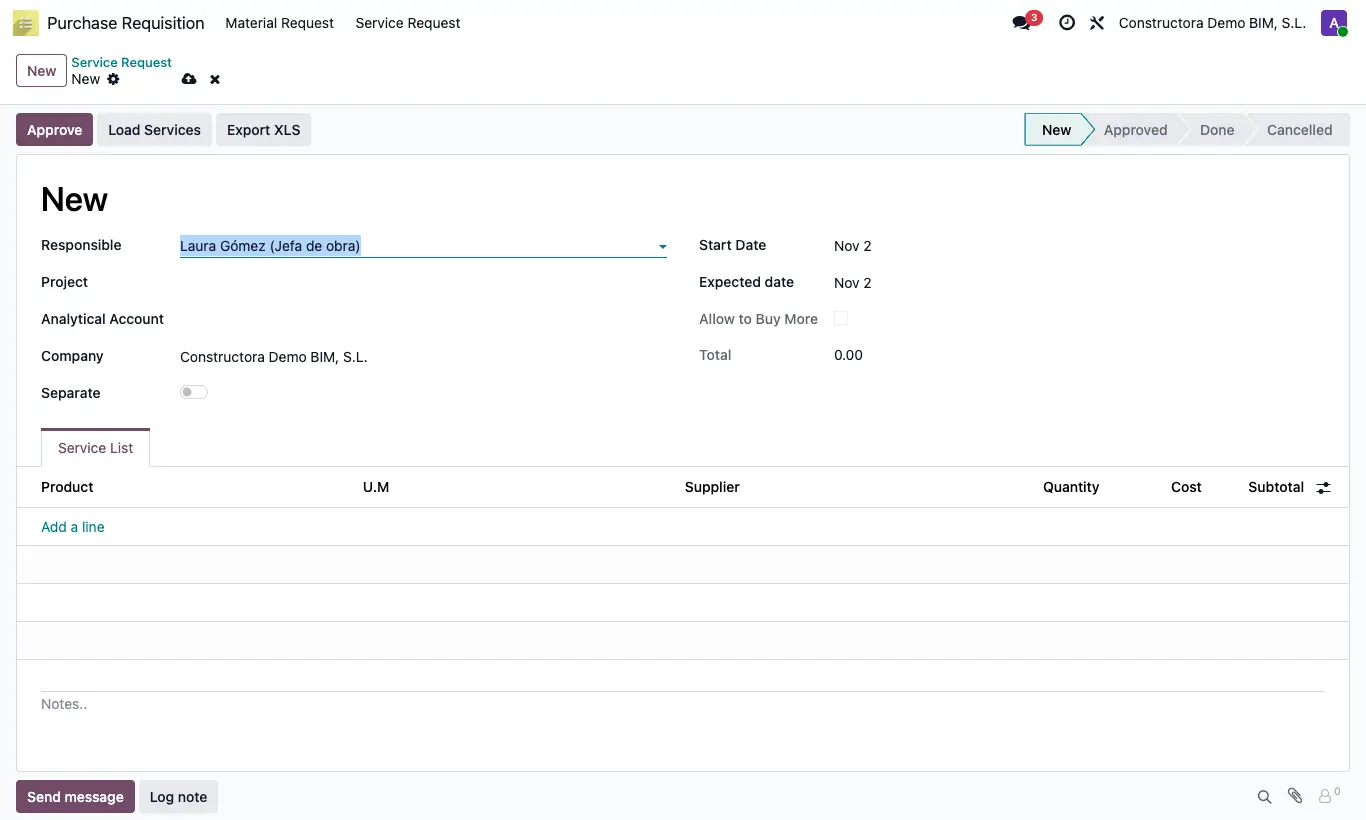
Steps
- Click New, choose the Project and the dates.
- Click Load Services, choose the Service Type (Own Services, Sub-Contract or All) and tick the Budgets.
- If you turn on Separate in the request, one line per item is created and only with the resources marked as Sub Contract in the budget.
- Review the lines, the Supplier and the Cost, and click Approve.
- Click Purchase, assign a vendor per line and click Process to create the order.
- When nothing is left to order, click Finish.
Warning
If the request does not have Allow to Buy More, loading services deletes any lines already there.
A cancelled service request has no button to go back to New: create another.
Site note
Export XLS downloads the lines with concept, quantity, cost and subtotal.
From the project record, the Service Request button opens that project's requests.