Where Contact › BIM Portal tab
Before you start
BIM Portal Customer Odoo module installed.
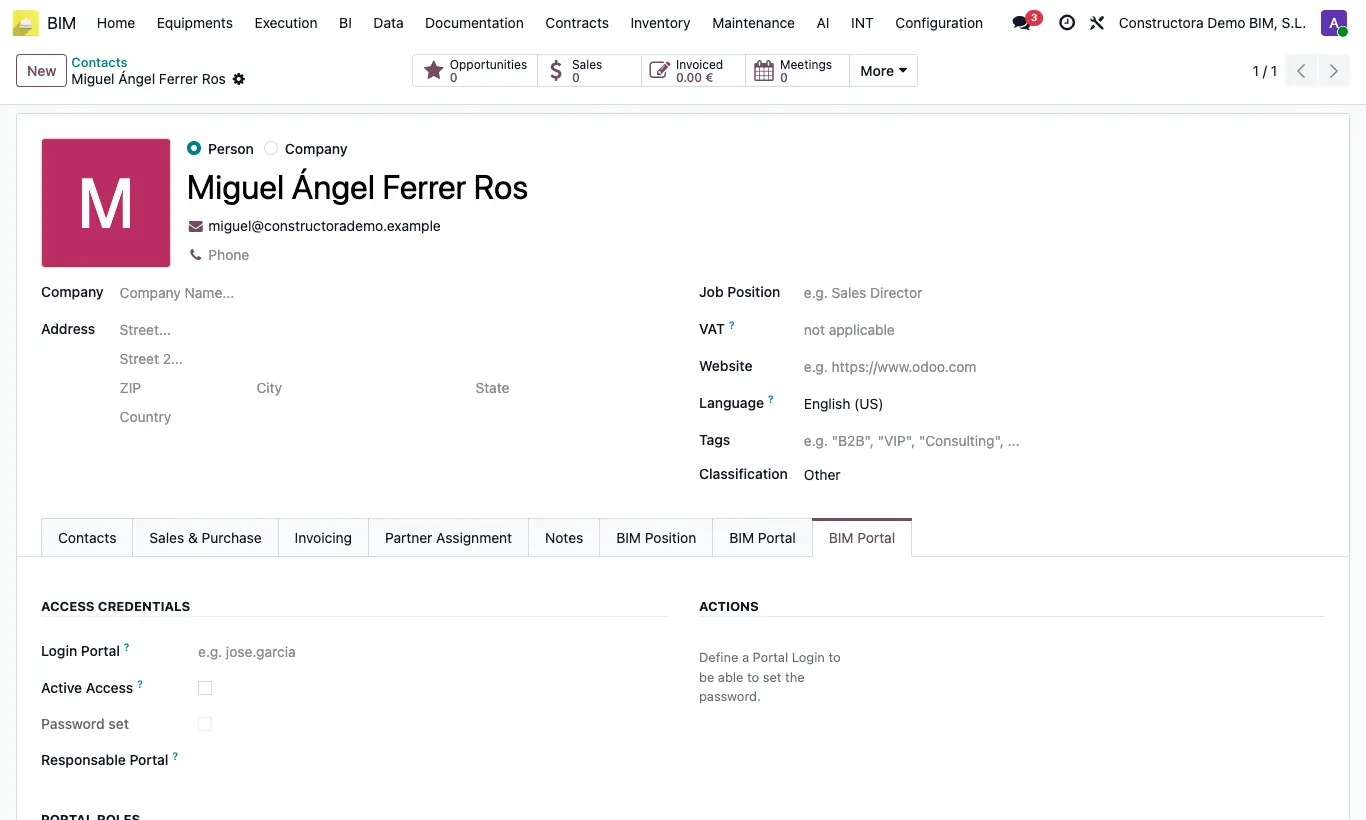
Steps
- Open the employee's contact and go to the BIM Portal tab (Access Credentials section).
- Write the Login Portal, tick Active Access and click Set / Change Password (Generate secure password and Save password).
- In Portal Roles tick Timesheets and choose the Linked Employee.
- Check that the project state has Timesheet ticked (Config › States › Project states): only those projects appear in the portal.
- The hours the employee saves appear in Task Line Allocation as Validated, with cost = Hour Cost × hours. If they later change them from the portal, the Labor Cost is recalculated the same way.
Warning
Without a Linked Employee (neither a user nor a work contact linked to the employee), the portal does not let you save.