Where Settings › Technical › Sequences & Identifiers › Sequences
Before you start
Administrator role. Developer mode active.
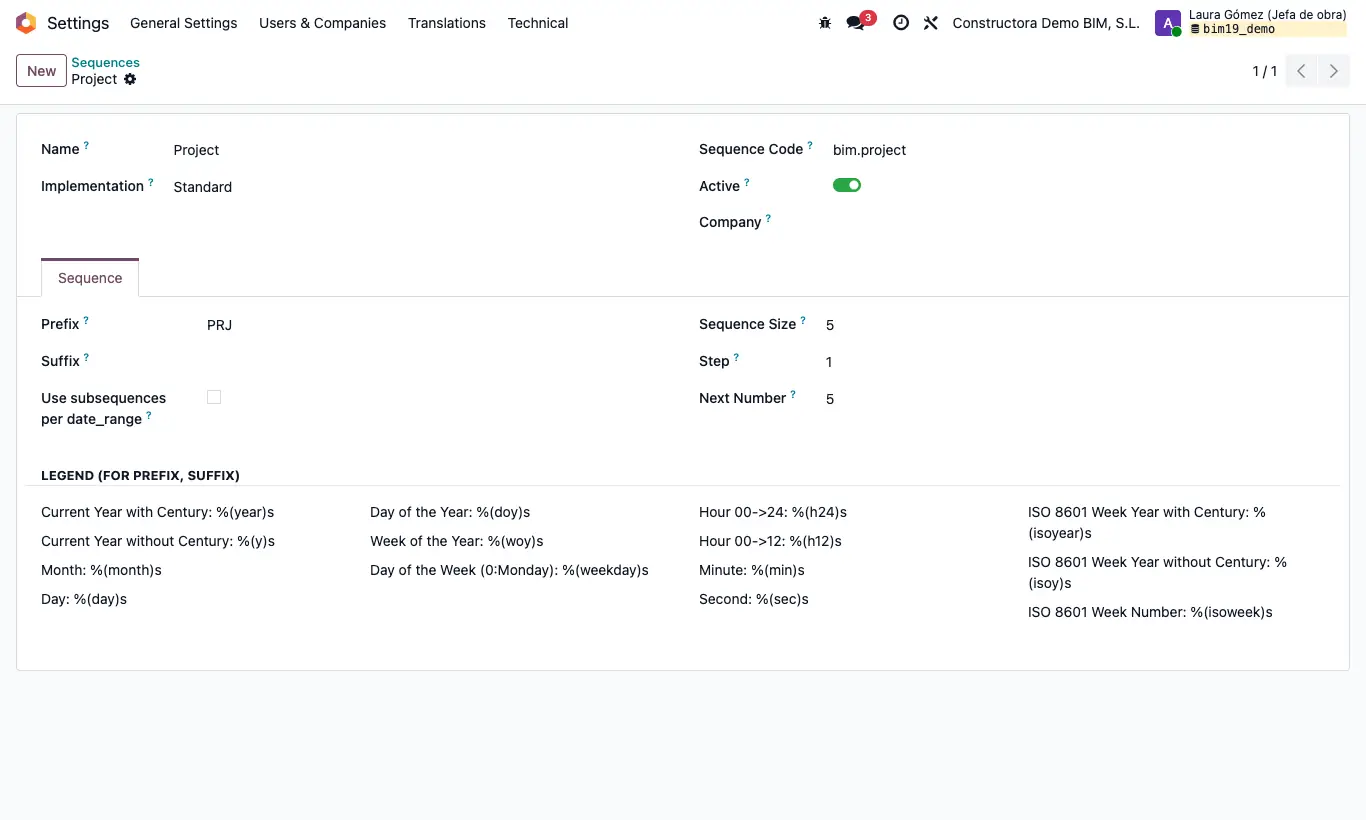
Steps
- Activate developer mode and go to Settings › Technical › Sequences & Identifiers › Sequences.
- Find the sequence by its name, which is in English: Project (projects, prefix PRJ), Budget (budgets, PSU), Bim Purchase Requisition (material requests, BPR), Diary Part (daily reports, PTD/)…
- Change Prefix, Suffix, Next Number or Sequence Size and save. New documents come out with the new numbering; existing ones do not change.
- To number projects by year, tick Sequence by Year in the Bim 2.0 settings: projects are numbered with the company's initial, the year in two digits and a counter (for example B26/001), and each budget with its project's code and -V1, -V2…
- If you prefer to type the codes by hand, tick Edit Code Project or Edit Code Budget in the same settings.
Warning
With Sequence by Year, the counter is the sequence key in General Config: the one of your company is used and, if there is none, the default one without company. With several companies, create a sequence key for each if they must number separately.
That counter does not go back to 1 when the year changes: set it to 0 by hand in Value on 1 January.
Do not lower Next Number below a number already used: duplicate codes would come out.