Where BIM › Maintenance › Home › Tasks
Before you start
BIM Maintenance profile.
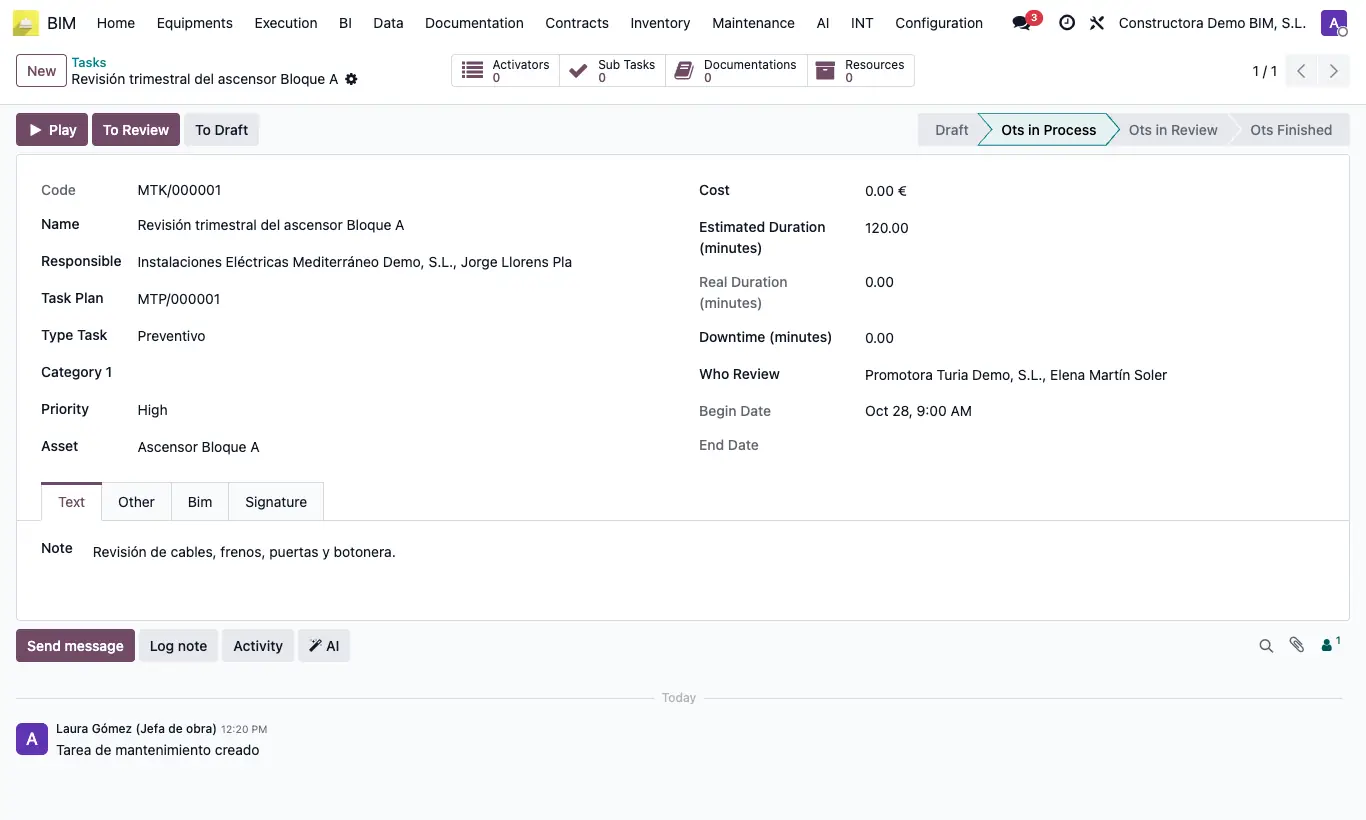
Steps
- Go to BIM › Maintenance › Home › Tasks and click New (or create the task from the plan or from a request).
- Enter the Name and choose Type Task, Task Plan, Category 1, Priority, Estimated Duration (minutes) and the Responsible.
- Click To Process.
- When you start, click Play and when you finish Stop: Begin Date, End date and Real Duration (minutes) are filled in.
- Complete the subtasks, note the resources and the Downtime (minutes), and click To Review.
- Choose Who Review, collect the signature on the Signature tab and click To finished.
Warning
Without a Responsible it does not move to process, and without Who Review it cannot be finished: "You must select a contact".
It does not move to review if any Required subtask is unfinished: "You must complete all required subtasks".
The Real Duration counts from the first Play to the last Stop: intermediate pauses also count.
A finished task is locked; To Draft reopens it.
Site note
The task's Cost is the sum of its resources.
If the task comes from a request, the request changes state at the same time as the task.