Where BIM › Home › Certifications › Payment Status
Before you start
BIM Paidstate profile and Invoicing permission in Accounting. Project with a Contractor.
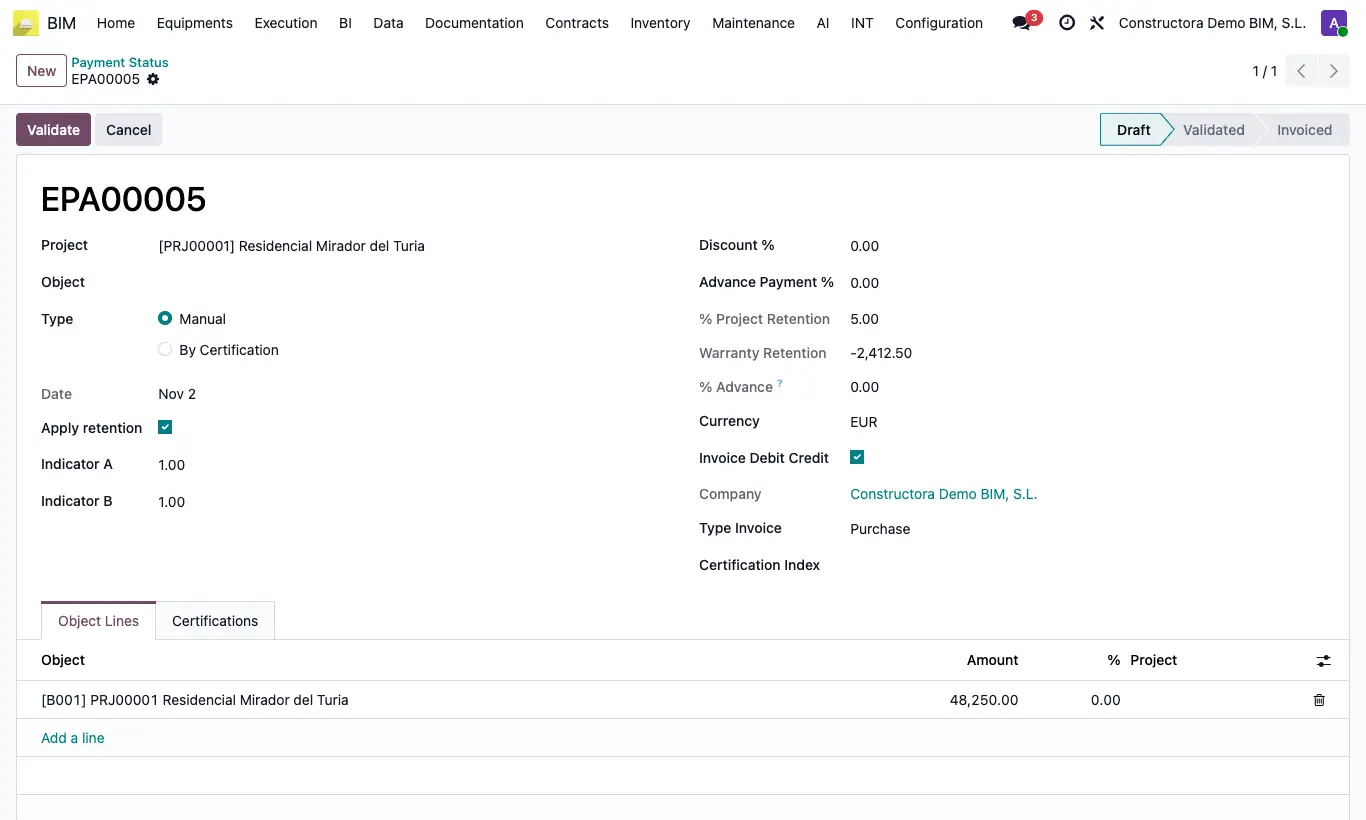
Steps
- In the project form, fill in Contractor with the contact of the company you pay.
- Choose Purchase in Type Invoice: in the certification's Other tab while it is in Draft, or directly in the payment status before validating it.
- Create the payment status from the certification or from the menu and check that its Type Invoice is Purchase.
- Check Apply retention, Discount % and Advance Payment % and click Validate.
- Click Generate Invoice: the draft vendor bill is created to the Contractor, with the product's purchase taxes and that contact's vendor payment term.
- Check the draft in Accounting and post it.
Warning
Without a Contractor on the project, "You must specify a contractor on the project before creating a vendor bill." appears.
Site note
To invoice several purchase payment statuses in a single invoice use Actions › Mass billing of states; all must be of type Purchase.
The product is the project's Payment Status Product or, if it has none, the one in Settings › Bim 2.0 › INVOICING.