Where Settings › Users & Companies › Users
Before you start
Administrator role.
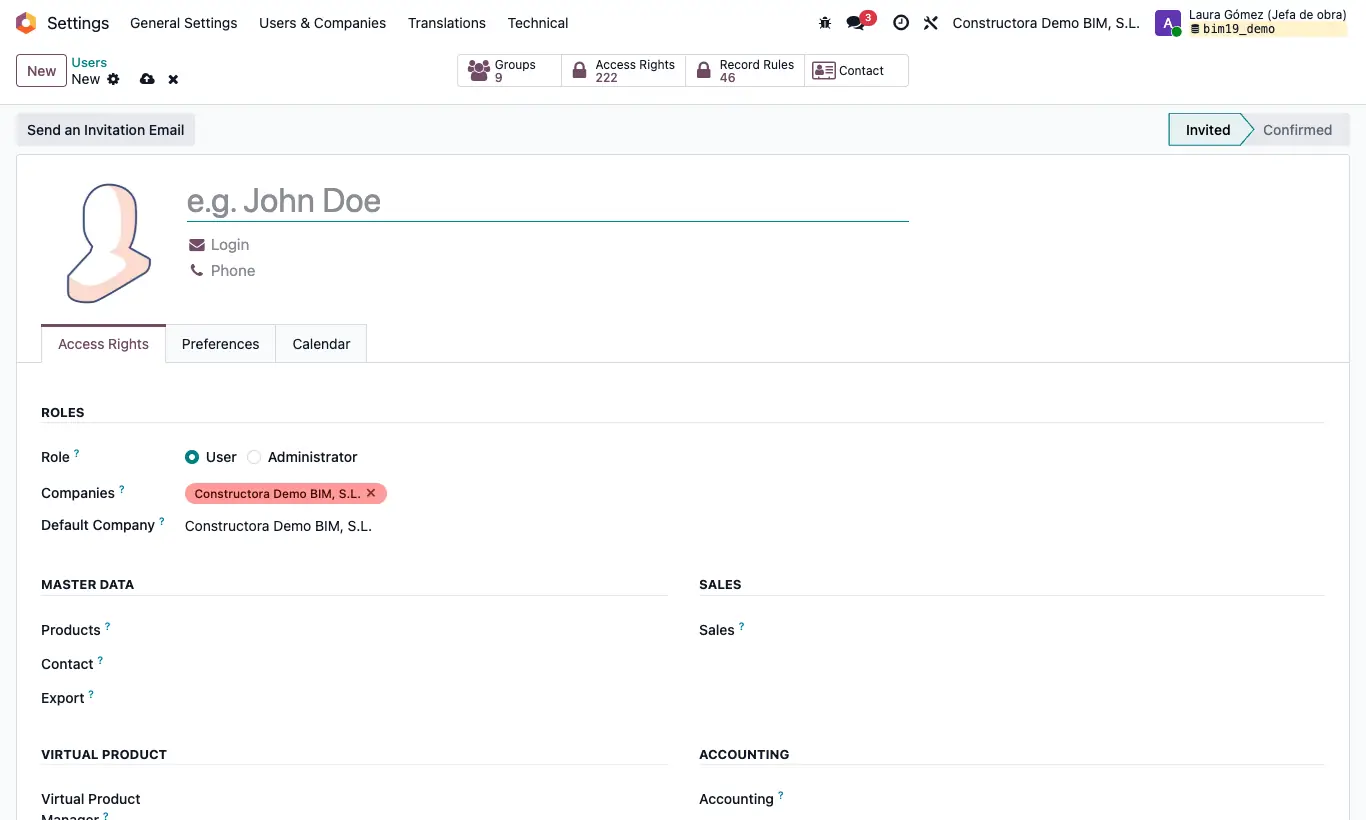
Steps
- Go to Settings › Users & Companies › Users and click New.
- Type their name and, in Login, their email.
- In the Access Rights tab, leave Role on User (choose Admin only if they must enter Settings).
- If you have several companies, set their Companies and their Default Company.
- In the same tab, BIM section, choose in the BIM dropdown BIM User see owner documents or BIM User see all documents, and in BIM EXTRA the profiles for their job.
- If they will use BIM › Inventory, also give them Inventory as User; if they manage orders, Purchase.
- Save. Odoo sends them an email invitation to choose their password.
Warning
Without BIM User see owner documents (or a profile that includes it) the BIM app does not appear in their menu.