Copying and pasting resources between line items in Odoo is a BIM 2.0 feature that makes it easier to manage inputs, costs and activities within projects and budgets. Its goal is to save data-entry time and keep information consistent, avoiding manual duplication and transcription errors.
Objective
Move resources (materials, labor, equipment and subcontracts) from one line item to another within Odoo, keeping consistency and traceability.
Scope
- Source: the initial line item where the resources are found.
- Destination: the receiving line item where the resources will be duplicated. It can be in the same budget or in another BIM, project or budget.
Procedure
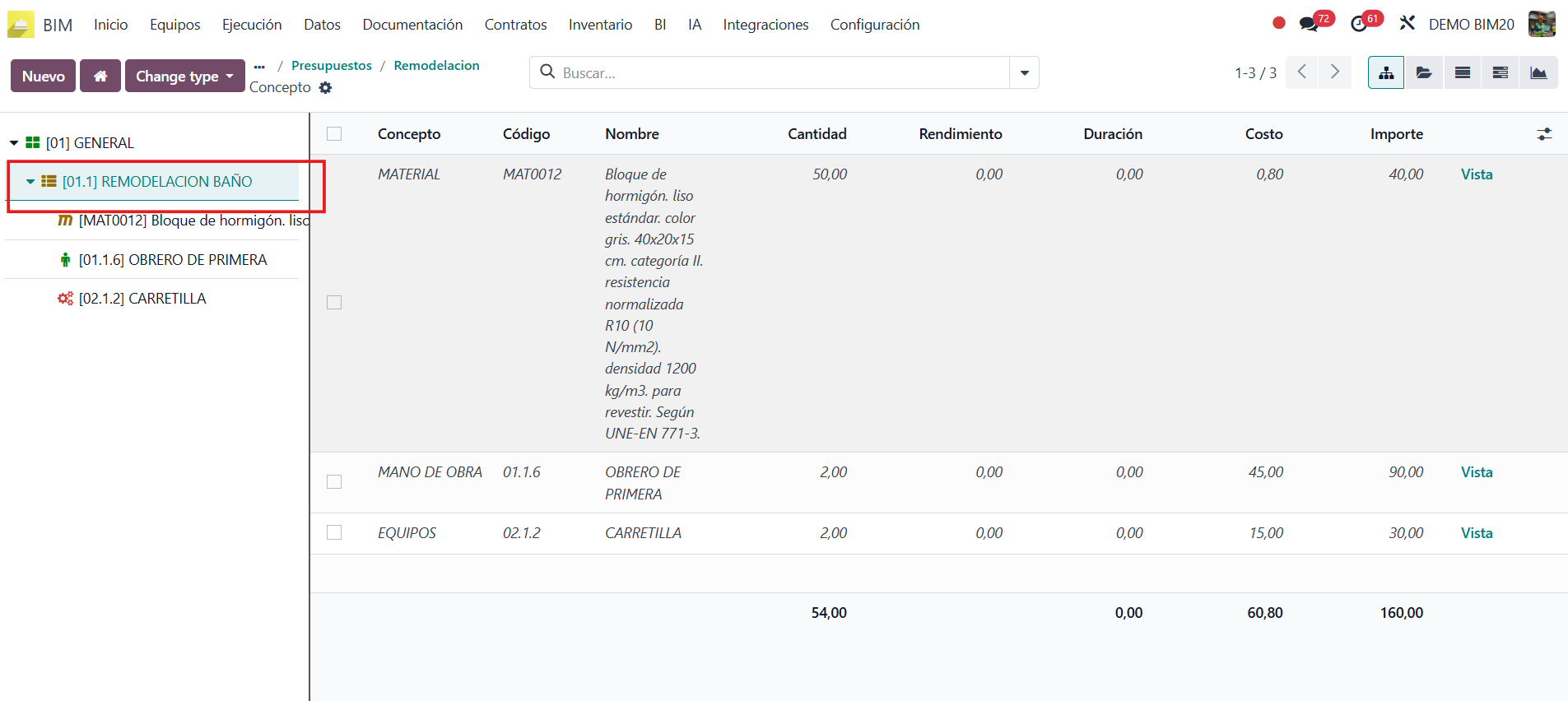
1. Identify the source line item
Open the budget and find in the tree the line item that contains the resources you want to reuse.
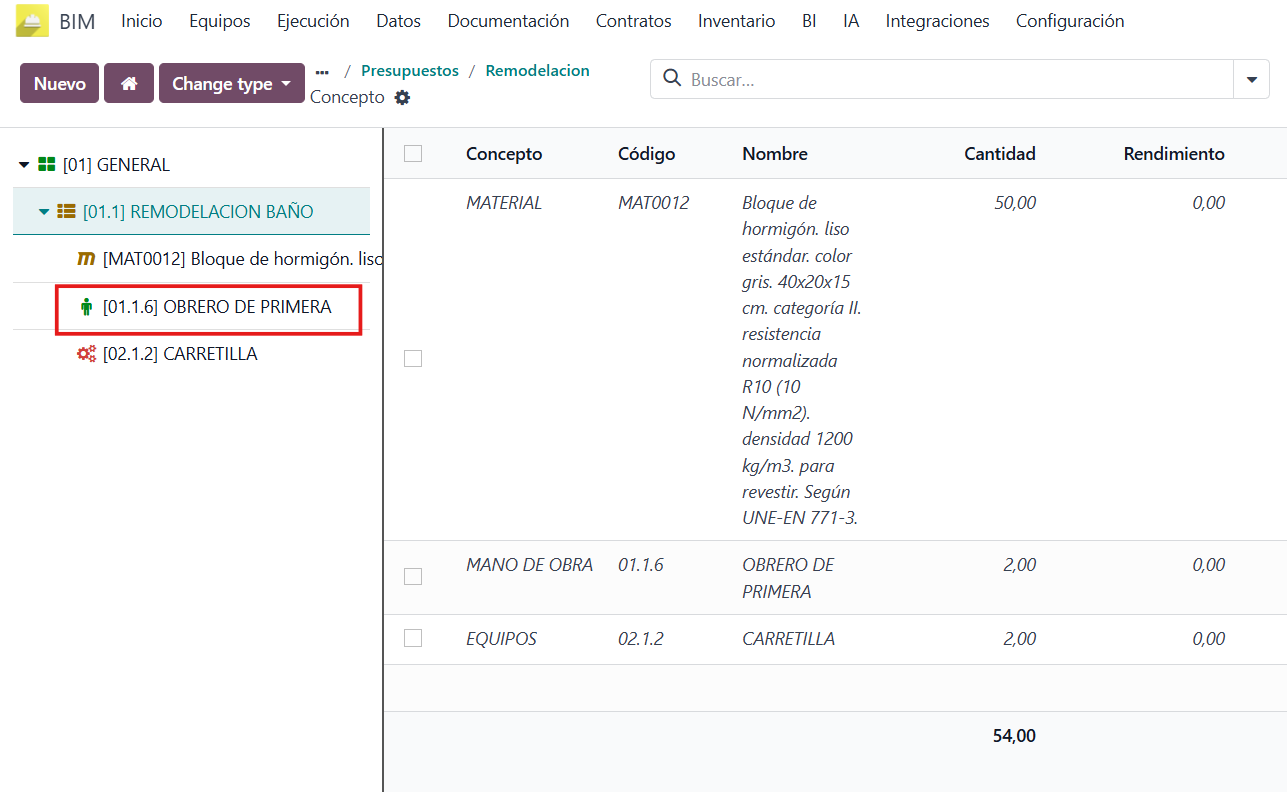
2. Select the resources
Check the resources you are going to copy.
3. Copy and go to the destination line item
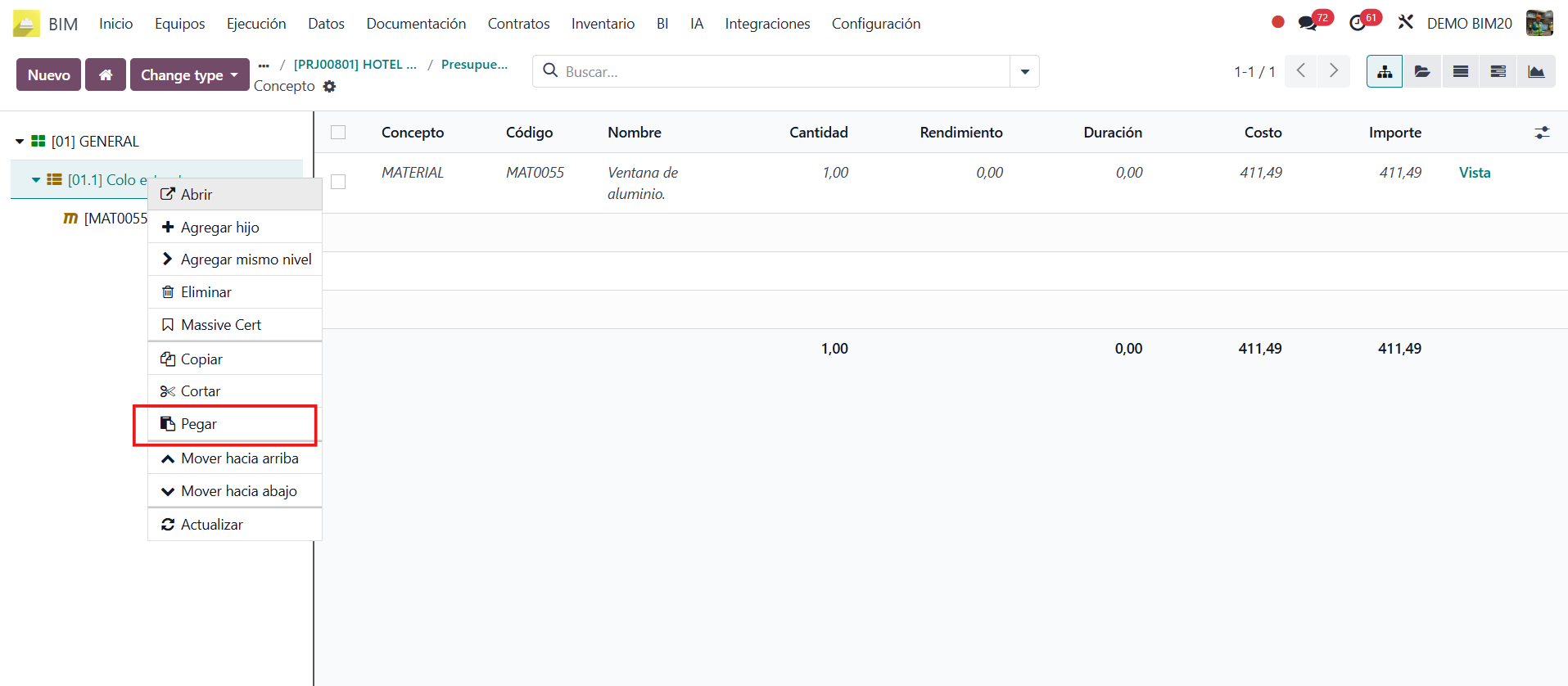
Right-click and choose Copy. Then navigate to the destination BIM, project or budget and select the receiving line item. Right-click on it and choose Paste.
4. Paste into the destination line item
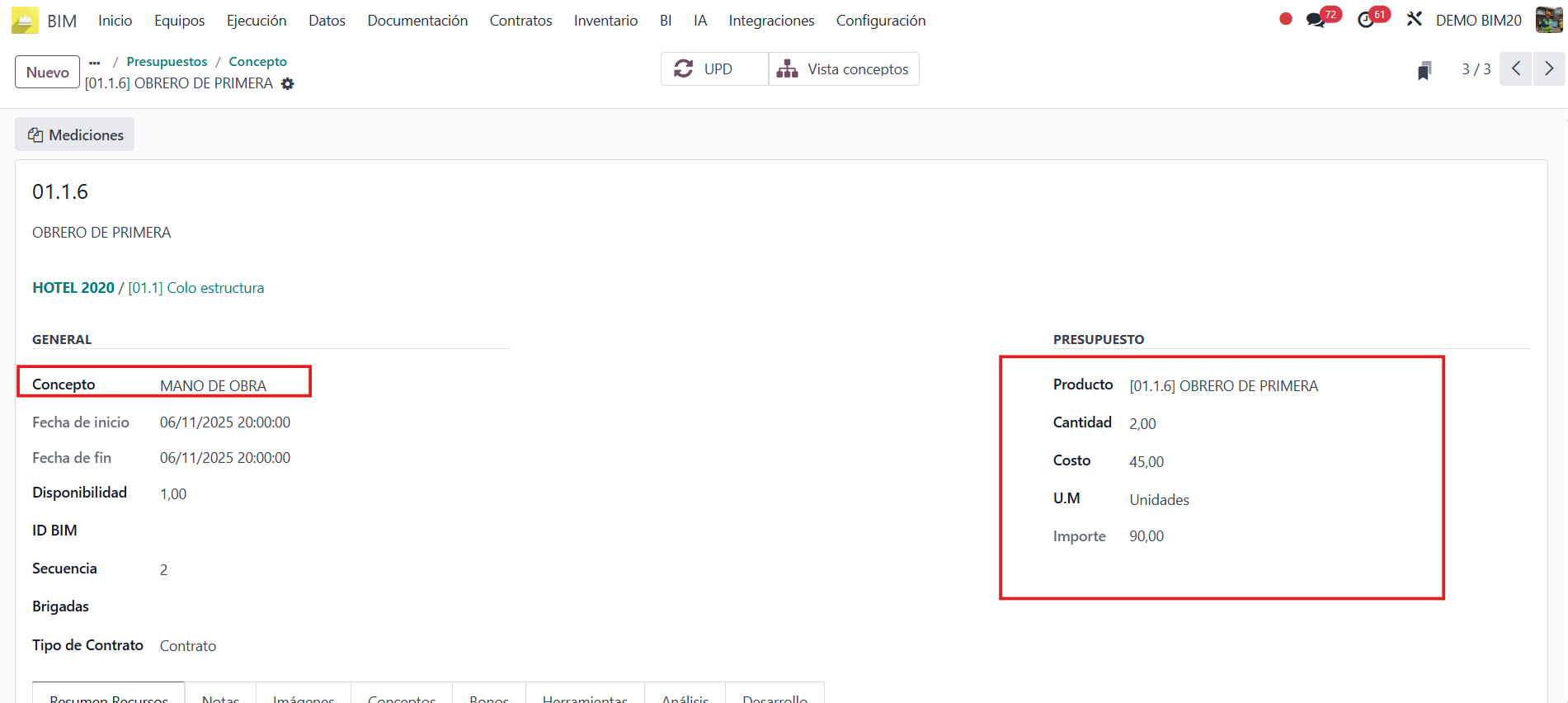
When you click Paste, Odoo shows the resources copied from the source line item in the budget tree of the destination line item.

5. Validate
Review the quantities and costs and adjust if necessary:
- Quantity
- Unit price
- Unit of measure
Final checklist
- The resources were copied correctly.
- The destination line item is updated.
Conclusion
Copying and pasting resources between line items in Odoo is an efficient practice to keep data consistent and reduce management time. By replicating inputs, costs and activities in a structured way, manual errors are reduced and the traceability of information in each project is ensured.
The final validation of quantities, prices and units is essential so that the transferred resources fit the needs of the destination line item.
Want to try it?
BIM 2.0 offers personalized demos for teams that want to take the leap. Contact us on WhatsApp or request a demo.