Where Item › Predecessors tab · Gantt › Preds. column
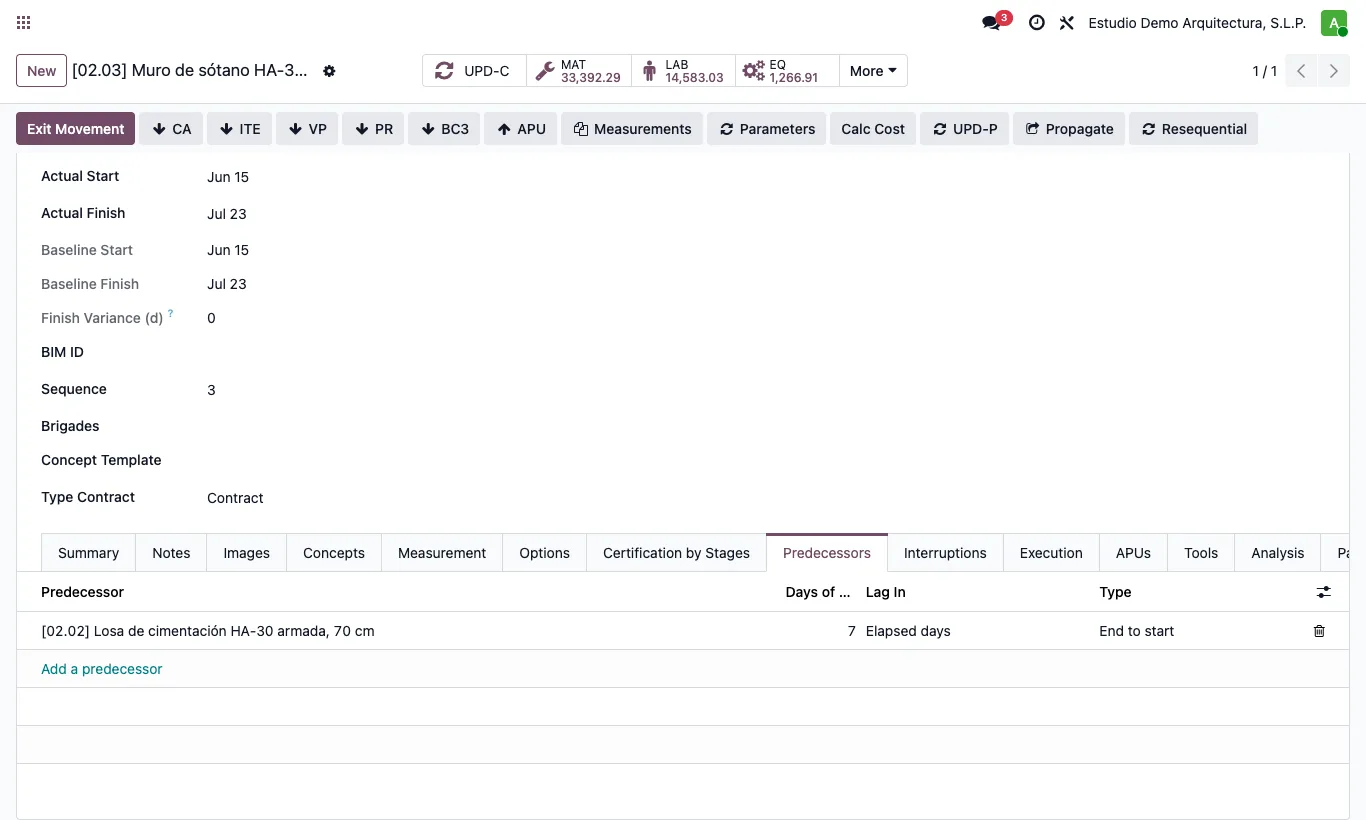
Steps
- In the Gantt type the predecessor codes in Preds. separated by commas. Example: `02.02FS+7ed, 03.01SS+50%`.
- Link type: FS finish to start (the usual one), SS start to start, FF finish to finish, SF start to finish.
- Lag: `+2` is working days, `+2ed` elapsed days (weekends and holidays count) and `+50%` a percentage of the predecessor's duration. With `-2` the items overlap.
- Also from the item form, Predecessors tab: Days of Difference, Lag In and Type.
Warning
Circular links are not allowed: the Gantt warns you if a predecessor already depends on the item.
Site note
A link to a chapter applies to all its items, as in MS Project.