Where BIM › Equipment › TMS › Trips
Before you start
The vehicle with its rate (Fleet Vehicle Price).
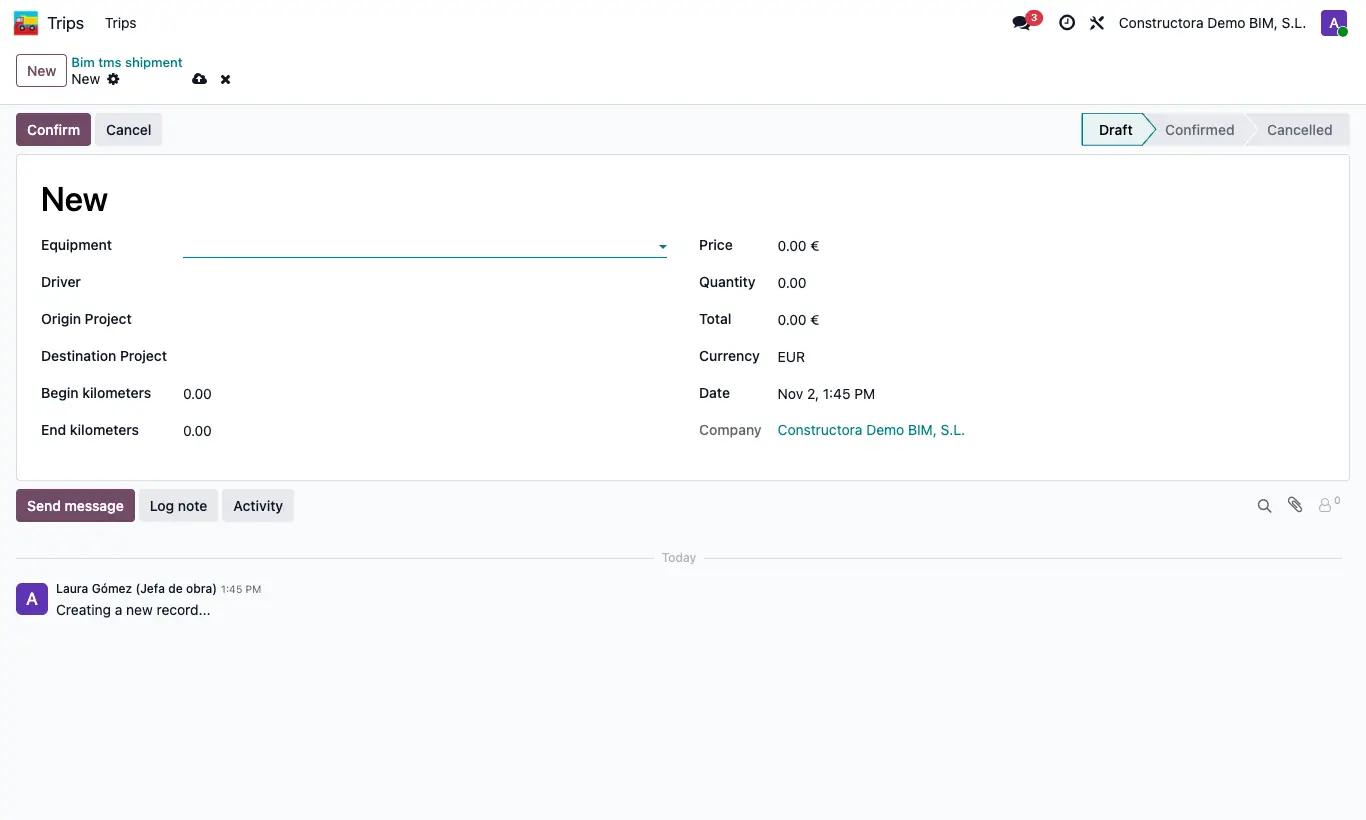
Steps
- Click New and choose the vehicle in Equipment: the Driver, the Price and the Begin kilometers are filled in.
- Choose the Origin Project project and the Destination Project one and the Date.
- Note the odometer's End kilometers: the Quantity is the kilometres.
- Click Confirm: the Total is calculated and the reading is saved to the vehicle's Odometer.
Warning
Without a vehicle or projects you get the corresponding warning; if the end reading is lower than the start, “The final kilometres must be greater than the initial ones”.
Site note
With the standard setup, if origin and destination are different projects, each receives half the amount; if it is the same, all of it.
You can confirm several at once with Actions › Confirm.
The project shows its trips on the Shipments button.