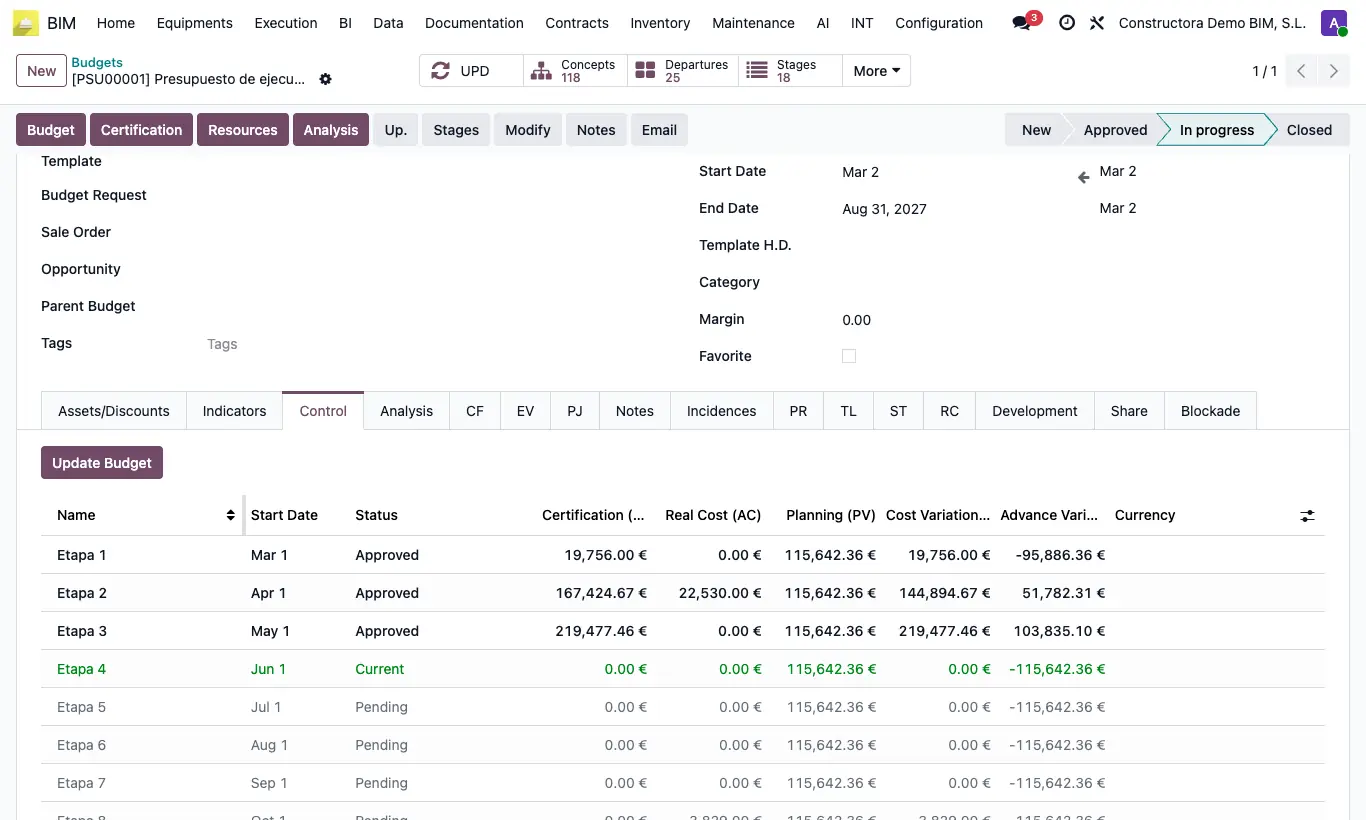
Where Budget › Control tab
Steps
- Click UPD on the budget.
- Open the Control tab.
- Click Update Budget.
- Review the stage table: certified, actual cost (AC), planned (PV) and variances.
- Read the indices: CPI = EV / AC (cost) and SPI = EV / PV (schedule). Above 1 is good.
Warning
If vendor bills with Budget on the line and Include in BIM are missing, the CPI will come out falsely high.
Site note
On the ST tab, the Planning field sets the PV: Uniform or Gantt Planning. Use Gantt: uniform ignores the fact that a job starts slowly.
CPI and SPI are cumulative; CV and SV on screen are for the stage.