Where Inventory › Config › Products › Units & Packagings
Before you start
Units of Measure & Packagings option enabled in the Inventory settings.
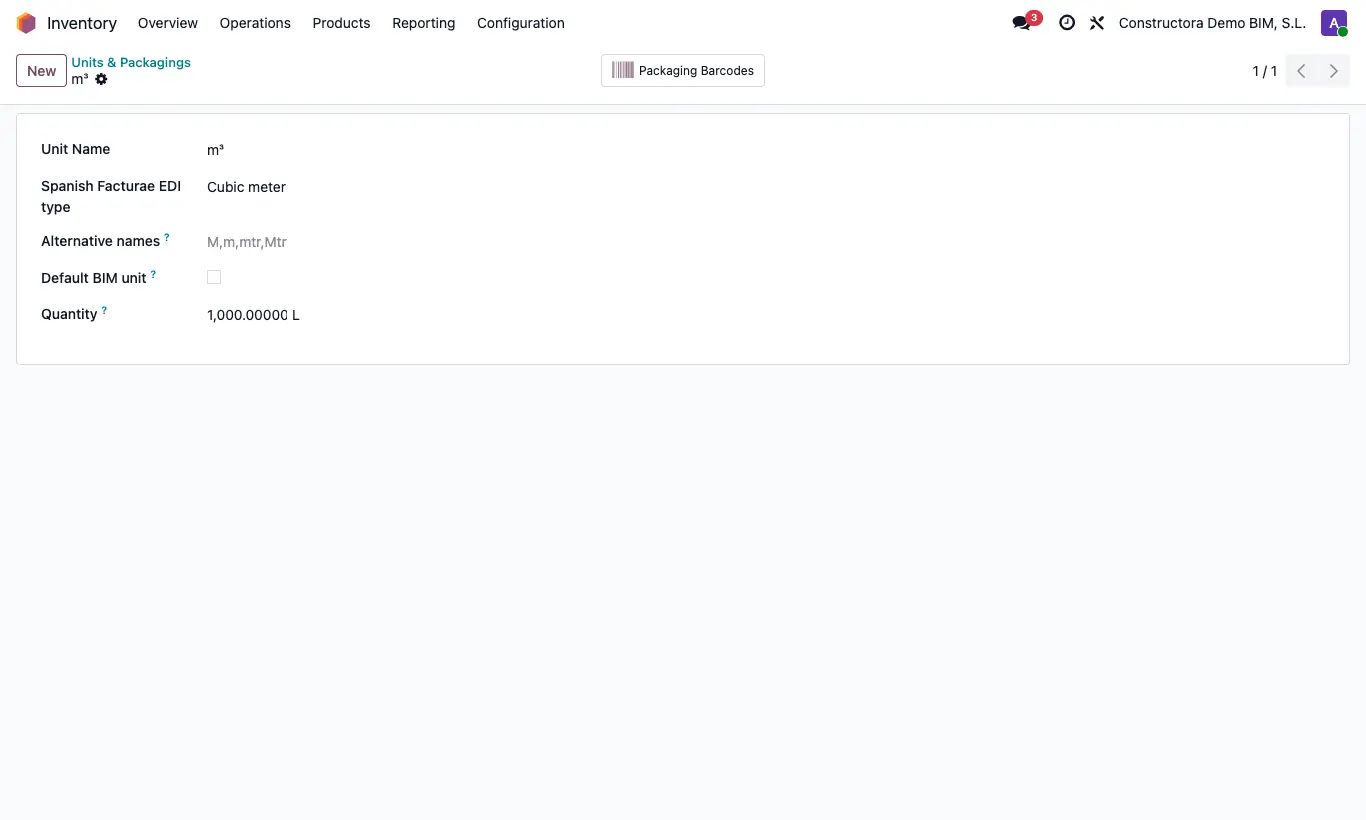
Steps
- If you do not see the menu, enable Units of Measure & Packagings in Inventory › Config › Settings.
- Go to Inventory › Config › Products › Units & Packagings and open the unit (m, m², m³, h...).
- In Alternative names type, separated by commas, the forms in which it arrives in files (for example M,m,mtr,Mtr).
- Check Default BIM unit on the unit you want to propose for new items.
- Save.
Warning
If a unit in the file matches no name or alternative name, the resource may come in with another unit.
Check only one unit as the BIM default: if there are several, any one of them is used.
Site note
The BC3, Excel and price database importers look up each unit by its name or by its alternative names.
The unit of a resource in the budget is taken from the product Unit when you choose it.