Where Budget › ST tab › Config
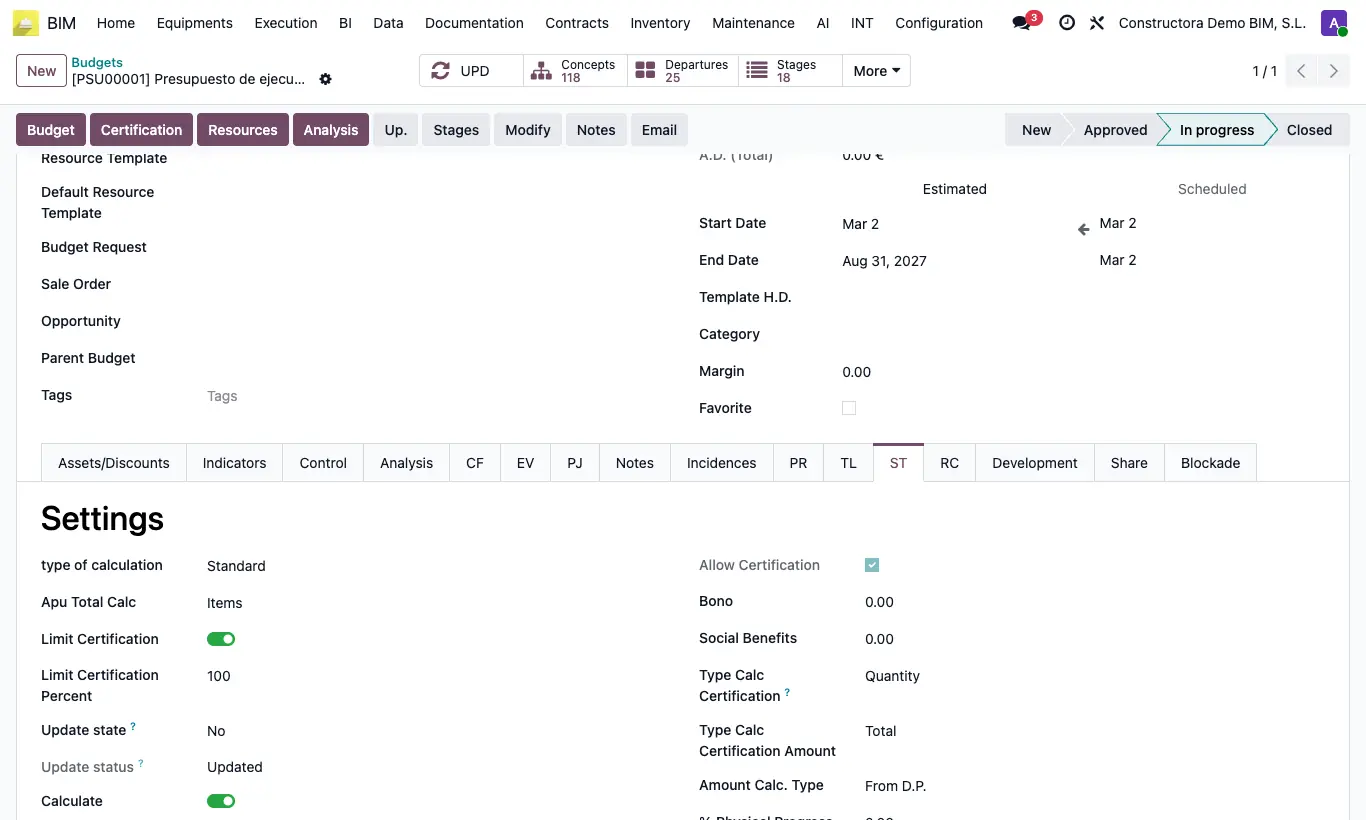
Steps
- Open the budget and go to the ST tab.
- In the Settings block, choose the type of calculation.
- Standard: the price is the sum of the resources. It is the usual one in Spain and with BC3 databases.
- Apu: direct cost + administration + profit + financing. Useful if the tender requires justifying every price.
- Apu HH: like Apu, but labor and equipment are multiplied by the duration (man-hours).
Warning
Changing the type after loading the budget alters the price of all items.
Site note
The default value for new budgets is set in the BIM 2.0 settings.
In Apu, each item shows its analysis in the APUs tab and can use its own values with Use Bonus, Use Social Benefits, Use Administration and Use Margin.