Where BIM › Documentation › Task Report › Task Report
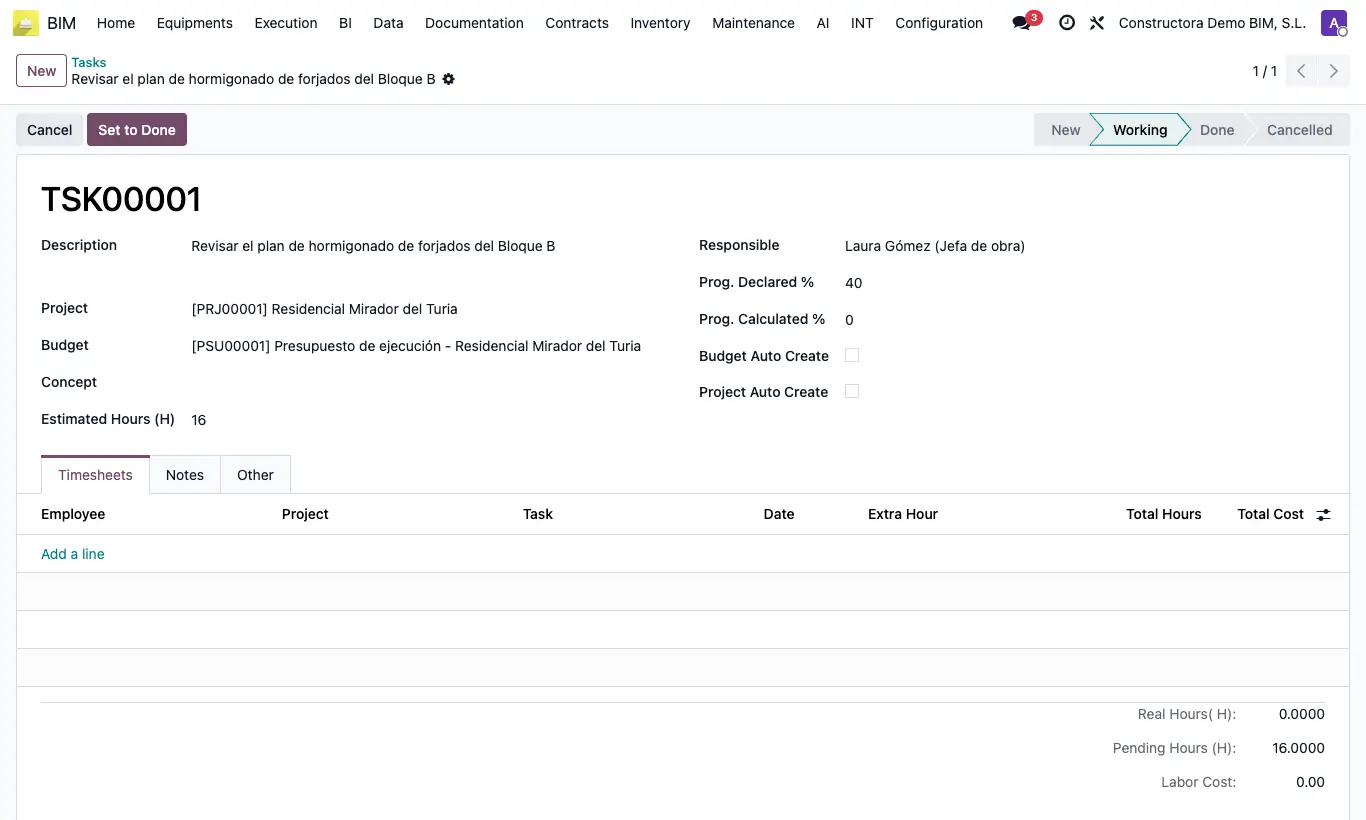
Steps
- Go to Documentation › Task Report › Task Report and click New.
- Type the Description and assign Project, Budget, Concept and Responsible.
- Enter the Estimated Hours (H) and the Prog. Declared %.
- In the Timesheets tab the team logs their hours (employee, master Task, date, hours). Real Hours( H), Pending Hours (H), Labor Cost and Prog. Calculated % are calculated.
- Move it with Set to Working and Set to Done, or drag it in the board view.
Site note
In Done status the task's hours can no longer be edited.