Where BIM › BI › Dashboards › Projects: Milestone Analysis
Before you start
BI User profile.
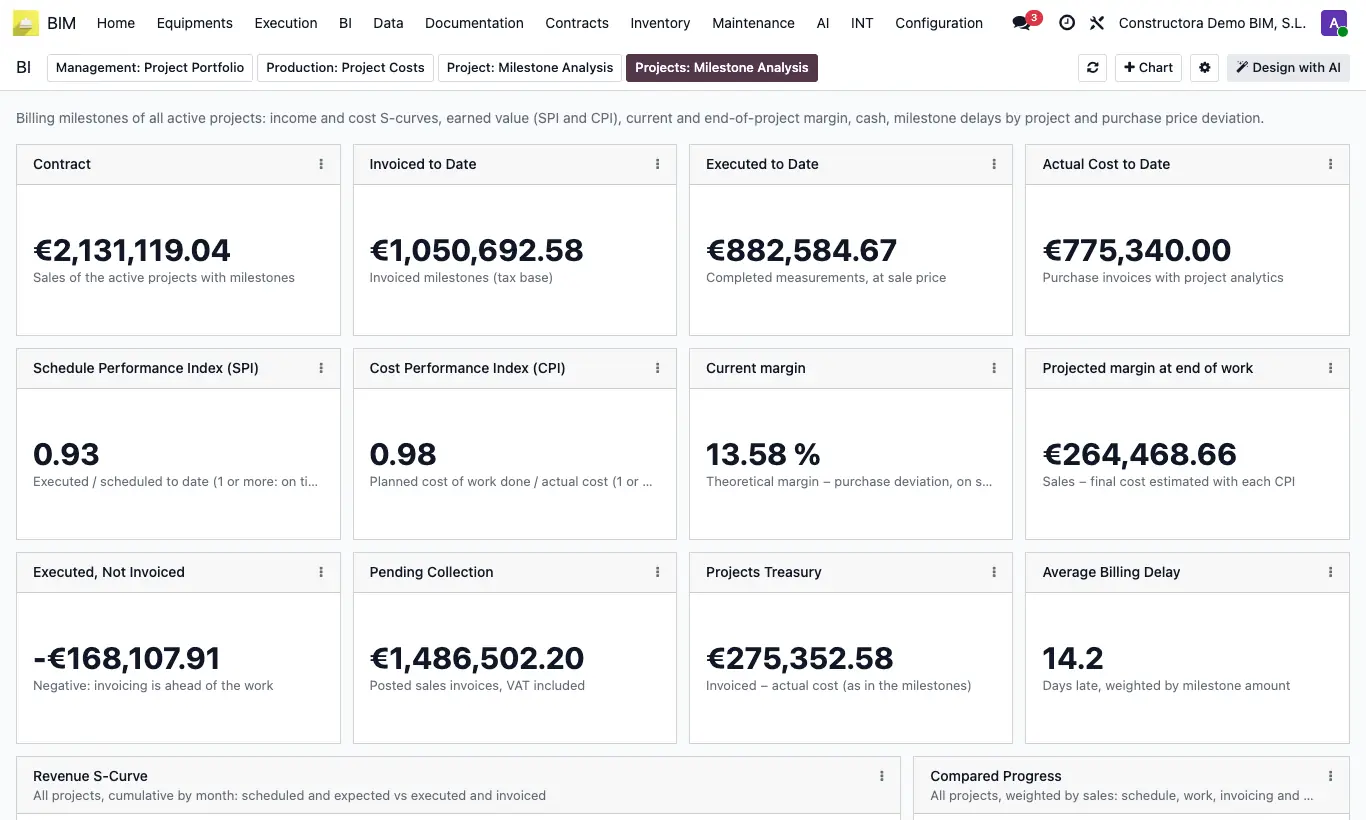
Steps
- Go to BI › Dashboards and open the Projects: Milestone Analysis tab.
- At the top you have the totals of all active projects with milestones: Contract, Invoiced to Date, Actual Cost to Date, SPI, CPI, margin and treasury.
- The S-curves and the cash flow add up all projects by month.
- Compare projects in Summary by Project, Cost by Project and Milestone Delay by Project (days).
- To see the detail of one project, open the Project: Milestone Analysis tab and choose it.
Warning
Only active, unfinished projects with at least one non-cancelled milestone are included.
Site note
The current margin is weighted by each project's sales and the average delay by the milestone amount.