Where BIM › BI › Dashboards › Project: Milestone Analysis
Before you start
BI User profile. The project must have billing milestones.
Steps
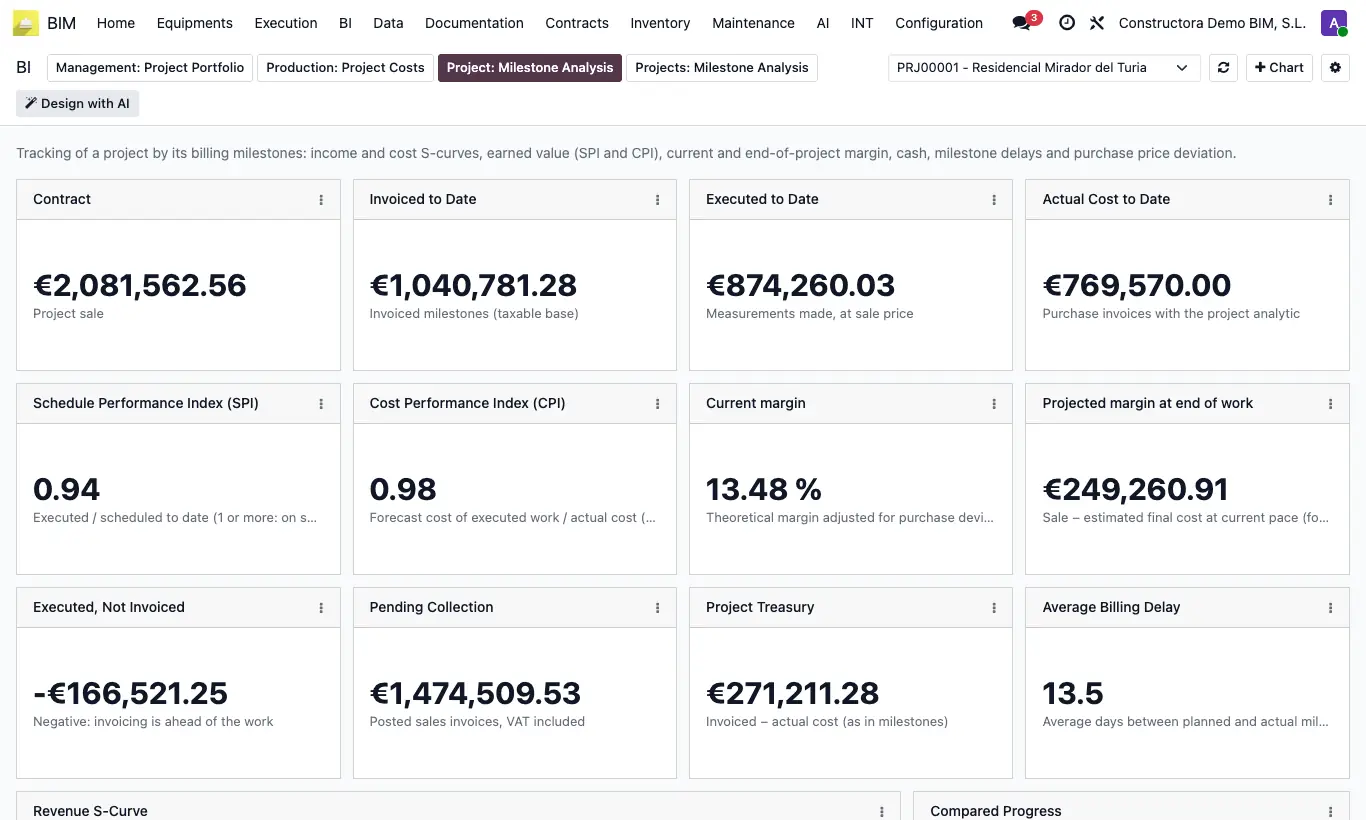
- Go to BI › Dashboards and open the Project: Milestone Analysis tab.
- Choose the project in the selector at the top.
- Read the indicators: Contract, Invoiced to Date, Executed to Date, Actual Cost to Date, Schedule Performance Index (SPI) and Cost Performance Index (CPI), Current margin and Treasury.
- Check the revenue and cost S-curves, the monthly cash flow and the Milestones: Plan vs Actual table.
- Click Refresh to reload the data.
Warning
Without Billing Milestones (Home › Certifications › Billing Milestones) almost everything is zero.
Site note
An SPI and CPI of 1 or more mean the project is on schedule and saving.