Where BIM › BI › Dashboards
Before you start
BI User profile.
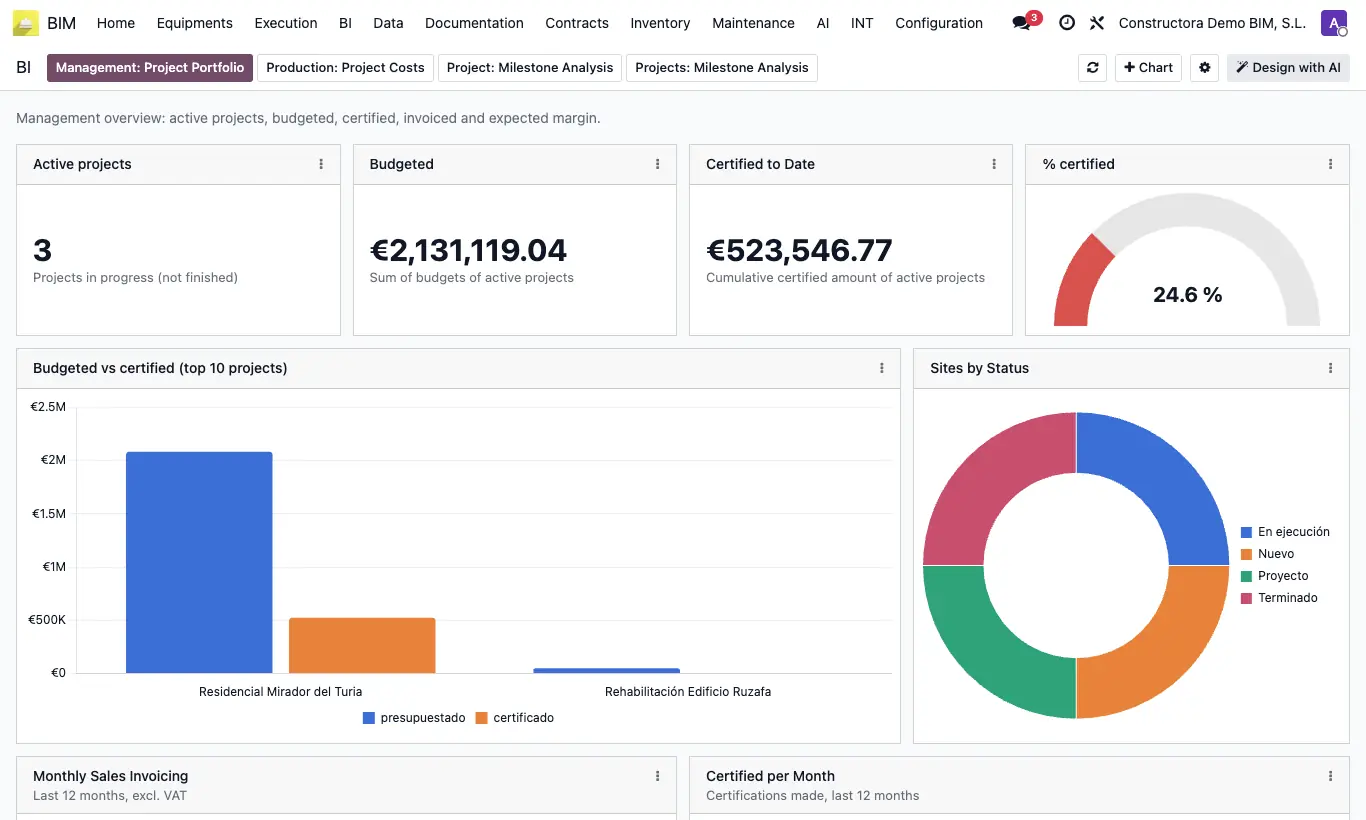
Steps
- Go to BI › Dashboards.
- Management: active projects, budgeted, certified to date, % certified, billing by month.
- Production: cost by resource type, vendor bills, pending orders and main vendors.
- Project: choose a project in the selector at the top to see contract, billed, indices, margin and cash position.
- Projects: Milestone Analysis: the same indicators for all active projects with milestones, with a summary and cost by project.
- Click Refresh to reload.
Warning
The per-project dashboard is fed by the billing milestones (Home › Certifications › Billing Milestones). Without them, almost everything comes out as zero.
If a total does not add up, click UPD on the project or the budget and reload.
Site note
Other views: Result Table, Income Statement Summary and BI RO.