Where BIM › Maintenance › Home › Sub Tasks
Before you start
BIM Maintenance profile.
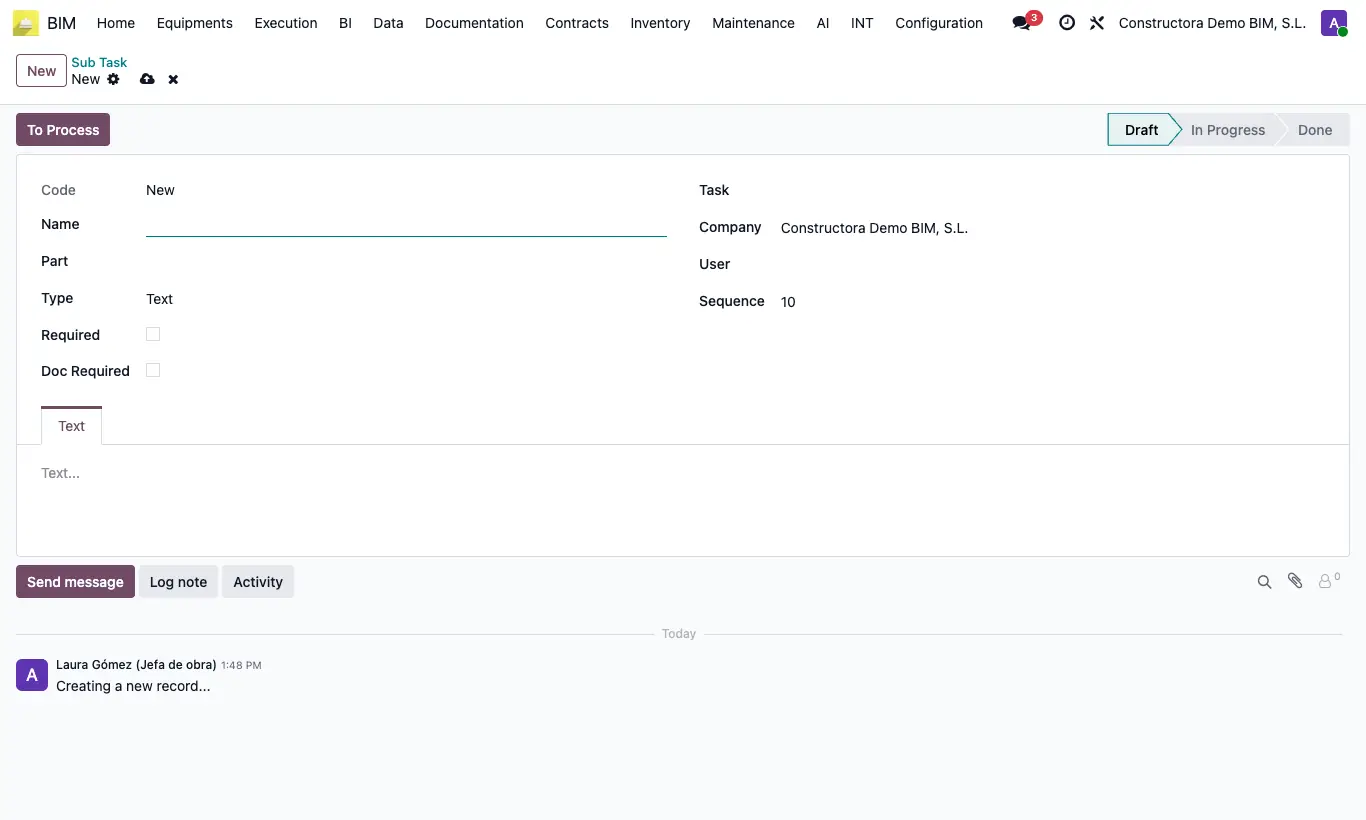
Steps
- Open the task and click the Sub Tasks button, or go to Maintenance › Home › Sub Tasks.
- Click New, type the Name and choose the Task and, if applicable, the Part.
- Choose the Type: Text, Numeric, Verify, Date, Reading, GPS, List or Date Time.
- Tick Required if it is mandatory and Doc Required if it must carry a document; order them with Sequence.
- When carrying it out, click To Process, fill in the value in its tab and click Done. For GPS ones, click Get Location from the technician's phone: their Latitude and Longitude are saved.
Warning
The task cannot move to review with unfinished Required subtasks: “You must complete all mandatory subtasks”.
Text subtasks require the text in order to save, and GPS ones require the coordinates.
Get Location uses the device's GPS through the browser: you must allow location access and open it over HTTPS. Otherwise you get “Could not get the device location (…)”.