Where Bim Expense › My Expense
Before you start
Bim Expense profile see own documents (or see All Documents).
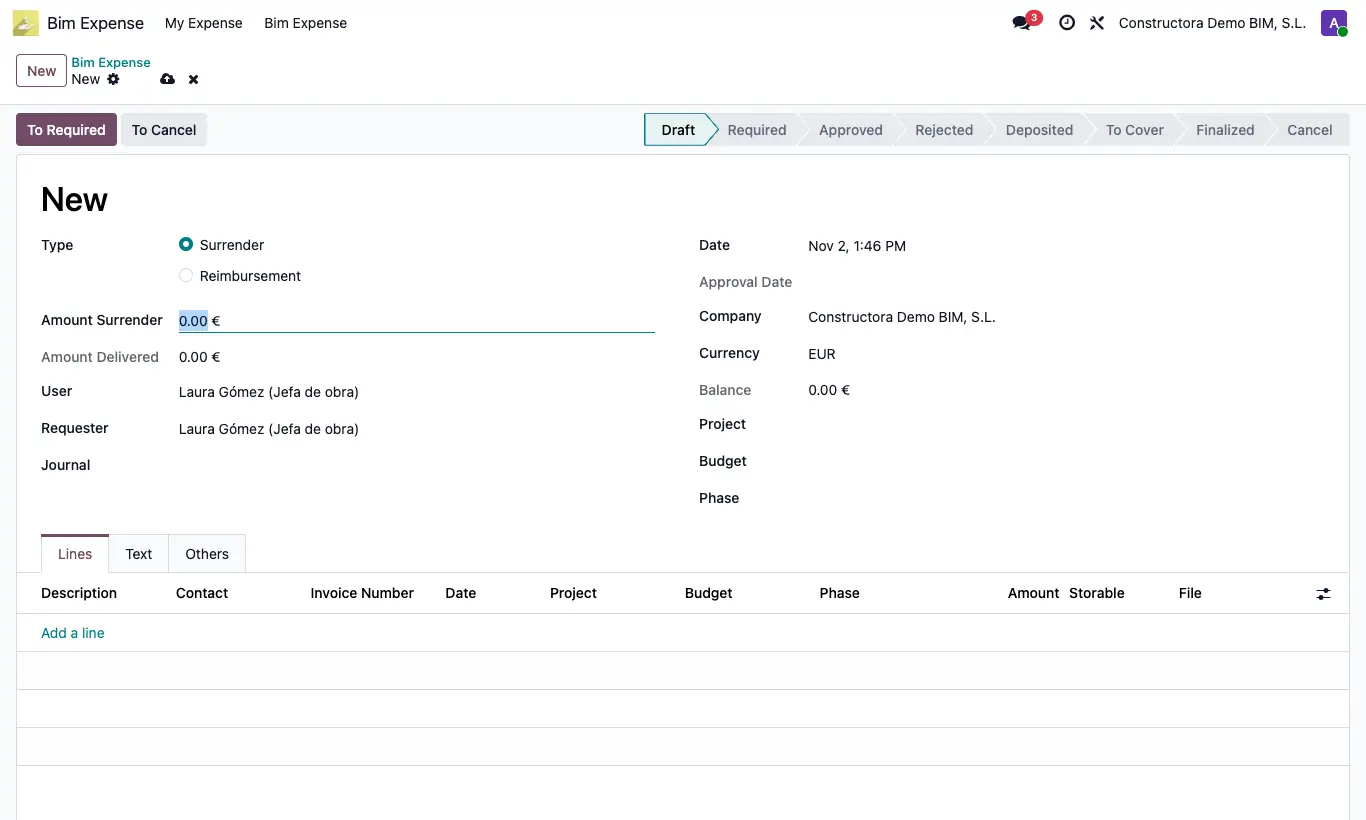
Steps
- Open the Bim Expense › My Expense app and click New.
- Choose the Type: Surrender (they advance you money and you justify it later) or Reimbursement (they pay back what you paid).
- Fill in Amount Surrender, Requester, Project, Budget and, if applicable, Phase.
- In Lines add each expense: Description, Contact (vendor), Invoice Number, Date, Project, Budget, Amount and the receipt in File. Tick Storable if it is warehouse material.
- Click To Required: it moves to Required and is pending approval.
Warning
It will not let you submit without at least one line: “You must add at least one line”.
Site note
The Balance = Amount Delivered − sum of the lines.
In My Expense you only see your own requests; administration sees them all in Bim Expense › Bim Expense.