Where BIM › SAT › Work Orders
Before you start
BIM SAT profile. The Project's site must have a Warehouse.
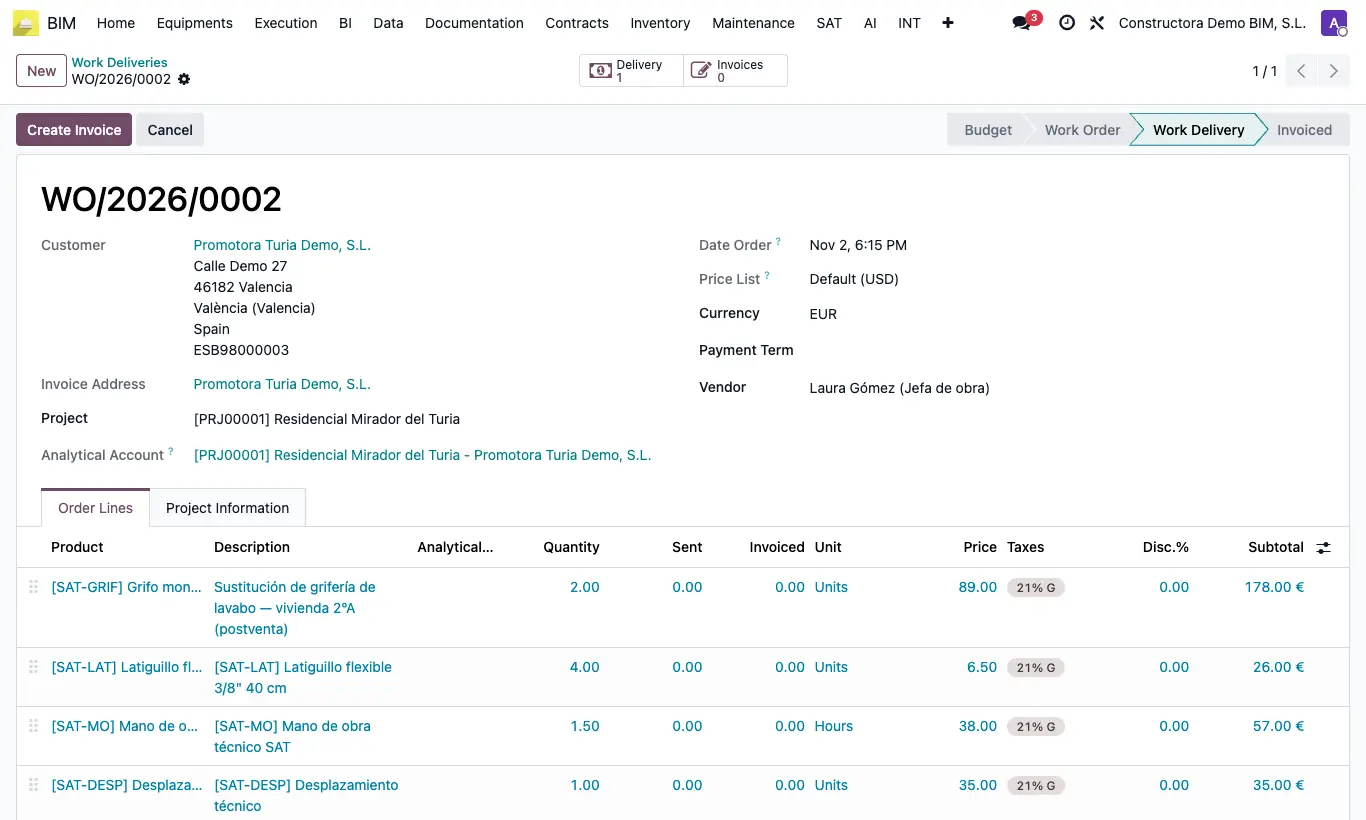
Steps
- Open the order in BIM › SAT › Work Orders.
- Check that the Project has a Warehouse (project form, Inventory tab).
- Click Work Delivery: the order moves to Work Delivery and its lines are locked.
- If there are materials, an outgoing delivery note is created from the project warehouse to the customer, with the stock reserved. The Deliver button at the top opens it.
- The order moves to the BIM › SAT › Work Deliveries menu, where it is invoiced.
Warning
Without a Warehouse on the project you get “The project must have a warehouse assigned” and the order does not change status.
The delivery note is not validated at this step: it stays ready and is validated automatically when you click Create Invoice.
Site note
If the order only has services (travel, labour, inspection), no delivery note is created.