Where BIM › Execution › Programming › Income Statement Summary
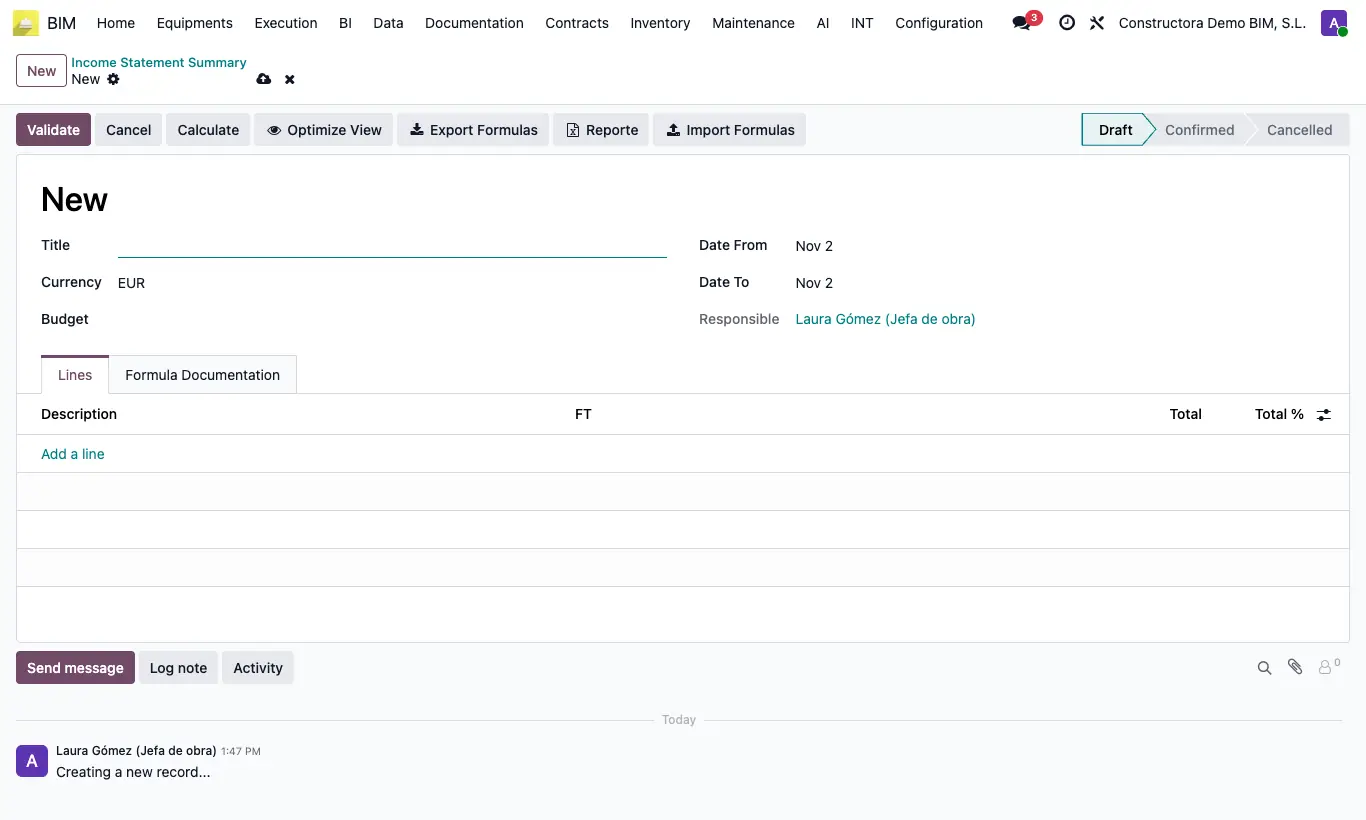
Steps
- Click New, type the Title, choose the Budget and the Date From and Date To dates.
- In Lines add each item with its Description and its formula in FT. Give it a Tecnical Name if other lines will use it.
- See the syntax in the Formula Documentation tab: references to budget data, to an asset or discount by its code and to other lines.
- Click Calculate: it fills Total and Total %, and MO, MAT, EQ and SUBC if their formulas are set.
- Optimize View hides the empty columns; Reporte downloads the result to Excel.
- When it is correct, click Validate (it moves to Confirmed).
Warning
In Confirmed you cannot edit or calculate: go back to Draft first.
If a formula is badly written, Calculate stops and points out the formula with the error.
Site note
To reuse a model: Export Formulas in one report and Import Formulas in another (with Replace Existing Lines if you want to start from scratch). The Excel only requires the Description column.
From Confirmed you can click Draft to edit it again or Cancel to void it.