Where BIM › Data › Attendance › Attendance summary
Before you start
Customer's hourly price list created.
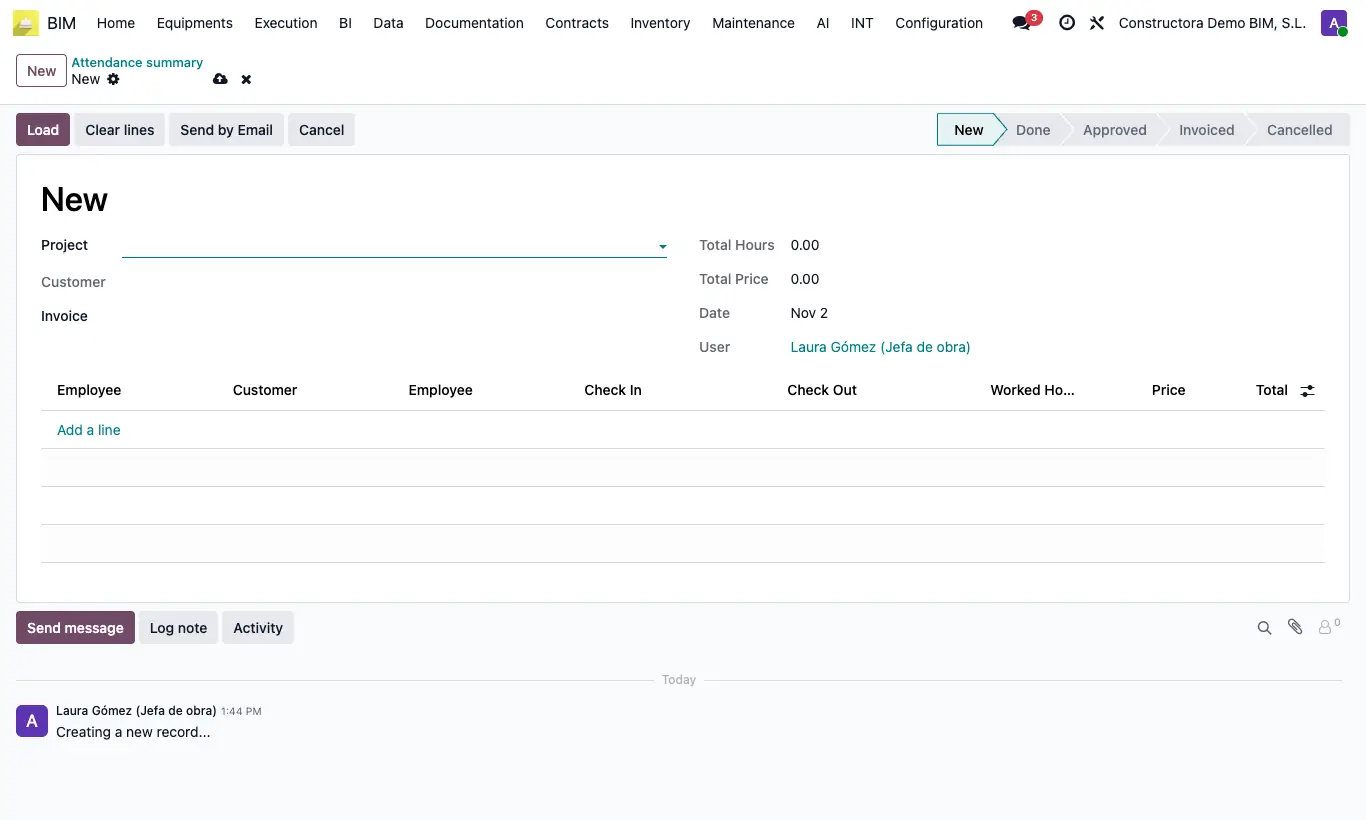
Steps
- Go to Data › Attendance › Attendance summary and click New.
- Choose the Project and click Load: all its attendance that is not in another summary comes in.
- Review Total Hours and Total Price.
- Click Set to approved: if the customer has an email and the Attendance summary box ticked on their record, the PDF is sent to them.
- Click Create invoice: an invoice to the customer is created for the Total Price.
Warning
Load does not filter by dates: it picks up all the project's pending attendance. Make the summary at the close of each period.
Cancel does not release the attendance: it stays linked to that summary.