Where BIM › Equipment › TMS › Trips
Before you start
Vehicle with a rate in its Bim tab. To see price and total, Trips Manager profile.
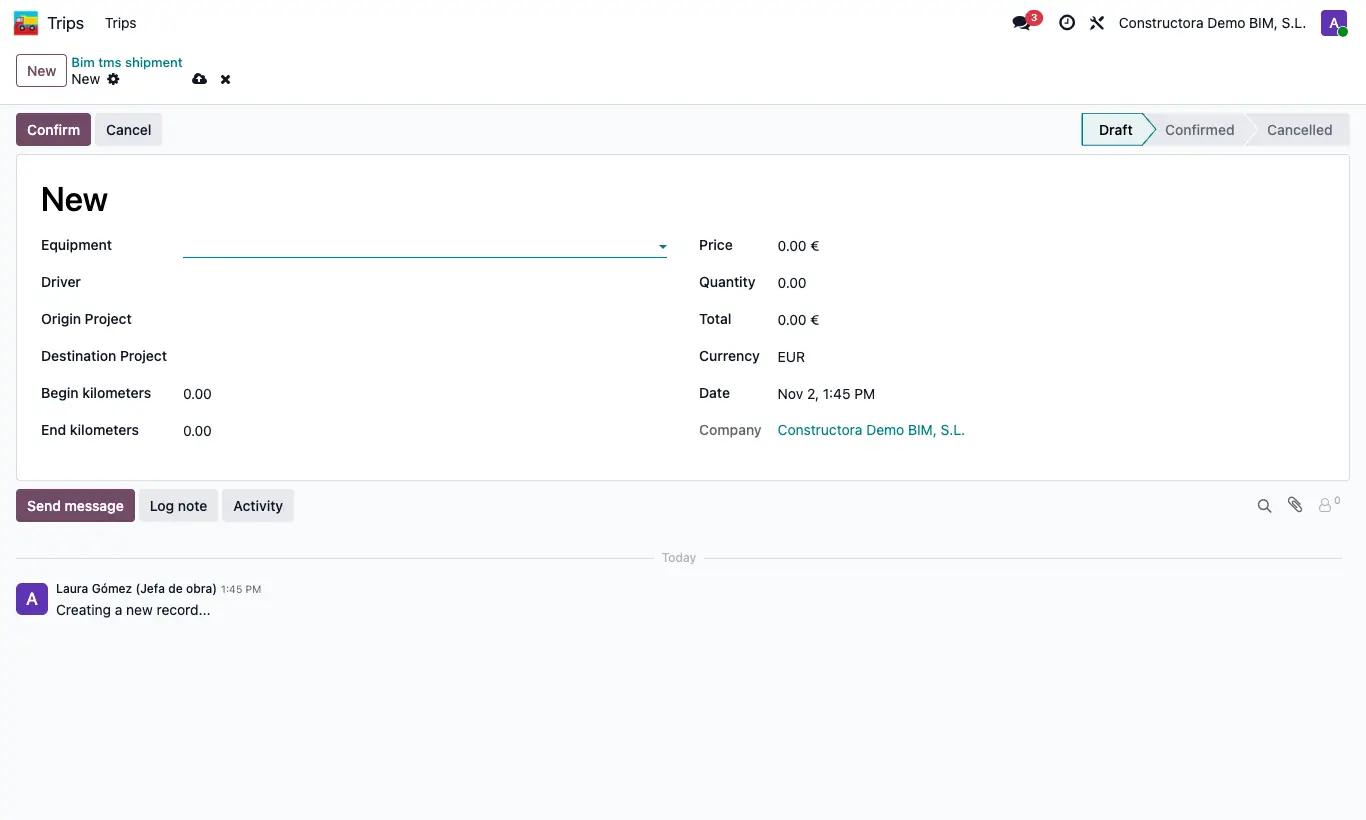
Steps
- Go to Equipment › TMS › Trips (or the Trips app) and click New.
- Choose the equipment in Equipment: Driver, Price and Begin kilometers (odometer) are filled in.
- Choose Origin Project and Destination Project (the destination project) and the Date.
- Enter the End kilometers: Quantity is the kilometres.
- Click Confirm: the Total is calculated and the reading is saved to the vehicle's Odometer.
Warning
Confirm requires a vehicle, origin and destination, and the end reading must not be lower than the start.
Site note
Between two different projects, the total is half the amount and counts on both (each pays its half). On the same project it counts in full. This is controlled by the key como_imputa_viajes in General Config.
To confirm several, select them in the list and use Action › Confirm.
The total adds to the project as Transport.