BIM 2.0Odoo 19

Process manual

Search for what you want to do and follow the steps. Each process shows where it is in the menu, what you need first and which mistakes to avoid.

The life of a project

Scheduling and progress tracking

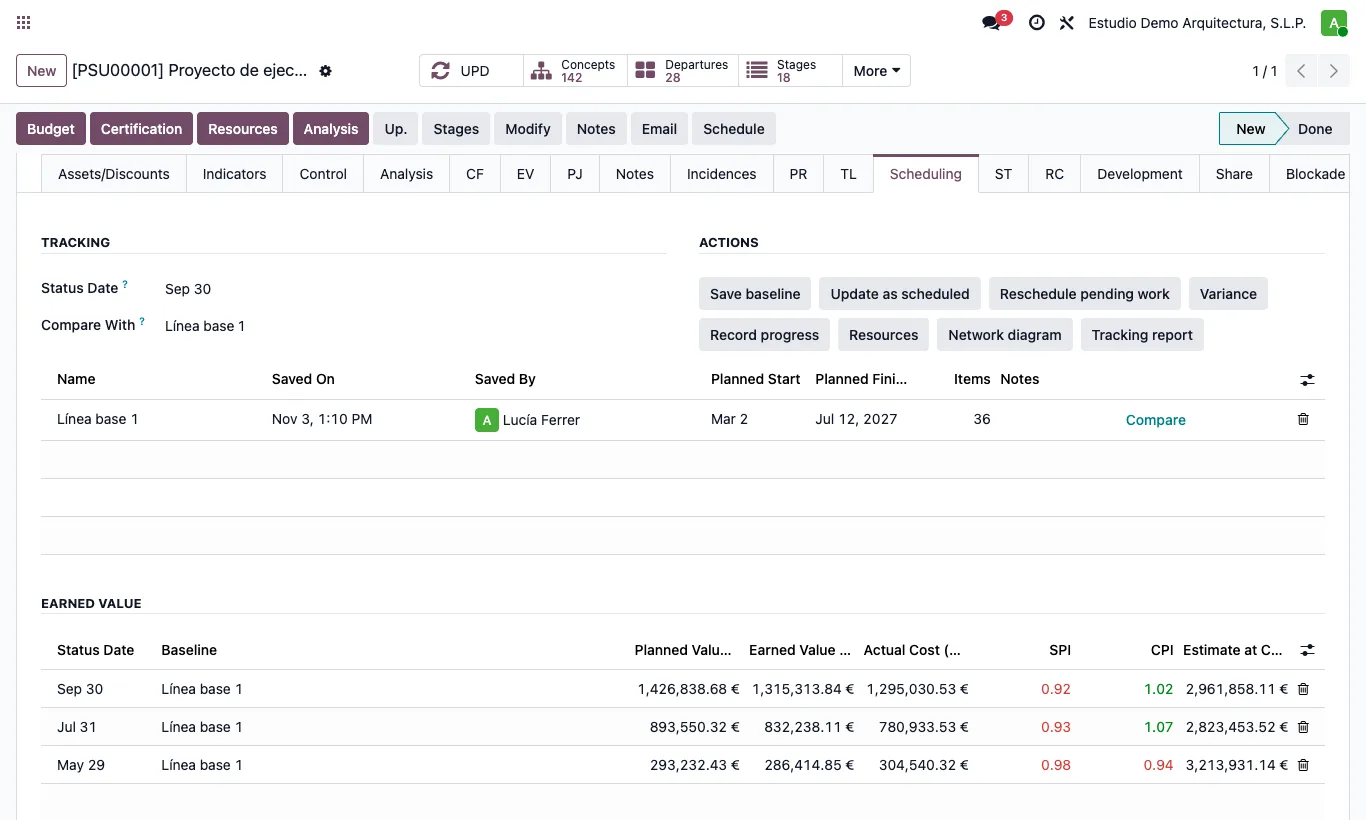
How do I save earned value at each status date?A snapshot of PV, EV and AC per status date to draw its evolution on the S-curve.

Where Budget › Scheduling tab › Record progress
How do I save earned value at each status date?

Steps

  1. Set the Status Date and update physical progress.
  2. Click Record progress: planned value, earned value and actual cost at that date are saved.
  3. The Earned value list in the same tab shows each snapshot with its SPI, CPI and estimate at completion (EAC).
Site note

Recording again on the same date updates the snapshot instead of creating another one.

Documented version: BIM 2.0 (base_bim_2 19.0.19.04.2026) · Odoo 19