Where BIM › Data › Attendance › Attendance
Before you start
Supervisor profile: manage attendance. The project's state must have Register Attendance.
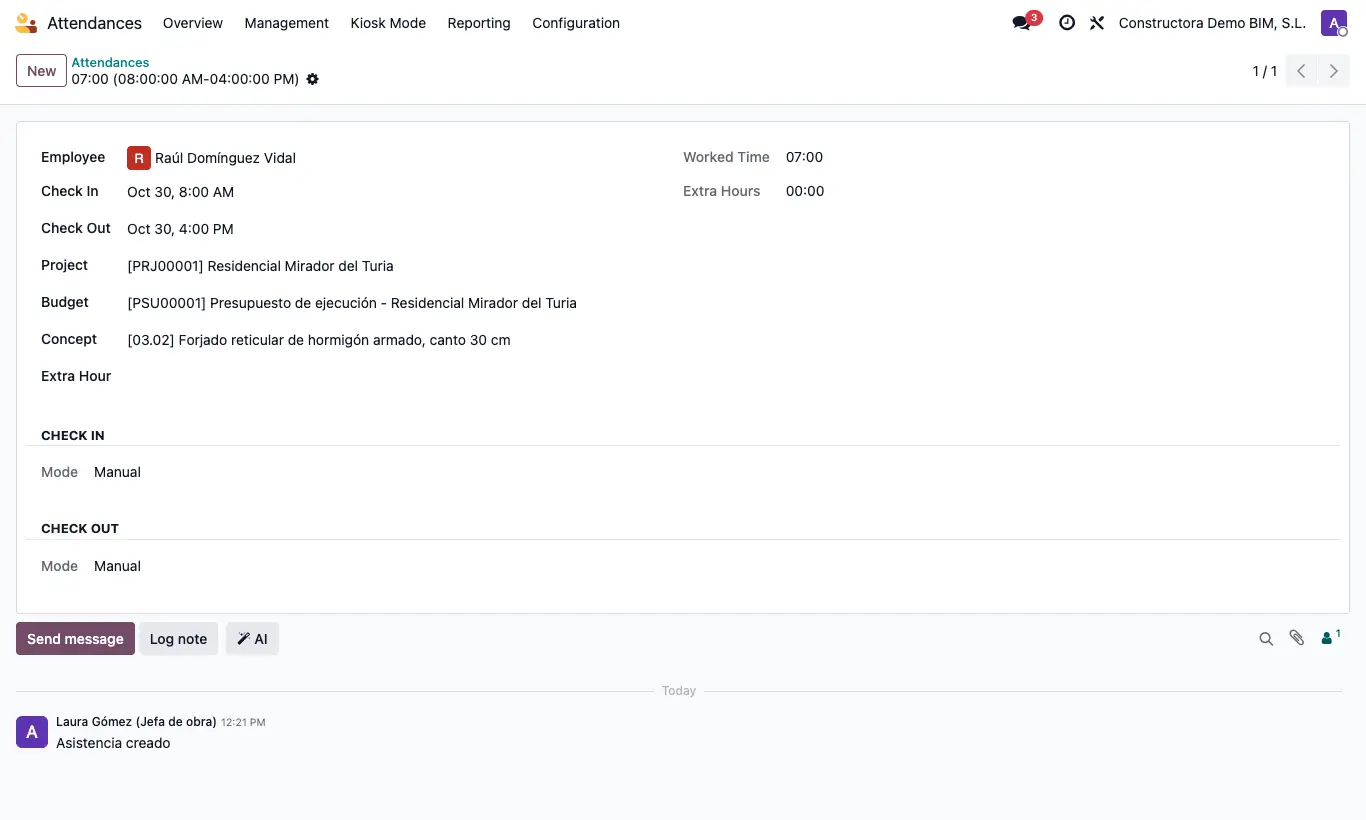
Steps
- Go to Data › Attendance › Attendance (or Home › Management › Employee Attendance) and click New.
- Choose the Employee and write Entry and Exit.
- Check the Project: its Default Project is suggested. If needed, choose Budget and Concept.
- If they are overtime hours, choose the type in Extra Hour.
- Save. In the list you will see Cost/hour and Cost, and optionally Price/hour, Price and Benefit.
Warning
If the project's state does not have Register Attendance, the project does not appear when choosing Project, and its Attendance button warns "Attendance cannot be recorded in the state …".
Site note
From the project, the Attendance button shows its hours and cost.
The Price/hour comes from the project customer's Hourly price list (employee line or general price) or, if the customer has none, from your company's list.