Where Gantt › Resources › Level resources · Budget › Scheduling tab › Level resources
Before you start
The resources need Max. units (capacity) and the project must be scheduled.
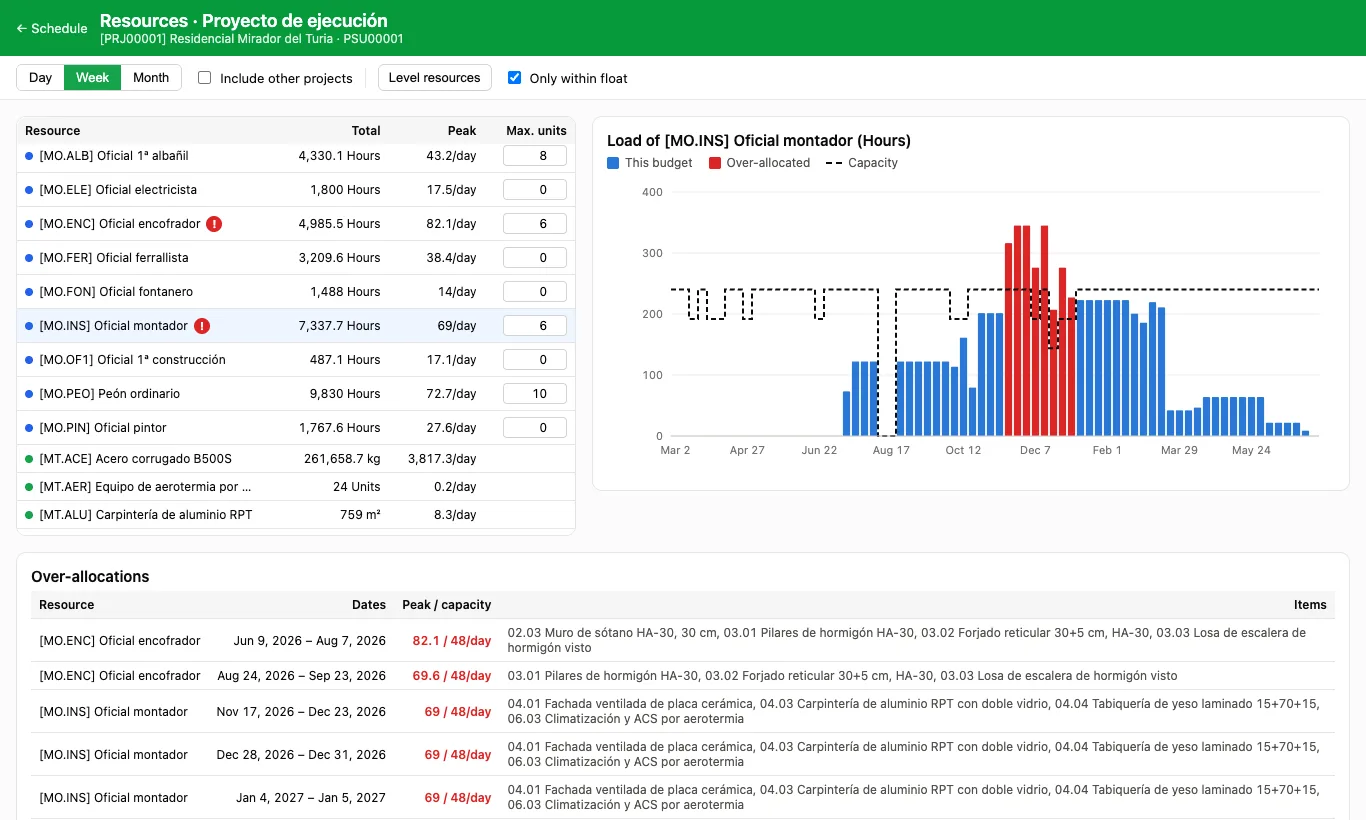
Steps
- Open Resources from the Gantt and check in Over-allocations which resources go over their capacity.
- Leave Only within float ticked so the end of the project does not move, or untick it if it can slip.
- Click Level resources and confirm.
- Items are placed in order of start, critical ones first, on the first day their resources fit. The message tells you how many moved and how many over-allocations are left.
Warning
Levelling saves the schedule: it cannot be undone from the histogram. Save a baseline first if you want to compare.
Started items and items pinned with Must start on or Must finish on do not move: their over-allocations remain.
Site note
With Include other projects ticked, levelling takes into account what those resources do in other budgets.