BIM 2.0Odoo 19

Process manual

Search for what you want to do and follow the steps. Each process shows where it is in the menu, what you need first and which mistakes to avoid.

The life of a project

Budgets

How do I apply a resource's price to all the items where it appears?Change the price once and spread it to all other occurrences of the same product.

Where Resource › Propagate button
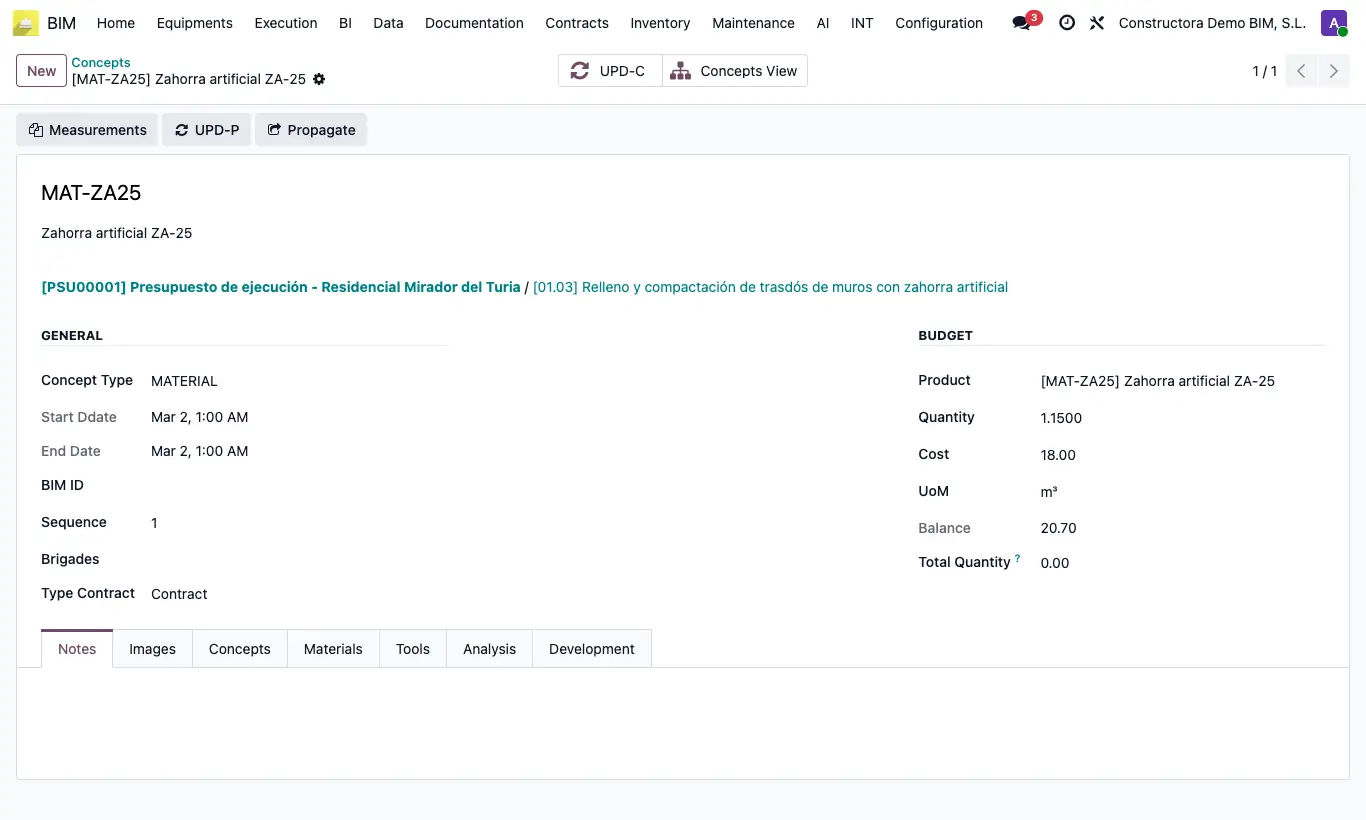
How do I apply a resource's price to all the items where it appears?

Steps

  1. In the tree, open a resource (material, labor or equipment) of any item.
  2. Change its price or its unit and save.
  3. Click Propagate in the header.
  4. All the resources in the same budget with the same product take that price and unit.
  5. Click UPD in the budget.
Warning

It only works if the resource has an associated product.

Documented version: BIM 2.0 (base_bim_2 19.0.19.04.2026) · Odoo 19