Where Development app › Data › Properties
Before you start
Development User profile.
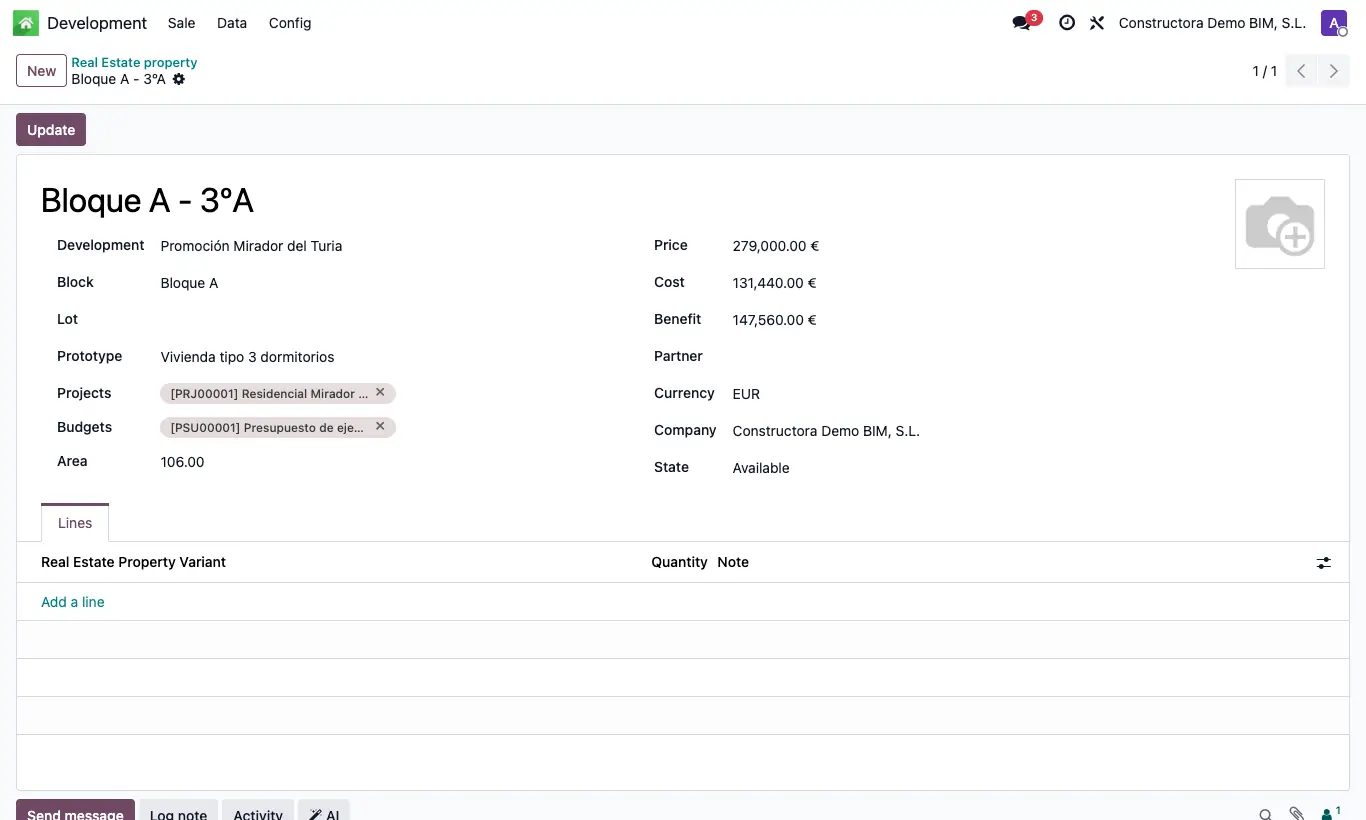
Steps
- Go to Data › Properties and click New.
- Enter the Name (for example, "Block A - 2B") and choose Development, Block, Lot and Prototype.
- Enter the Area and the Price.
- In Projects and Budgets choose the project and the budget used to build it.
- In the Lines tab add its variants with Quantity and Note.
- Change the State to Available so it can be sold.
Warning
Only properties in Available can be chosen in a sale. Those in Not Available, Sold or Blocked do not appear.
When you record the sale, the property does not move to Sold by itself: change it yourself, or it will remain available for another sale.