Where Sale › Create Cash Flow button
Before you start
Development User profile. Installments already created.
Steps
- Open the sale (with its installments created) and click Create Cash Flow.
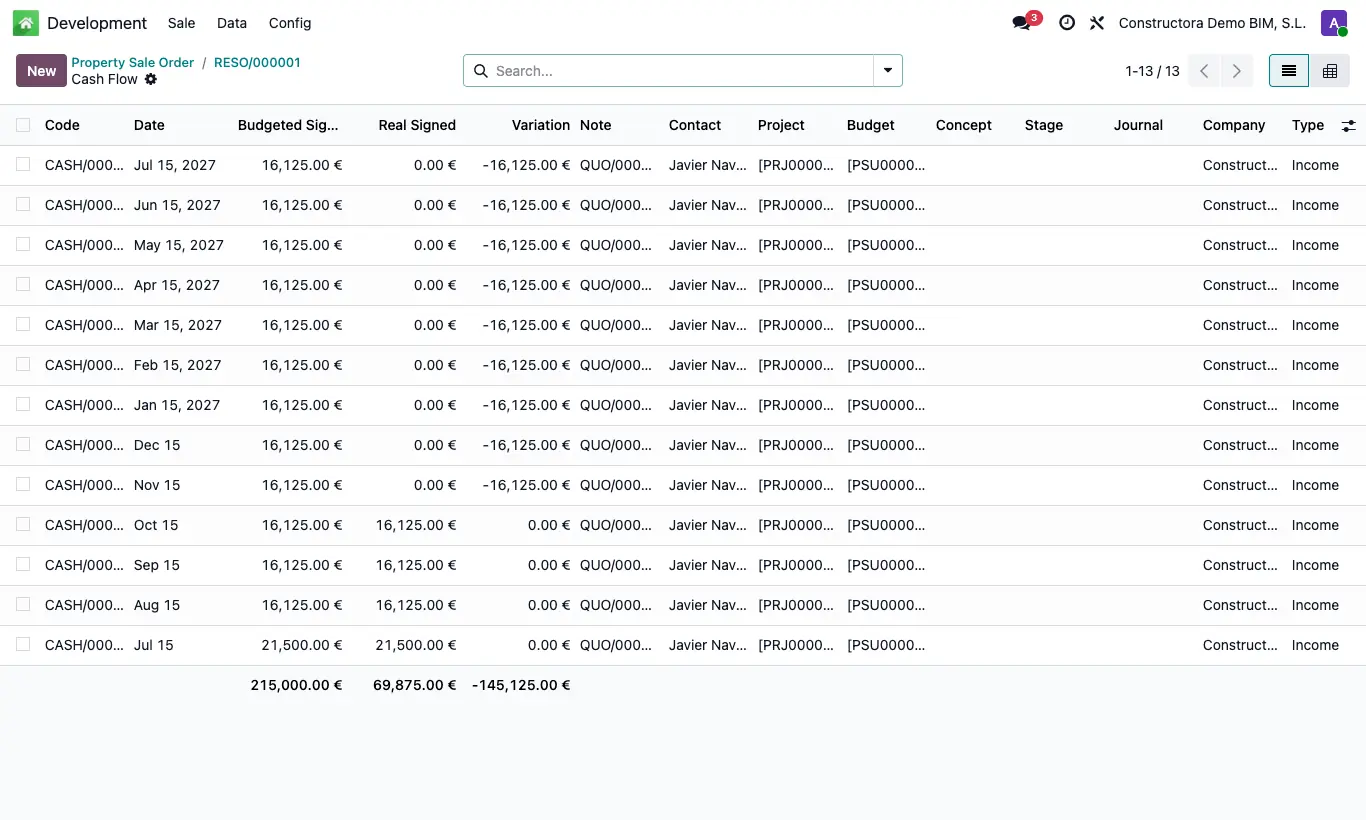
- One income is created per installment with its date and amount, linked to the project and the budget of the sale's first property.
- Installments already collected also carry the actual amount of their payment.
- Click the sale's Cash Flow button to review them.
Warning
Without installments the error "You must create at least one quota to create the cash flow" appears.
If the property has no Projects or Budgets, the incomes are created without a project.
The button disappears once created: if you change the installments afterwards, correct the cash flow by hand.