Where Sale › Create Quotas button
Before you start
Development User profile. Bank or cash journal in accounting.
Steps
- Open the sale and click Create Quotas.
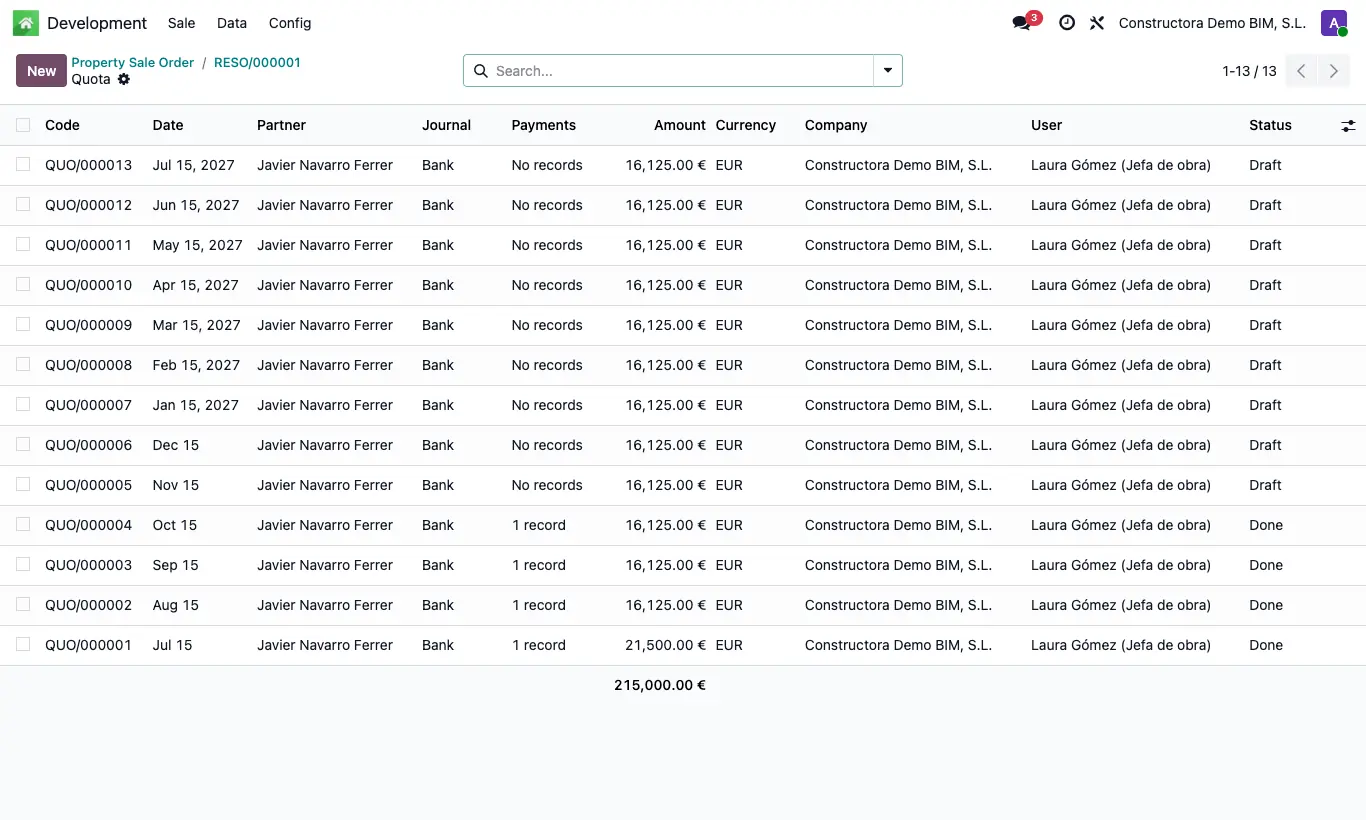
- Click the Quotas button to see the list: each instalment has a Date, Amount and Journal (the company's first bank or cash).
- Review the amounts and dates, and correct them on the instalment if needed.
- When the buyer pays, open the instalment and click To Done: the payment is created and confirmed and the instalment becomes Done.
- The sale's Total Paid adds up the finished instalments.
- If you picked the wrong instalment, click To Draft on it: its payment is voided and deleted and it goes back to Draft.
Warning
Possible errors: “You must add at least one property to create the instalments”, “The total amount must be greater than zero”, “You must select a price list”.
Site note
The down payment (Initial Payment and/or Initial % of the total) comes with the sale date; the rest is split equally across the Number of Quotas, one per month starting next month.
Without a down payment, the first monthly instalment has the sale date and the others, one month apart each.