Where Invoicing › Customers › Proformas
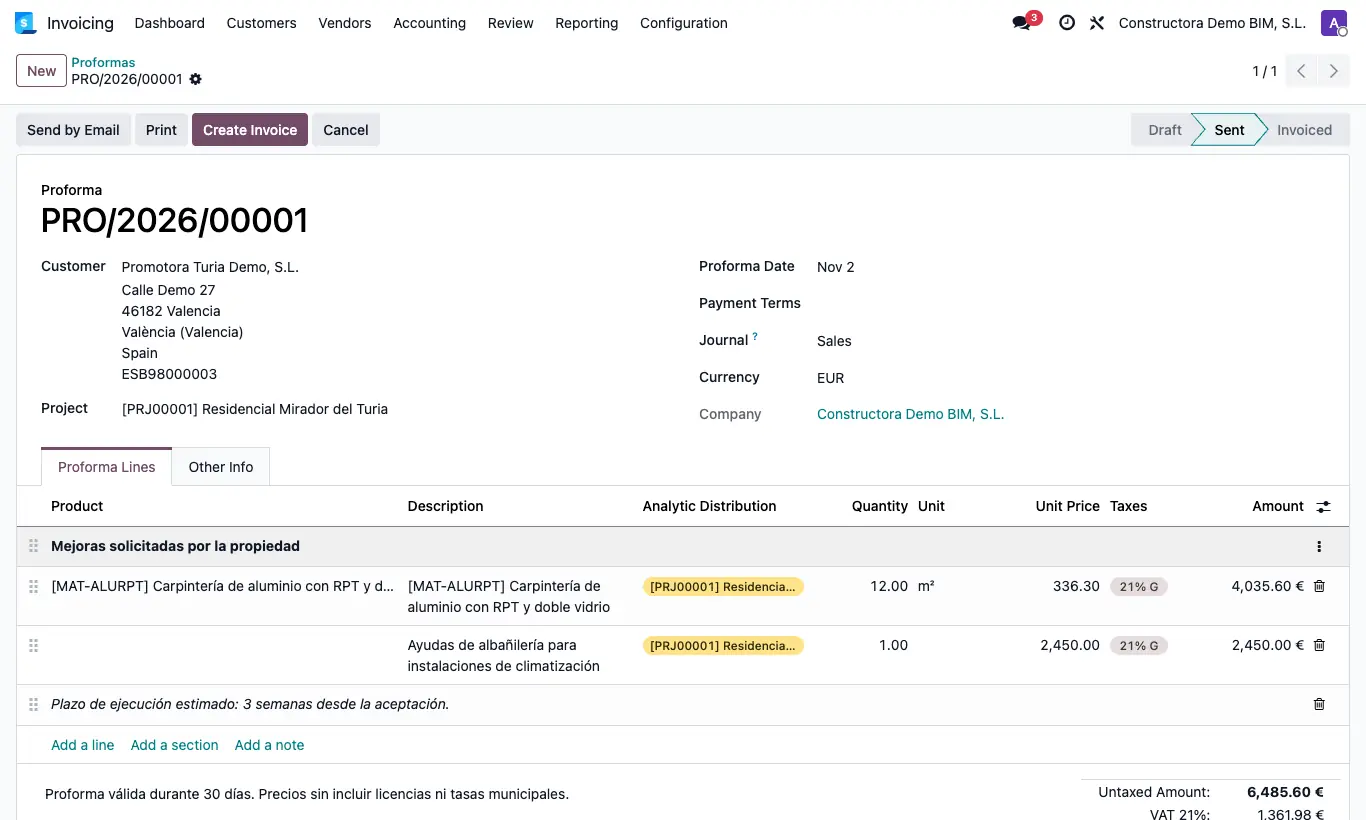
Steps
- Go to Invoicing › Customers › Proformas and click New.
- Choose the Customer, the Proforma Date and, if needed, the Project and the Payment Terms.
- In Proforma Lines click Add a line and fill in product, description, quantity, price and taxes. Totals are computed automatically.
- Save: the proforma gets its own number (PRO/2026/00001), separate from the invoices.
Site note
The proforma creates no journal entry and does not appear in invoices or accounting reports.