Where Sales › Order › Actions › BIM Budget
Before you start
BIM User profile.
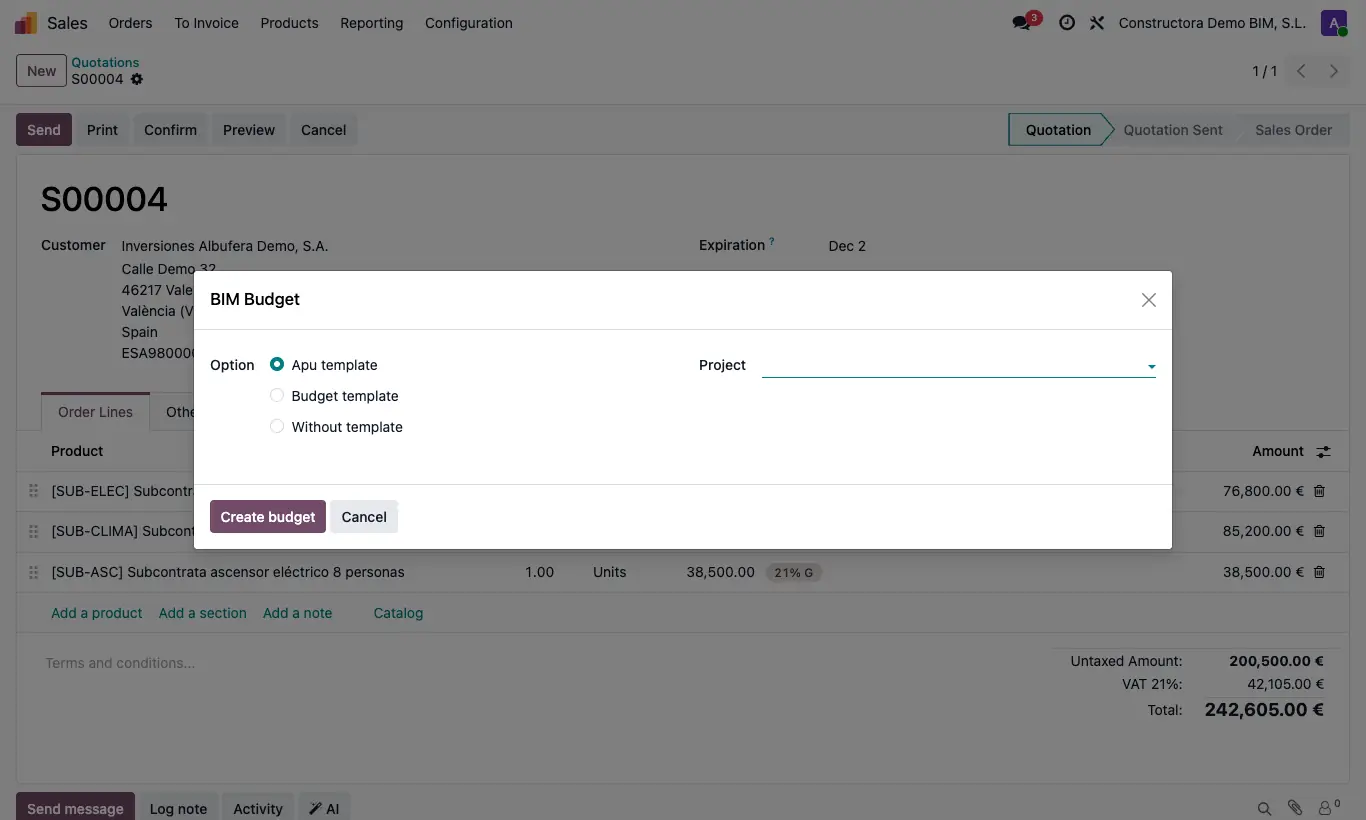
Steps
- Open the sales order.
- Open Actions (gear) and choose BIM Budget.
- Choose the Project and the Option: Apu template, Budget template or Without template.
- Apu template: each line whose product code matches a unit price becomes an item with its resources; the rest goes to a generic item.
- Without template: all the order lines come in as resources of a single item.
- Budget template: click Select apu template and follow the APU templates assistant.
- Click Create budget: the order shows the Budgets button with what was created.
Site note
If the order has taxes and there is an H.D. template marked as Sale template, it is applied to the budget automatically.