Where BIM › Data › Budget templates › APU templates
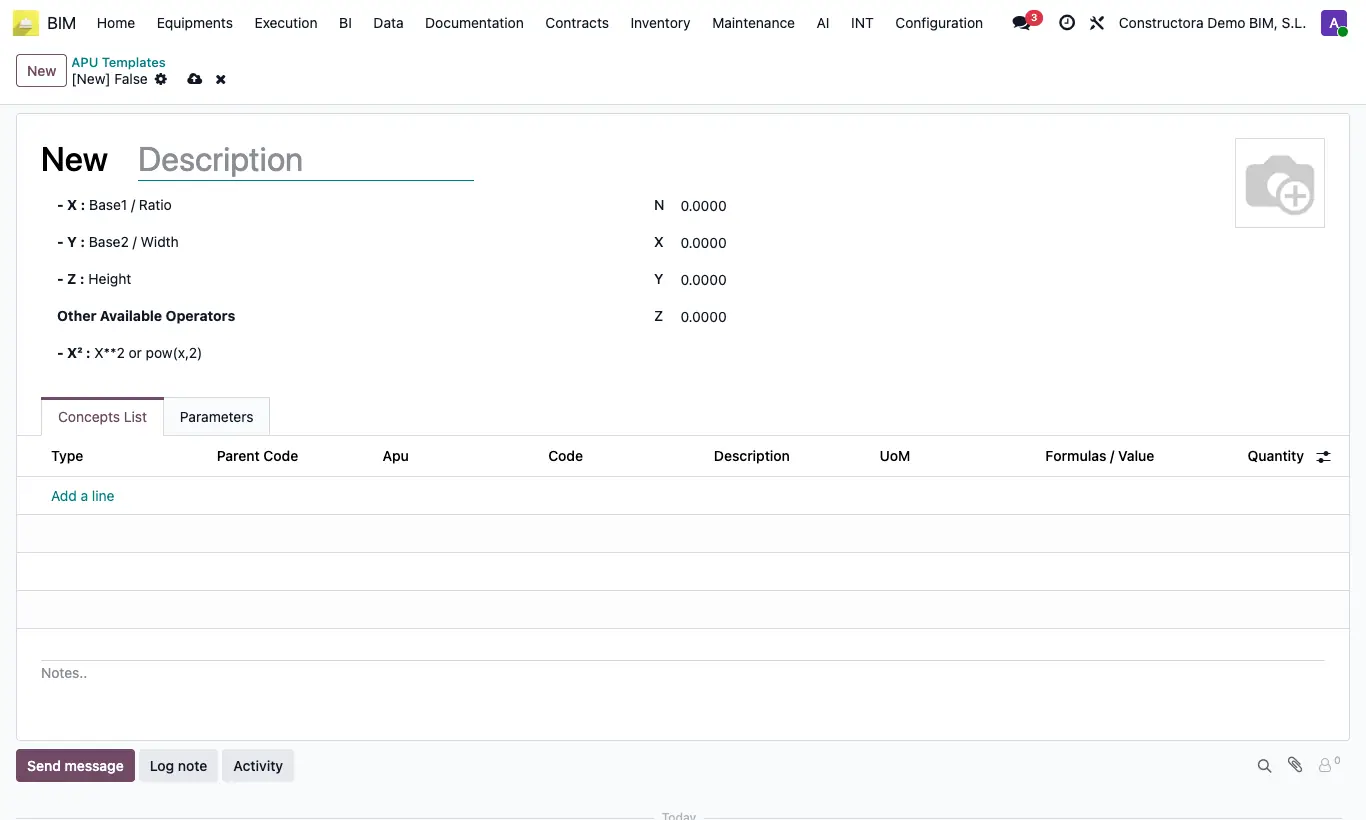
Steps
- Go to Data › Budget templates › APU templates and click New.
- Write the description (it will be the budget name) and the values of N, X, Y and Z.
- In the Parameters tab you can define your own one-letter variables (for example A = surface area) with their value.
- In Concepts List add lines of type Chapter (with its code) and of type Apu (choose the unit price in Apu, its Parent Code and its Formulas / Value).
- To use it, open the project and click Apu in the header.
- Choose the Apu Template, adjust N, X, Y, Z and the variables, and click Continue: the budget is created and opened.
Warning
Only lines whose formula gives a result greater than zero are created. With a formula, the item comes in with the formula's result; without a formula, with the quantity of its unit price.
Variables must be a single letter, with no repeats.
Site note
It can also be used from a sales order: BIM Budget › Budget template › Select apu template.