Where Settings › Users & Companies › Users
Before you start
Administrator role.
Steps
- Open the user and, in the Access Rights tab, BIM EXTRA section, choose Bim Costs in its dropdown.
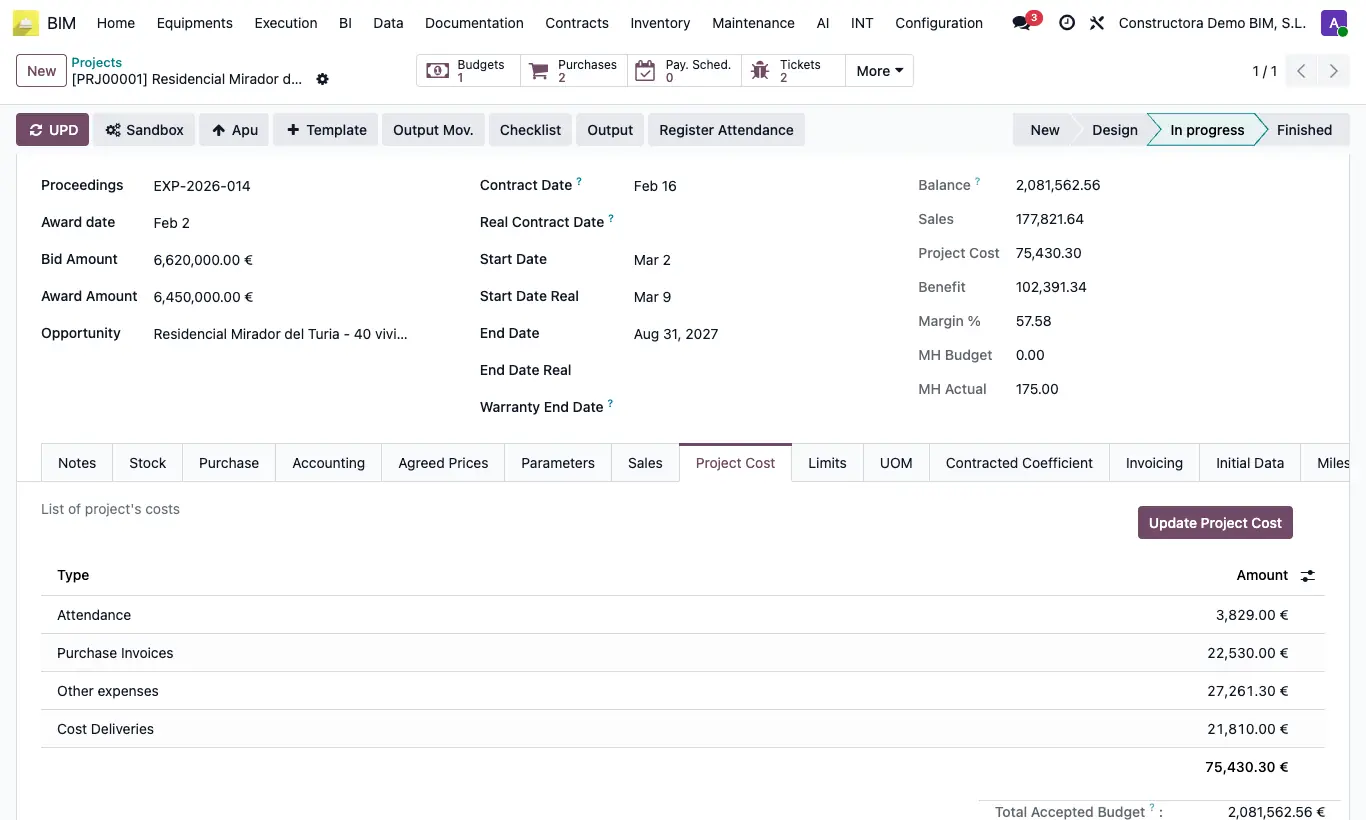
- On the project form they will see the Project Cost tabs (with Total Accepted Budget, Total Spent and the Update Project Cost button) and Limits.
- They will see the project's Output button and can run the budget's Cost Balance report; without the profile you get “Sorry! Report not available!”.
- In tasks they will see the cost of each line and the total labour.
Warning
The cost, profit and margin columns of the project list and the Indicators, Control, Analysis and CF tabs of the budget remain reserved for the BIM Manager.
Whoever does not have this profile still sees the item prices: the profile hides the actual cost, not the budget.