Where BIM › Execution › Other Expenses
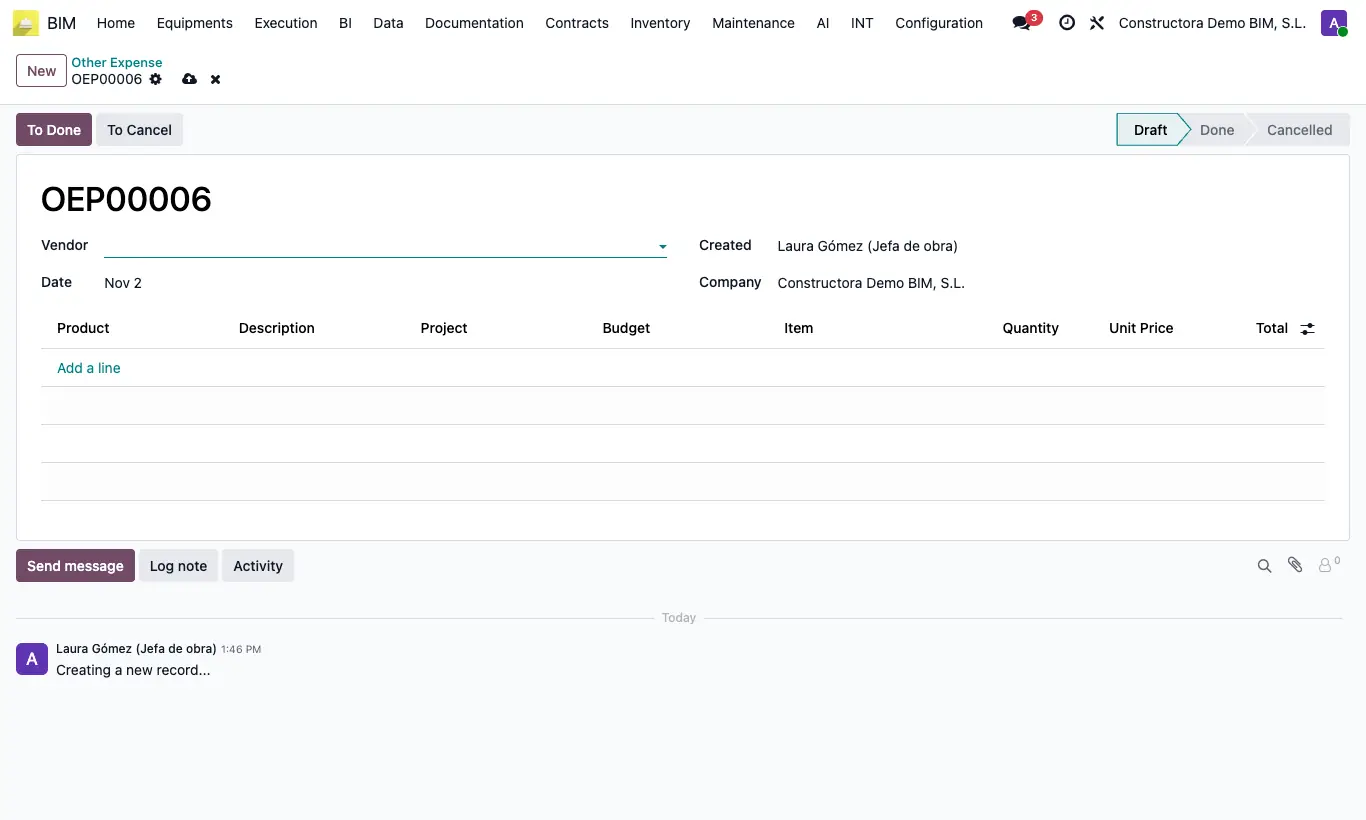
Steps
- Go to Execution › Other Expenses and click New.
- Choose the Supplier and the Date.
- Add lines with Product, Description, Project, Budget, Item, Quantity and Unit Price. The Total is calculated.
- Click To Done.
Warning
These expenses generate no invoice or accounting entry: they are only used in BIM reports.
Site note
Finished expenses add to the Others column of the Result Table and to the project's Output report.
To Draft lets you correct it; To Cancel voids it.