Where BIM › Home › Projects › Change Order
Steps
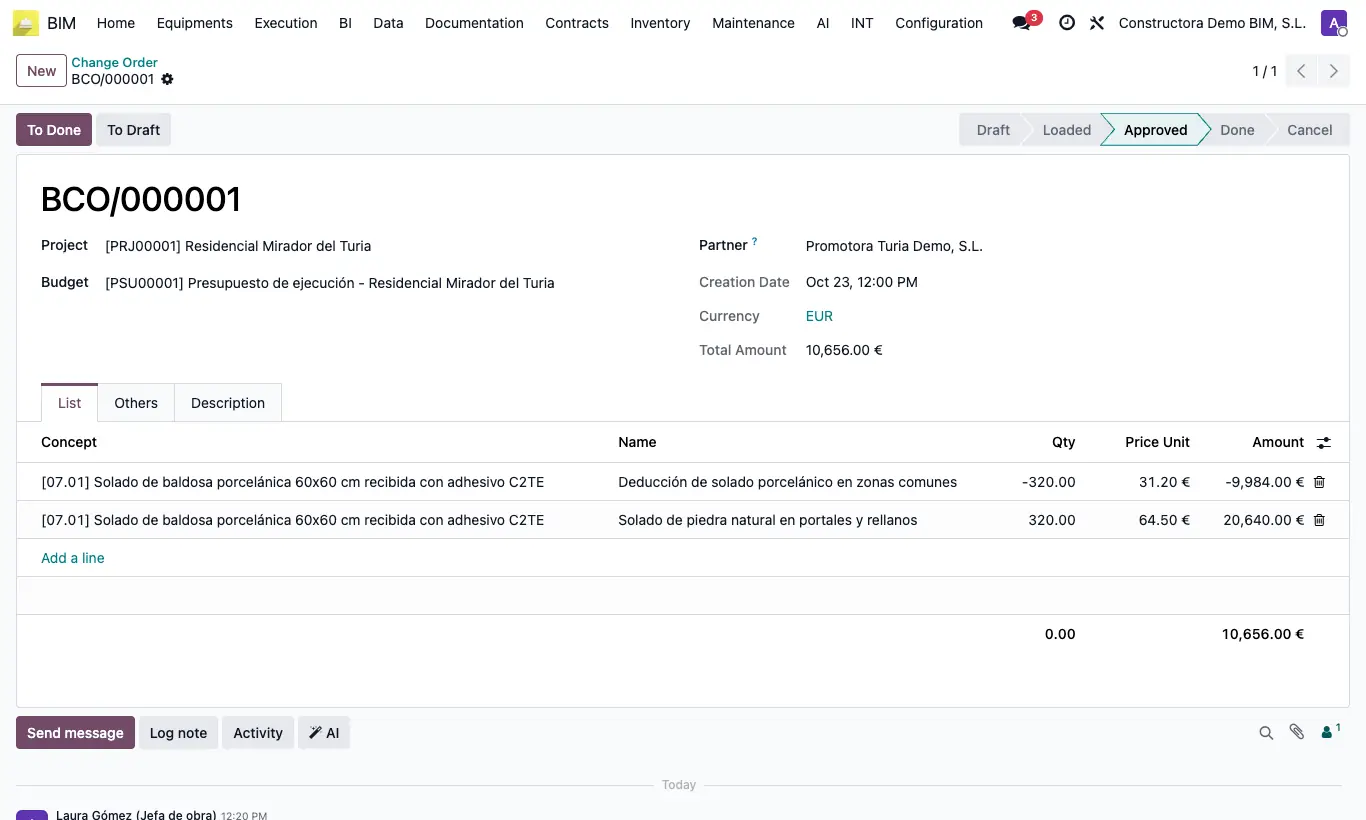
- Go to Home › Projects › Change Order and click New. The Code is filled in automatically.
- Choose the Project, the Budget and the Partner (customer or subcontractor affected).
- In the List tab add one line per change: Concept (budget item, optional), Name, Qty and Price Unit. The Amount is calculated and adds up in Total Amount.
- Explain the reason in the Description tab.
- Click Load, then Approve when the customer accepts it and To Done when it is carried out. To Draft returns it to the start.
Warning
The change order only records: it does not modify the budget. That update is done separately.
Without lines it does not let you approve or complete: "You must add at least one line to the change order before approving it.".
In the breadcrumb at the top the list may appear with another title: always enter from the Change Order menu.