Where Item › Measurement tab
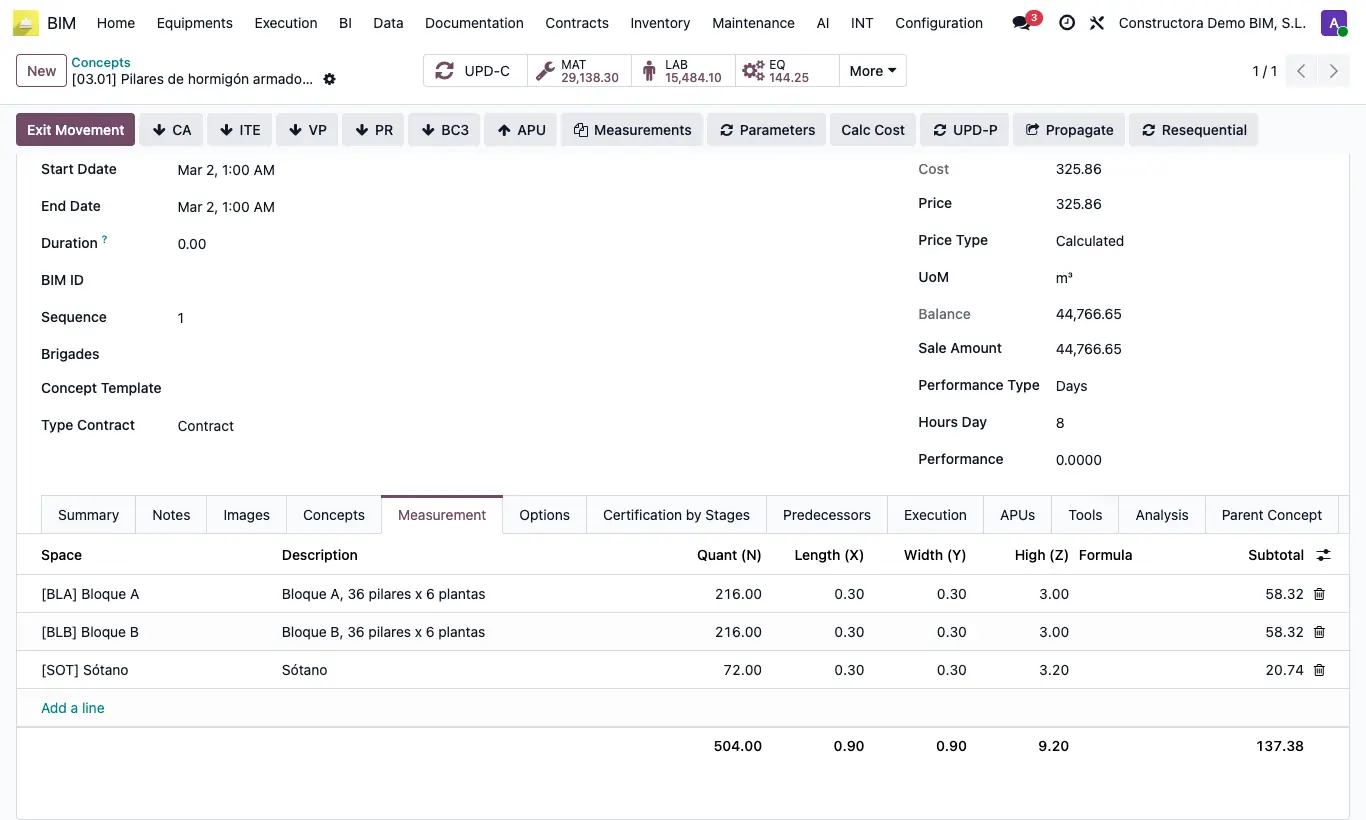
Steps
- Open the item and go to the Measurement tab.
- Add one line per location: Space (Block A, basement...) and Description.
- Enter Quant (N) (identical units) and Length, Width and Height. Optionally, a Formula.
- The Subtotal = N × Length × Width × Height. Empty dimensions count as 1.
- The sum of the lines becomes the item quantity.
Site note
Define the project Spaces first: you will then be able to filter how much work there is in each block.