Where Task › Sub Tasks button
Before you start
BIM Maintenance profile.
Steps
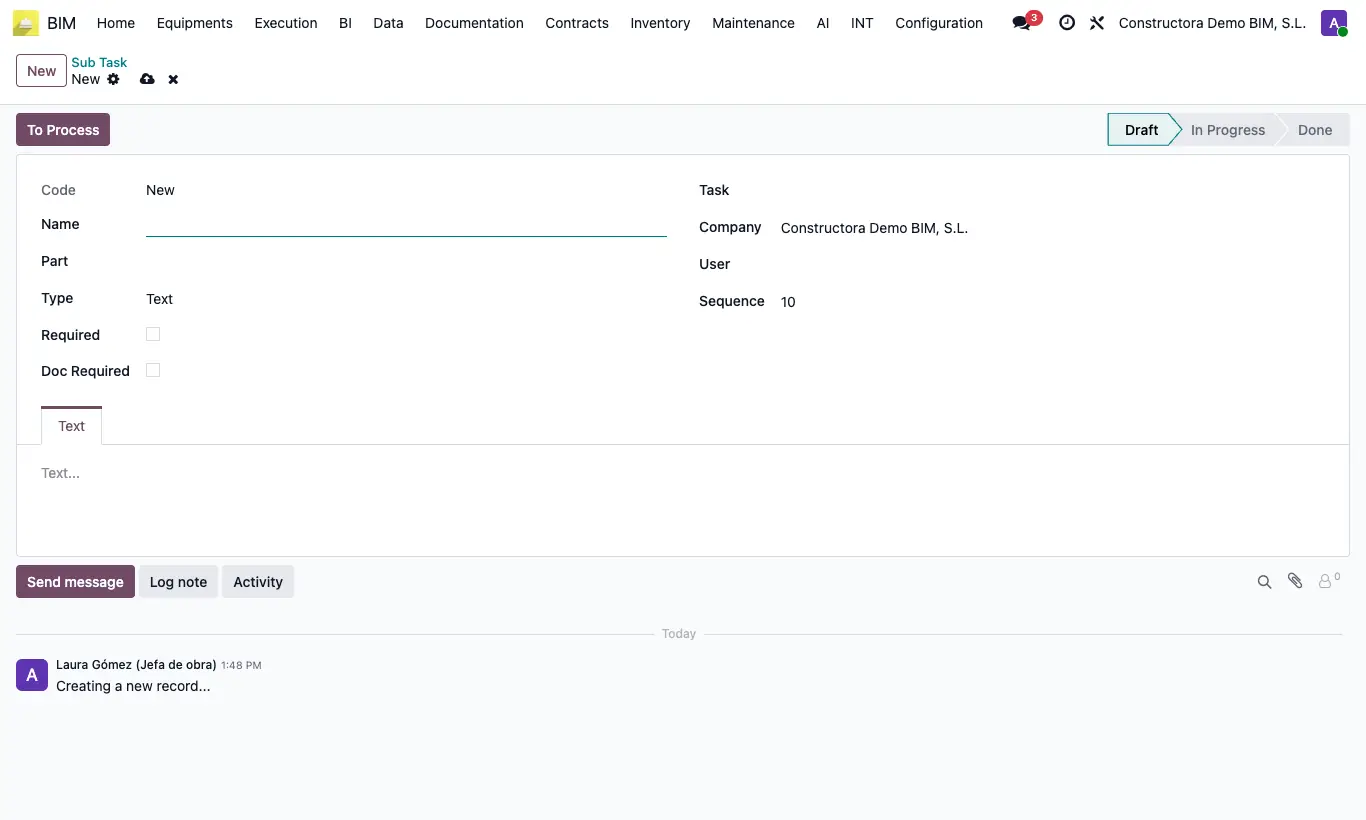
- Open the task and click Sub Tasks; click New.
- Type the Name, choose the Part and the Type: Text, Numeric, Verify, Date, Reading, GPS, List or Date Time.
- Tick Required if it is mandatory and Doc Required if it must carry a document.
- When doing it, click To Process, fill in the data in its tab and click Done.
Warning
Get Location needs location permission in the browser and BIM to be opened over HTTPS; otherwise you get “Could not get the device location (…). Allow location access in the browser; it requires HTTPS.”.
Site note
With the GPS type, open the subtask on your phone or tablet on site and click Get Location in the GPS tab: the browser asks for permission and saves the device's Latitude and Longitude.