Where BIM › Maintenance › Home › Work Request
Before you start
BIM Maintenance profile.
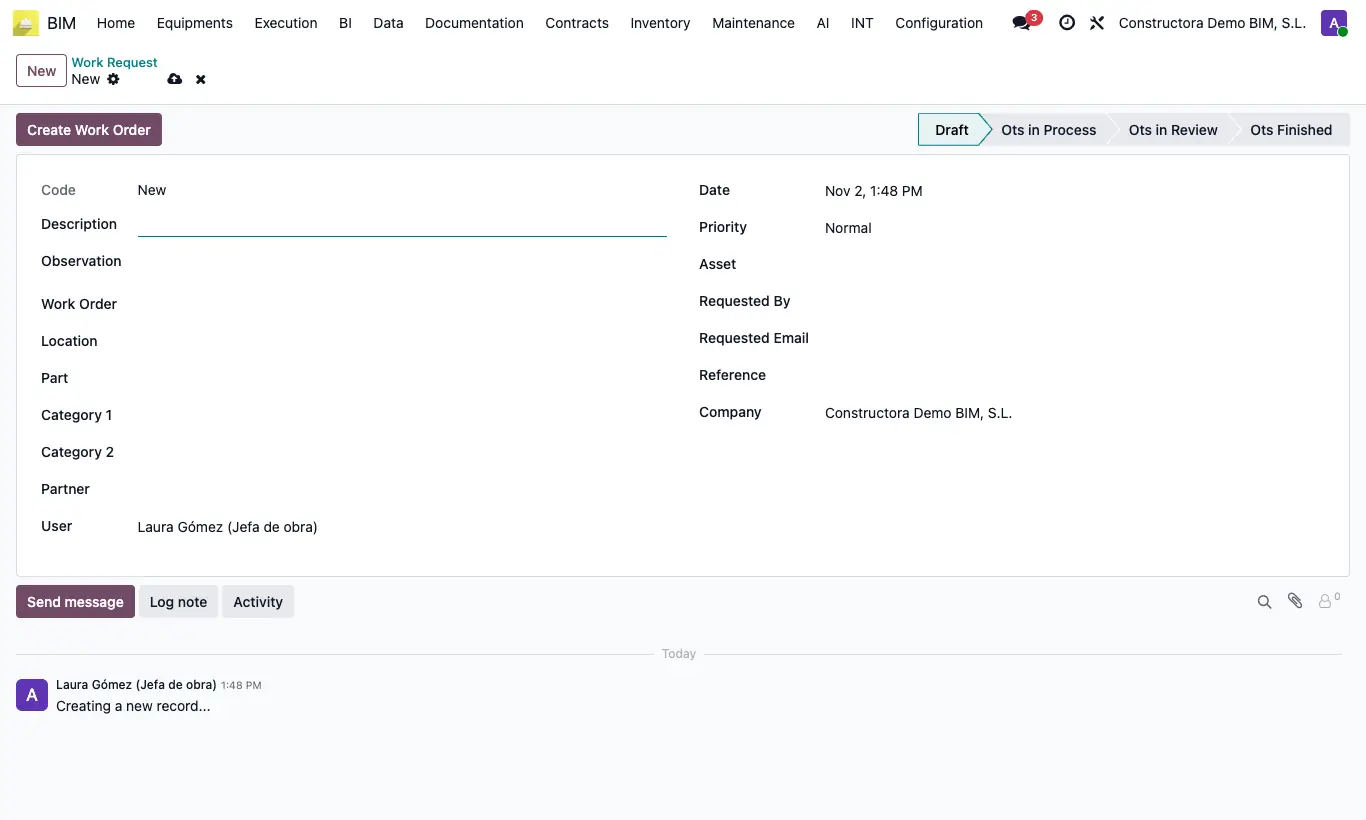
Steps
- Go to BIM › Maintenance › Home › Work Request and click New (they also arrive on their own from a web form).
- Enter the Description and the Observation, and note the Requested By, their Requested Email and the Reference.
- Choose Location, Part, Asset, Category 1, Category 2 and Priority.
- Click Create Work Order: the task is created with the description, the observation, the asset, the categories and the priority, and it is linked in Work Order.
- Follow the request status: it changes at the same time as the order.
Warning
Enter the Description before Create Work Order: it is the order's name and without it the order cannot be created.
The order is created with the first Task Type in the catalog; change it on the order if it is not the right one.