Where Task › Resources button
Before you start
BIM Maintenance profile.
Steps
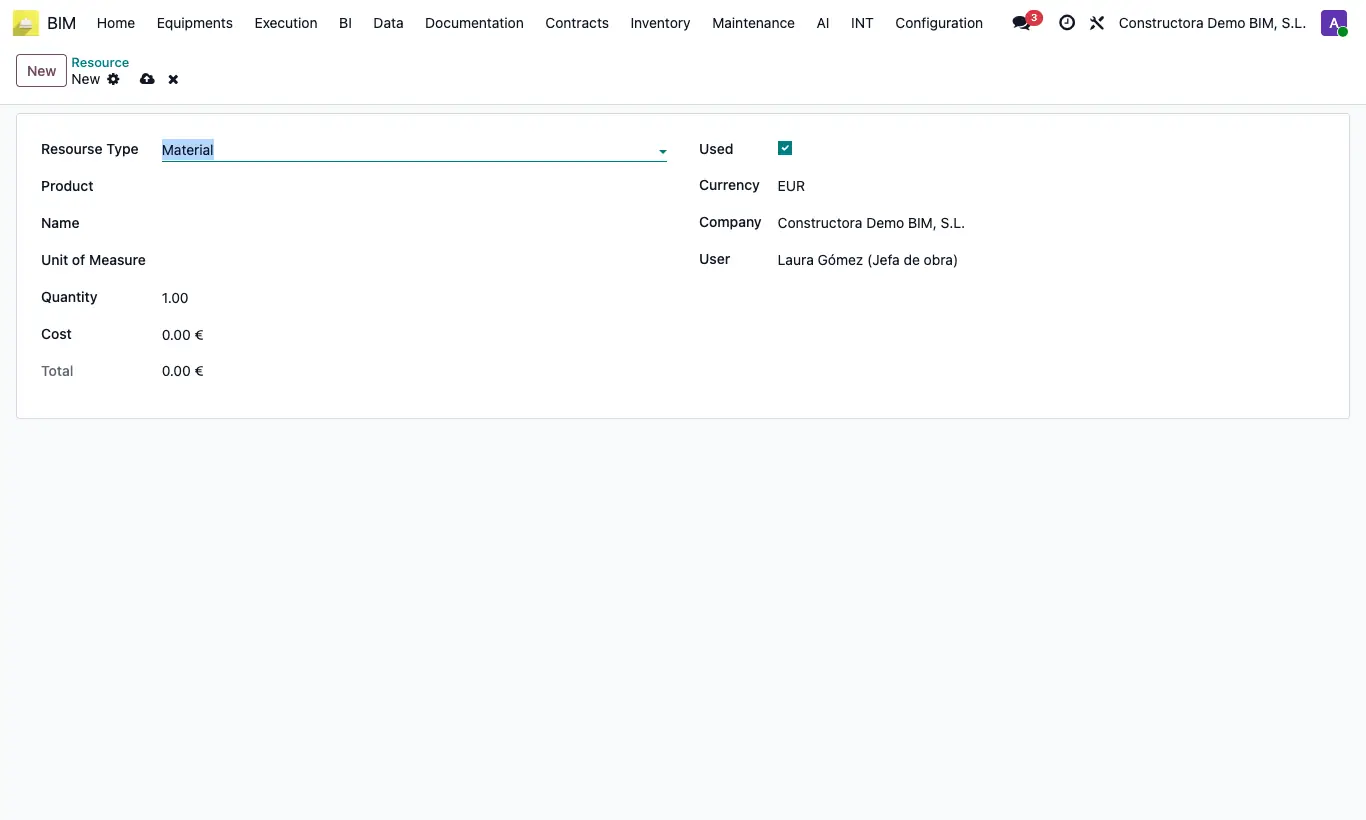
- Open the task and click Resources; click New.
- Choose the Resourse Type: Material, Labor or Equipment.
- Choose the Product: Name, Unit of Measure and Cost are filled in.
- Enter the Quantity: the Total is calculated automatically.
- Untick Used if you planned it but it was not consumed.
Warning
The task's Cost adds up all resources, including those with Used unticked.