BIM 2.0Odoo 19

Process manual

Search for what you want to do and follow the steps. Each process shows where it is in the menu, what you need first and which mistakes to avoid.

The life of a project

Maintenance

How do I create a maintenance plan?Groups by project and location the assets and the tasks to be done.

Where BIM › Maintenance › Home › Task Plans

Before you start

BIM Maintenance profile.
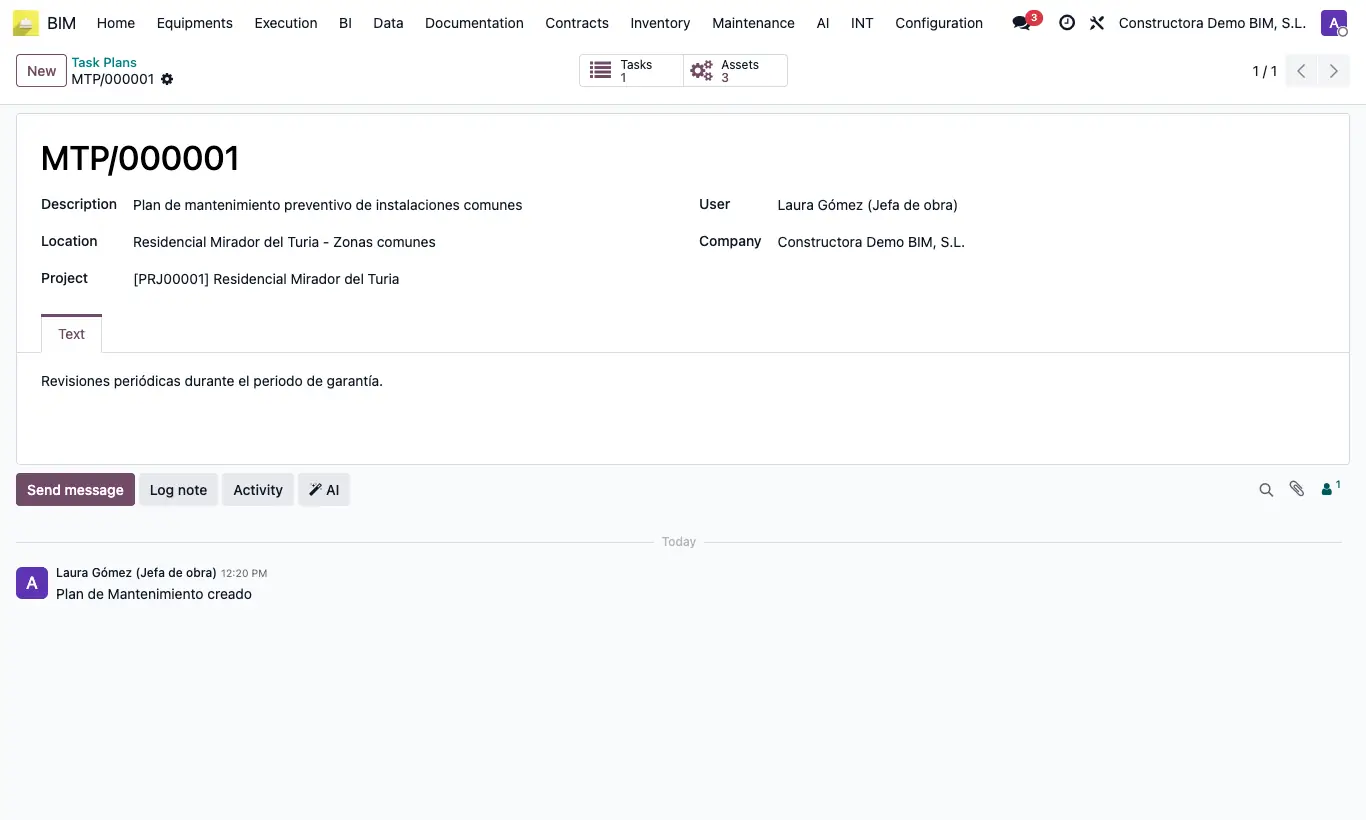
How do I create a maintenance plan?

Steps

  1. Go to BIM › Maintenance › Home › Task Plans and click New.
  2. Enter the Description and choose the Location and the Project (delivered project), both required.
  3. Note the plan's conditions on the Text tab.
  4. Save and click Tasks to create the plan's tasks, or Assets to link the equipment.
Documented version: BIM 2.0 (base_bim_2 19.0.19.04.2026) · Odoo 19