Where BIM › Maintenance › Data › Assets
Before you start
BIM Maintenance profile.
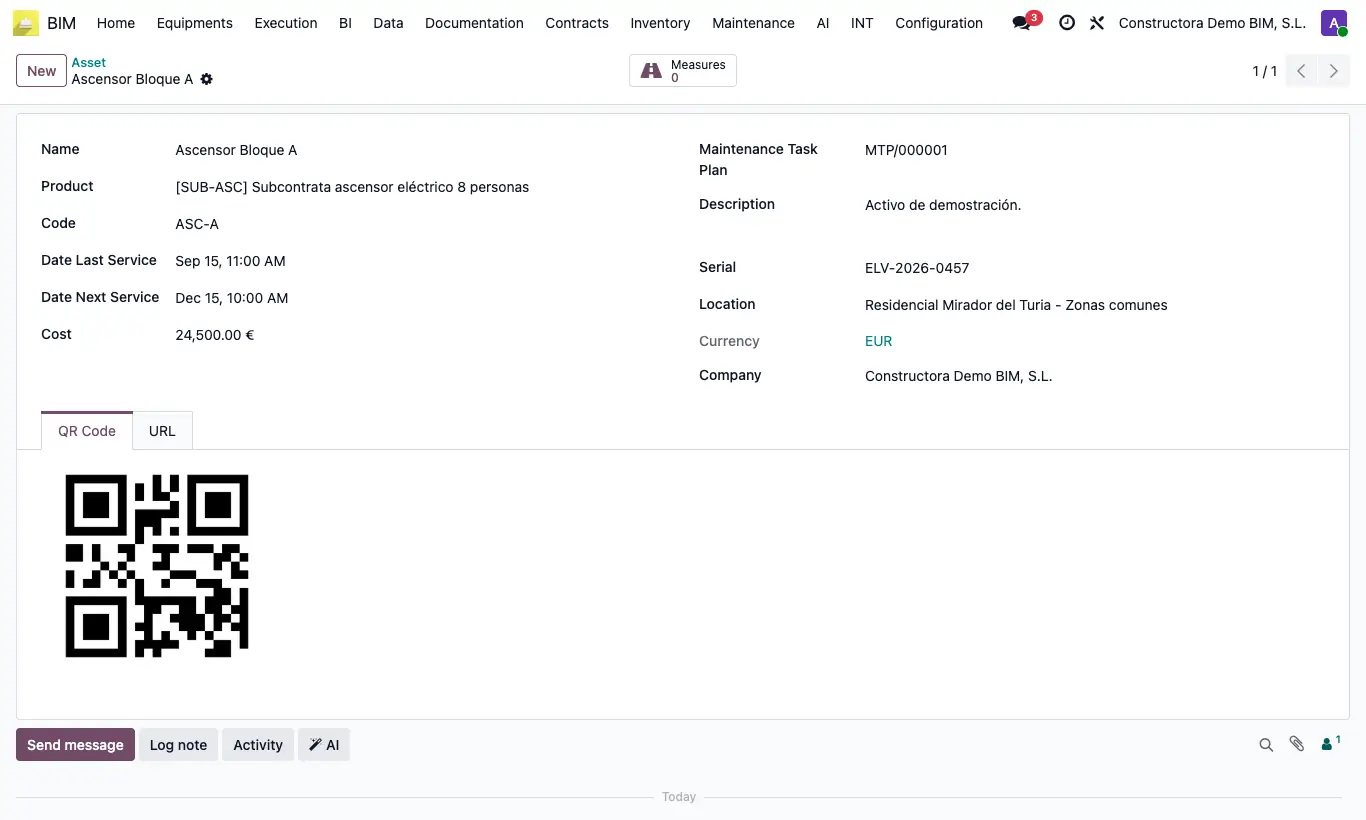
Steps
- Go to BIM › Maintenance › Data › Assets and click New.
- Enter the Name, the Code and the Serial; choose the Product if it is in the catalog.
- Choose the Location and the Maintenance Task Plan it belongs to.
- Enter the Cost, the Date Last Service and the Date Next Service.
- Save and open the QR Code tab: print it and stick it on the equipment.
- On the URL tab you have the link and a second QR to record readings from your mobile.
Warning
Without a Serial the QR codes are not generated.
The serial number identifies the asset when recording readings: do not repeat it across equipment.