BIM 2.0Odoo 19

Process manual

Search for what you want to do and follow the steps. Each process shows where it is in the menu, what you need first and which mistakes to avoid.

The life of a project

Planning and scheduling

How do I create the list of tasks that hours are logged against?The task master is the closed list of jobs (design, measurements, visits...) that the team picks from when logging hours.

Where BIM › Documentation › Task Report › Task Masters
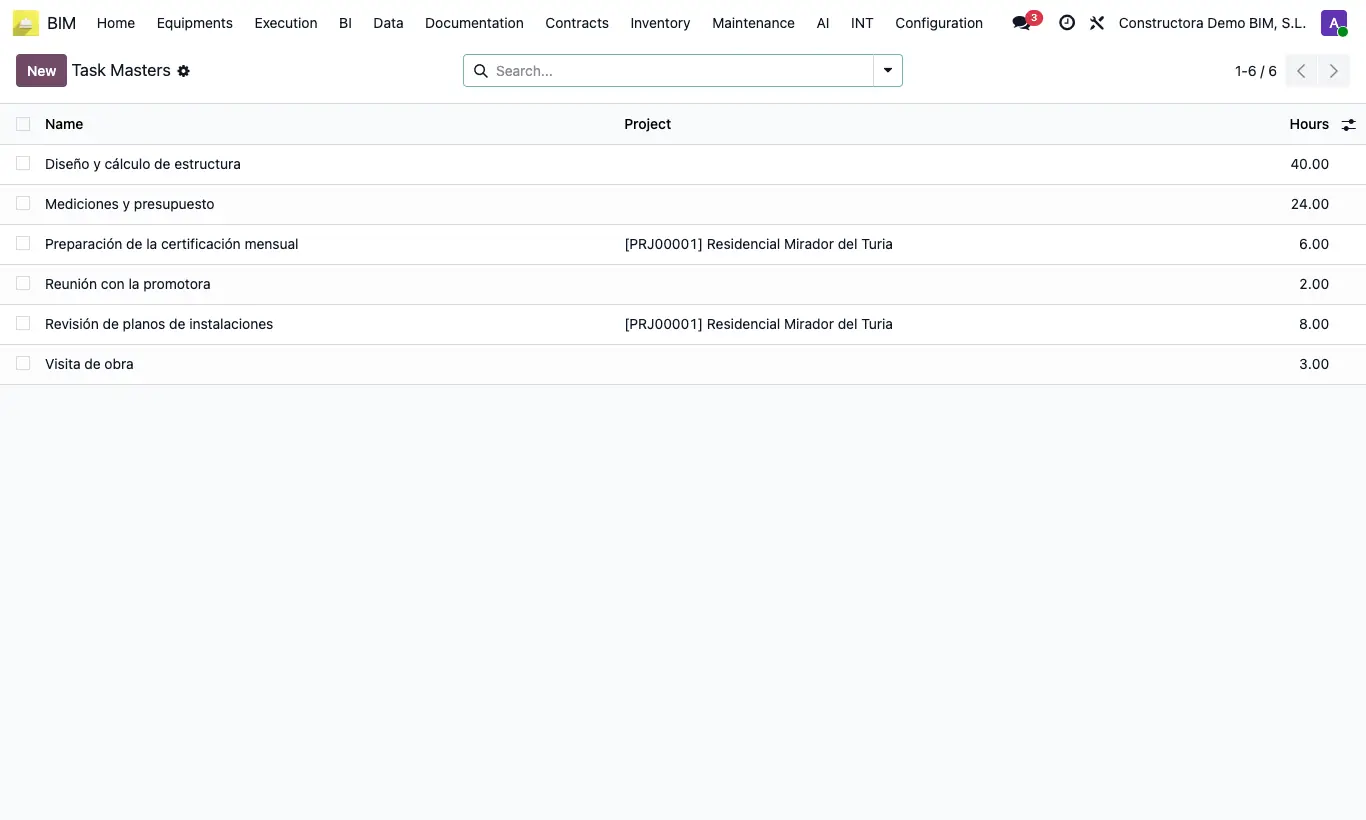
How do I create the list of tasks that hours are logged against?

Steps

  1. Go to Documentation › Task Report › Task Masters.
  2. Click New and type the task Name directly in the list.
  3. Leave Project empty so it applies to all projects, or choose a project so it only appears in that one.
  4. Enter the planned Hours, if you want to use them as a reference.
Site note

The master task is chosen in the Task column of the time entries (Timesheets tab of a task) and from the timesheet portal.

Documented version: BIM 2.0 (base_bim_2 19.0.19.04.2026) · Odoo 19